
Student who wants to concentrate
You want useful airflow while studying, without distracting noise. So compare noise levels and airflow at the same setting.


Start by thinking about where you want to feel the airflow. A compact, adjustable fan may be enough for a single desk, while an oscillating model can circulate air across more of the room. Then compare the noise level at the setting you plan to use, and check that the base, height and any extra accessories suit your room and budget.
You want useful airflow while studying, without distracting noise. So compare noise levels and airflow at the same setting.
You want to be able to direct or circulate the air by your workspace and, if needed, elsewhere in the room, without expecting a fan to lower the room temperature.
You need a stable place for your fan that takes up little workspace. Check the base and overall height, not just the fan diameter.
First decide whether you want directed airflow at your desk or air circulated around the room. Then compare noise, placement and how much use you’ll make of any extra features.
| What to consider | What to look for when buying | Who is this important for? |
|---|---|---|
| Noise while studying and sleeping | Compare noise and airflow at the setting and distance you plan to use the fan. A minimum noise rating does not automatically apply to other settings. | If I want useful airflow while studying or sleeping without distractions, I want to know how loud the fan is at the setting I’ll actually use. Around 31% of consumers give top priority to noise levels when there is useful airflow. |
| Directed or circulated airflow | Check whether the head tilts, whether oscillation can be switched off and whether the airflow feels comfortable at the distance you’ll be using it. | If I want to feel the airflow at my desk and elsewhere in the same room, choosing between a fixed direction and oscillation matters. Around 31% of consumers put air circulation at the top of their list. |
| Space and stable positioning | Measure the space for the base and the available height. Also check that the fan will be stable on the surface where you plan to place it. | With limited desk space, I want the fan to fit between my laptop and study materials and sit securely. Around 23% of consumers give available desk space top priority. |
| Simplicity and running costs | Check which accessories are included. Compare power consumption only on a like-for-like basis, and calculate costs only once you’ve confirmed the power rating, usage hours and your own electricity tariff. | If I mainly use one fixed workspace, I don’t want to pay for extra features I don’t need, and I want to be able to assess energy use. Around 15% of consumers prioritise ease of use and costs they can check. |
Rowenta quotes 32 dB(A) for the minimum setting on the Turbo Silence Extreme+ VU2740. On its own, that figure doesn’t tell you how much noise the fan makes at a setting that provides enough airflow for you.
Compare noise and airflow at the setting and distance you plan to use the fan.
Duux lists the battery for the Whisper Flex² Smart as optional. So don’t assume the fan is ready to use wirelessly straight out of the box without checking.
Check what’s in the box and whether the battery is compatible with the exact model. A separate battery may be needed for wireless use.
The manufacturer’s page for the Tristar VE-5923 lists 40 W in the description and 30 W for maximum electrical power. These figures don’t provide a consistent basis for an accurate cost calculation.
Check the power consumption of the exact model, then calculate the cost using your usage hours and your own electricity tariff.
The VE-5923 and VE-5930 are desk fans with different settings and fan diameters.
The Turbo Silence Extreme+ VU2740 is a desk fan with multiple speeds and oscillation.
Duux says the Whisper Flex² Smart can be used as a desk or pedestal fan.
According to the product description, the black retro desk fan is a simple model with two speeds.
These product picks focus on air circulation at your desk, with additional models that can also be used elsewhere in the room.
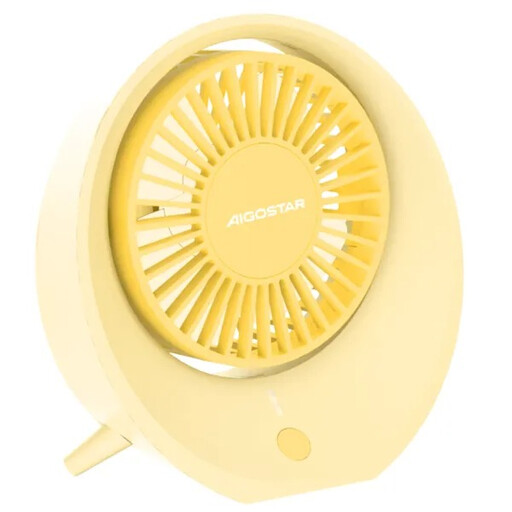 No image available
The clip-on design is intended to attach to a desk; check that the clamp fits the edge where you want to use it.
Dimensions: 153 × 70 × 160 mm. Three speeds, rechargeable battery and a weight of 260 g.
A certified 5V USB adapter for charging is not included.
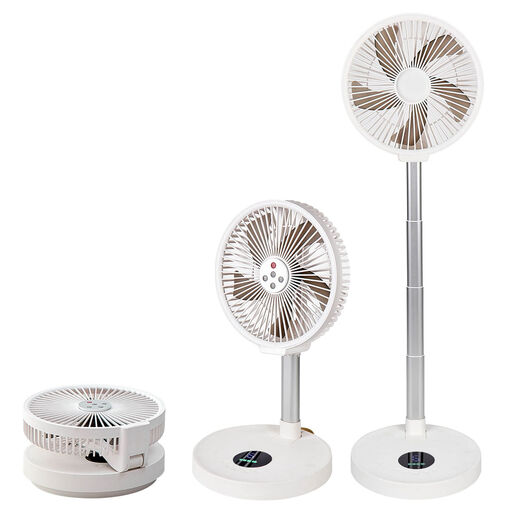 No image available
The product description says it can be used as a desk or floor fan, which could suit you if you want to use it in different places.
7200 mAh battery, six speeds, manual tilt and oscillation. The stated height when standing is 88 cm.
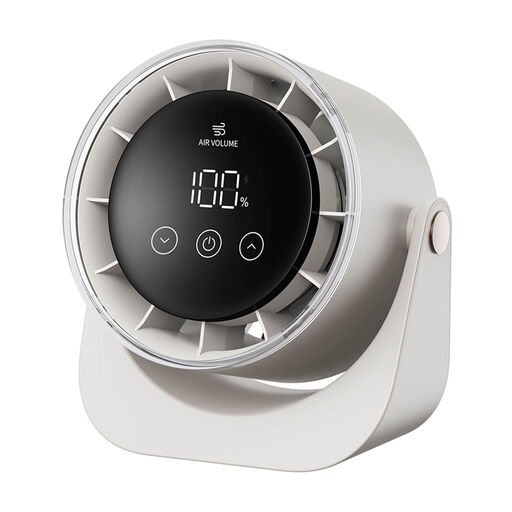 No image available
The product title describes a compact air circulator for desk use with a tilting head, so you can adjust the direction to suit where you’re sitting.
The title lists 100 speeds and 90° tilt. The description mentions a rechargeable battery and an LED display.
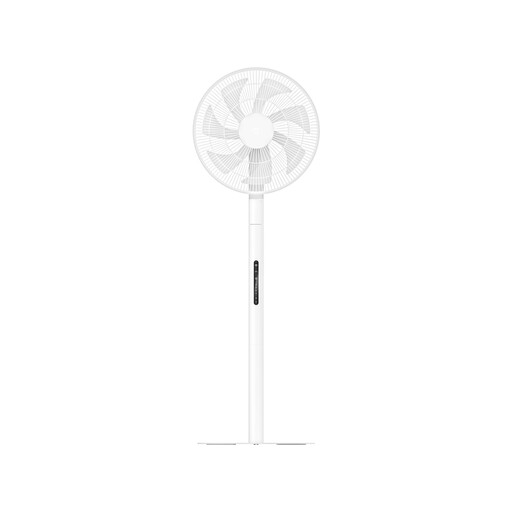 No image available
According to the product description, this model can be adjusted for use as a desk or floor fan, for example by your desk and later elsewhere in the home.
The description lists a maximum airflow of 20 m³/min, control via the Mi Home app and automatic oscillation.
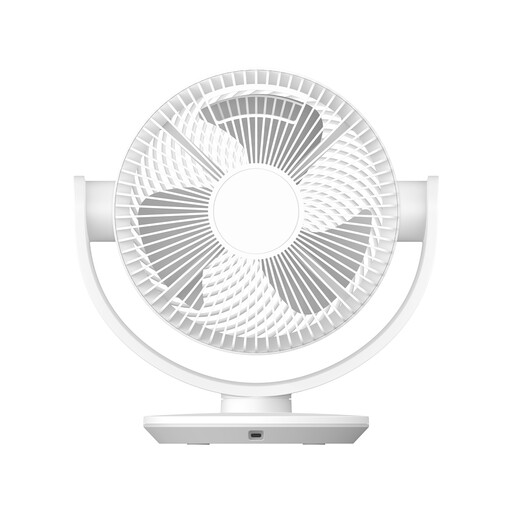 No image available
The product description calls this a desk fan for air circulation; check that it will fit on your desk.
Dimensions: 324 × 200 × 334 mm. Power: 18 W. Cable length: 1,8 m.
No. A fan moves air, which can help you feel cooler where you’re sitting, but it isn’t air conditioning. The Consumentenbond explains that you can use an open window and a fan to move air through the room when cooler air is available outside.
Place the fan on a stable surface and consider where the cable will run. Fully unwind any cable reel you use; the Fire Service warns that a wound-up cable on a reel can become hot. Follow the instructions for your exact model when cleaning it.
Not automatically. According to the Dutch Government, products in the Netherlands are covered by a legal guarantee with no fixed statutory time limit, and the retailer is your point of contact if something goes wrong. Compare any extra warranty with the rights you already have.
The EU Low Voltage Directive applies to electrical equipment designed for 50 to 1,000 V AC or 75 to 1,500 V DC. Within its scope, it sets safety and CE-marking obligations for economic operators. Check the power supply and product information for the exact model. An advert or CE logo alone does not prove that a particular item has been independently approved.