
Working comfortably from the sofa
You take calls, read or focus on work from the sofa, and want to be able to adjust the airflow without the fan noise taking over. Compare noise levels at speeds and distances that will work for you.


Start by finding a stable spot for the fan, then decide whether you want the airflow directed at one seat or moving between the sofa and your workspace. A tilting head is suited to a fixed direction; oscillation can be useful if you want to cover several seats, while an adjustable desk-to-pedestal model needs more room. Assess the noise at the speed and distance you’ll actually use, rather than relying on a minimum noise figure alone.
You take calls, read or focus on work from the sofa, and want to be able to adjust the airflow without the fan noise taking over. Compare noise levels at speeds and distances that will work for you.
You use more than one seat and want to choose between a fixed airflow direction and oscillation, depending on where you’re sitting.
You need to fit the fan securely on a small surface or move it between locations; its dimensions, base and chosen height all affect how practical it is.
| What to consider | What should you check? | Who is this important for? |
|---|---|---|
| Noise while working | Compare noise information at different speeds and distances; a minimum figure doesn’t tell you how loud the fan is on a more powerful setting. | If you take calls or work with focus from the sofa, you’ll want airflow without distracting noise. Around 36% of consumers give working noise the highest priority. |
| Reach and airflow distribution | Measure the approximate distance and check whether you can direct the head towards seating height. Decide whether you need to cover one seat or several. | If you want to direct airflow from a piece of furniture towards the sofa, or also towards your desk, check whether the fan’s direction or oscillation suits your setup. Around 29% of consumers prioritise reaching their seat. |
| Stable positioning | Measure the available surface and check the base, height and position of the cable; assess how stable the fan is in your chosen setup. | If space beside the sofa is limited, you’ll want to know whether the base fits securely and whether the chosen height will work. Around 21% of consumers make finding a suitable position their top priority. |
| Energy use and extras | Check the stated power for the setting you intend to use, how long you expect to run the fan and whether the required power supply or battery is included. | If you’ll use the fan for long periods or want to run it without a power socket, energy use and any additional parts are worth considering. Around 14% of consumers prioritise energy use and required extras. |
Rowenta gives a figure of 32 dB(A) for the VU2740 at its lowest speed. That doesn’t tell you how loud it is on another setting; Consumentenbond assesses noise at different speeds and distances.
Consider noise alongside airflow at the setting and distance you need by the sofa.
A tilting head lets you set the direction yourself, but it won’t automatically move between the sofa and desk. Joybuy Netherlands does not list oscillation for the Philips CX2050/00.
Map out the fan’s position and your seats, then check the movement function of the exact version you’re considering.
Duux lists the battery for the Whisper Flex² Smart as optional, so cordless operation is not necessarily included with the model.
Check what’s included with the version you choose and whether there’s a power socket available by the sofa.
Cordless operation may require you to buy a compatible battery separately.
Philips describes the CX2050/00 as a desk fan with a tilting head, three speeds and a timer. It’s designed for a fixed position where you can direct the airflow yourself.
Rowenta describes the VU2740 as an oscillating desk fan with four speeds, designed to avoid directing the airflow constantly at one spot.
Duux describes the Whisper Flex² Smart as a model that can be set up as either a desk or pedestal fan, with adjustable horizontal and vertical oscillation.
Tristar describes the VE-5725 as a desk fan with three settings, a tilting head and a stated oscillation range of 85°.
This selection includes adjustable desk-to-pedestal fans, a desktop air circulation fan and a portable personal fan. Check each model to make sure its setup and airflow suit the spot where you want the air to move by the sofa.
 No image available
A good fit if you want to use the fan on a table or on the floor and have it oscillate automatically.
The description lists adjustable height, app control and speed settings from 1 to 100. Place the fan on a flat, stable surface and secure the base properly, especially when it’s at maximum height.
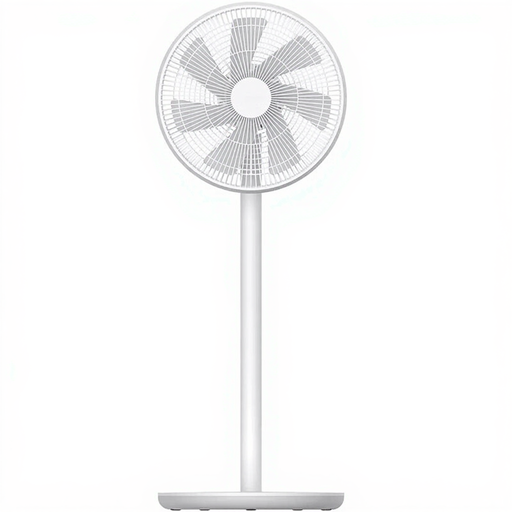 No image available
The adjustable height and oscillation may suit a seating area where you don’t want the airflow directed at one spot all the time.
The product title lists 90° oscillation and seven blades; the product description mentions control via the Mi Home app.
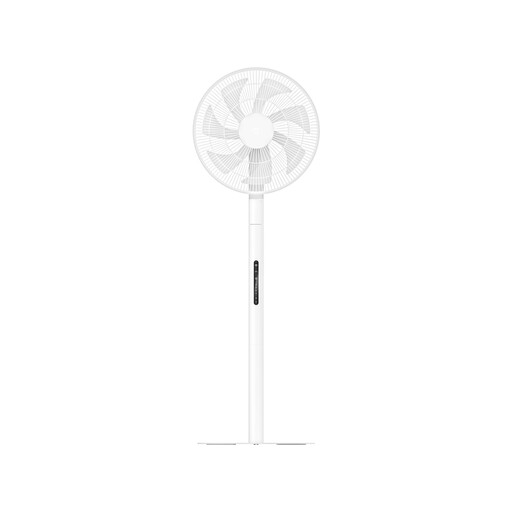 No image available
This pedestal model may suit you if you want to control it from your workspace using one of the listed control options.
The product information lists app, remote and touch controls, 100 speed settings and USB Type-C charging.
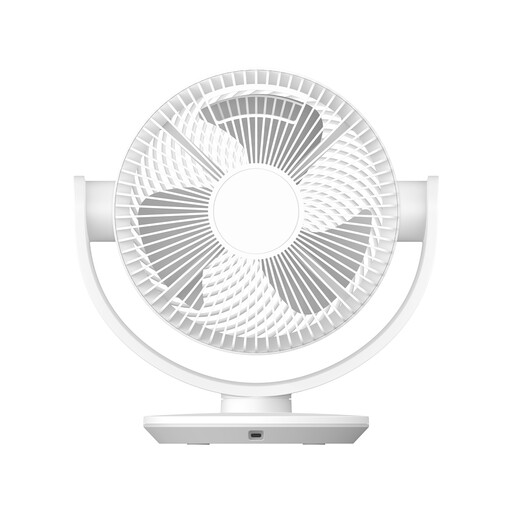 No image available
This desktop model is designed to sit on a surface; measure the available space before placing it by the sofa.
Stated dimensions: 324 × 200 × 334 mm. The product description lists a power rating of 18 W and a noise level of ≤60 dB(A).
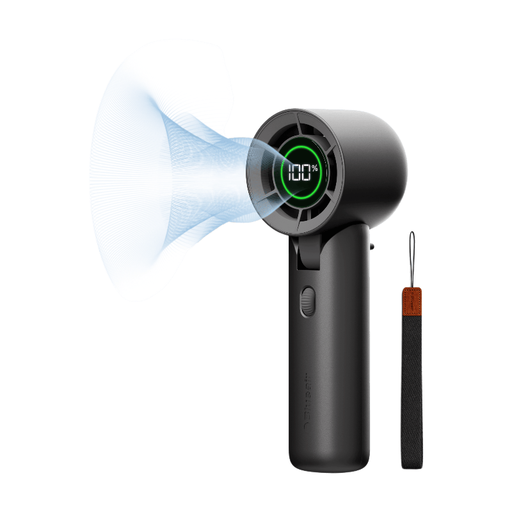 No image available
This portable model may suit you if you want personal airflow in one spot, but it’s a handheld fan, not a pedestal fan designed to move air around a room.
The description lists USB-C charging, a head that tilts up to 75° and speed settings from 0 to 100. Stated dimensions: 19 × 7 × 6,5 cm; weight: 0,3 kg.
No. Moving air by the sofa doesn’t replace bringing fresh air in and removing stale air. Milieu Centraal describes ventilation as this supply and removal of air; use the fan to circulate air, and ventilate your home separately as well.
Choose a stable spot and check that you can direct the head towards your seat. If you also want airflow by the desk, see whether the oscillation covers the areas you need, and assess the noise at the speed and distance you plan to use.
Switch off and unplug the fan before cleaning it. Honeywell Store recommends this for portable fans; check the manual for the exact model before removing a grille, as cleaning and disassembly instructions can vary between versions.
According to ACM ConsuWijzer, online purchases generally come with a statutory cooling-off period of up to 14 days after delivery, although applicable exceptions may apply. A product must also meet what you could reasonably expect from it under normal use. If it breaks down too soon, the seller is responsible for providing an appropriate solution under the statutory guarantee.
Which EU product rules apply depends, among other things, on the electrical specifications. The European Commission states that the Low Voltage Directive covers 50–1000 V AC or 75–1500 V DC; the Dutch government also sets out other rules for electrical appliances outside the scope of that directive. Check the product information and the applicable conformity requirements for the specific model.