If you mainly want airflow in one spot, a compact, adjustable desk fan is a good fit. If you also want to reach other parts of your flat, look for a model with automatic oscillation. Measure the available space first, and assess the noise and airflow at the setting you actually plan to use: having more speeds or a stated maximum airflow doesn’t, by itself, tell you how comfortable that setting will be.
Who is a desk fan suitable for?
Home worker who wants airflow around the room
If you work at a desk and don’t want the air directed straight at you, check the fan’s direction and whether it oscillates. The Consumentenbond describes table and desk fans mainly as appliances for one person.
Desk user who is sensitive to noise
If the fan will be close to you, compare its noise and airflow at the same setting. The Consumentenbond measures noise at different distances and speeds.
Someone with limited desk space
If you have little room beside your work equipment, check the dimensions, base and clearance before choosing a model. The Consumentenbond advises placing a fan on a stable surface.
What should you consider when choosing one?
Manually adjustable table fan
A good fit if: you mainly sit at your desk and a fixed airflow is enough. Philips lists a tilting head, three speeds and a timer for the CX2050/00.
Keep in mind: check whether manual adjustment is enough or if you need automatic oscillation.
Table circulator with automatic movement
A good fit if: you want airflow to reach other parts of the room too. Rowenta lists horizontal and vertical oscillation, twelve speeds and a height of 32 cm for the QV2540.
Keep in mind: Rowenta’s stated 21 dB(A) applies to the quiet setting; this figure doesn’t automatically apply to other speeds.
Simple table circulator
A good fit if: you’re looking for a compact fan with simple controls and can adjust its direction yourself. BONECO lists three speeds and a removable blade cover for the F100.
Keep in mind: BONECO’s product information comes from an Austrian website; check with the seller about delivery and service in the Netherlands.
When choosing a fan for a desk in a small flat, the main factors are the airflow you want, noise, available space and ease of use.
| What to consider |
What to look for |
Who it matters more to |
| Airflow |
Check whether the head tilts manually or moves automatically from side to side and up and down. Assess the airflow at the speed you want to use. |
If you want airflow to reach other parts of your flat, automatic movement is worth considering. Around 33% of consumers prioritise airflow distribution. |
| Noise while working |
Compare noise and airflow at the same setting and distance; manufacturers’ figures aren’t necessarily directly comparable. |
If you want to concentrate while working close to the fan, it’s useful to know how it sounds at the setting you’ll use. Around 25% of consumers prioritise quiet operation. |
| Desk placement |
Measure the base and height, and allow room for the head to move. Choose a stable spot. |
If you have little space beside your screen and other belongings, the fan needs to fit without getting in the way. Around 25% of consumers prioritise space for placement. |
| Controls and use |
Check that the controls and timer suit your routine. For extended use, consider the power rating and how many hours you’ll use it for. |
If you want simple controls and don’t want the appliance running for longer than necessary, the timer and usage time matter. Around 17% of consumers prioritise these features. |
Common mistakes when choosing
-
Comparing only the number of speeds or the highest airflow
According to the Consumentenbond, the number of settings tells you little about maximum blowing power or the difference between the lowest and highest settings.
Compare airflow and noise at the settings and distances you’ll use at your desk.
-
Assuming a low noise rating applies to every setting
According to Rowenta, the stated 21 dB(A) for the QV2540 applies to the quiet setting. It doesn’t tell you how loud a higher setting will be.
When checking a noise rating, find out which setting and conditions it applies to.
-
Expecting an air circulator to cool the room like an air conditioner
A fan moves air; that’s different from active room cooling by an air conditioner.
Decide whether you want airflow around your workspace or actual room cooling.
Brands to compare
These brands offer different types of table fans and circulators. The features listed apply to specific models and aren’t a general recommendation of the brands.
Rowenta
The QV2540 is a desk-focused circulator for anyone looking for automatic airflow distribution.
- For this model, Rowenta lists multidirectional oscillation, twelve speeds, a timer and a height of 32 cm.
- According to Rowenta, the stated 21 dB(A) applies to the quiet setting.
Philips
The CX2050/00 is an adjustable table fan for use at your own workspace.
- Philips lists three speeds, two modes, a timer and a tilting head.
- The Consumentenbond notes that this model doesn’t come with a remote control.
BONECO
The F100 is a compact table circulator with simple controls.
- BONECO lists three speeds and a removable blade cover.
- The product information comes from an Austrian website; check with the seller about delivery and service in the Netherlands.
Duux
The Whisper Flex² No Wi-Fi is designed for anyone who wants to use one model as either a table or standing fan.
- Duux lists a height adjustment from 54 cm to 92 cm, adjustable horizontal and vertical oscillation, and an optional battery.
- Check that the table setup fits on your desk; the stated noise level of 13 dB isn’t confirmed for every setting.
Tristar
The VE-5721 and VE-5722 are simple table fans worth comparing if extra controls aren’t a deciding factor.
- The Consumentenbond lists two speeds for both models.
- According to the Consumentenbond, these models don’t have a remote control.
Joybuy products for air circulation
This Joybuy selection includes Xiaomi models for moving air around your workspace, including standing and desktop versions. Check where each model is designed to be placed and measure the available space before choosing.
 No image available
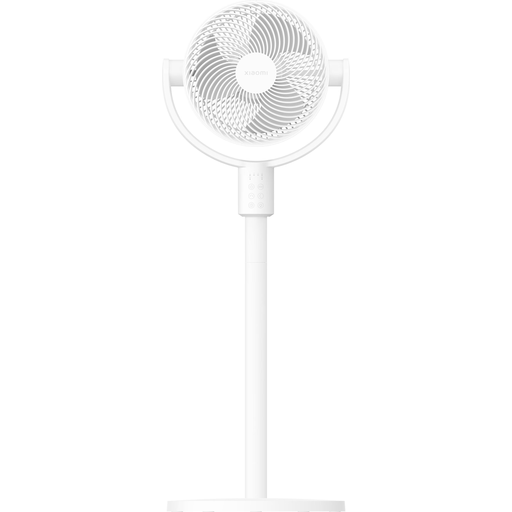
Xiaomi Smart Standing Air Circulation Fan
An option if you want airflow to reach beyond your immediate desk area; check that a standing model fits your available space.
The product name lists 3D automatic oscillation, adjustable height, two modes, 100 speeds and airflow of up to 1440 m³/h. The stated 28 dB applies to the quiet sleep setting.
View at Joybuy
 No image available
Xiaomi Smart Standing Fan 2
A standing model to consider if you’re looking for app control and a range of speed settings; check that it can be positioned suitably by your desk.
The product name lists app control, dual blades and 100 adjustable speeds. Place the fan on a stable, level surface and check that the base is securely attached.
View at Joybuy
 No image available
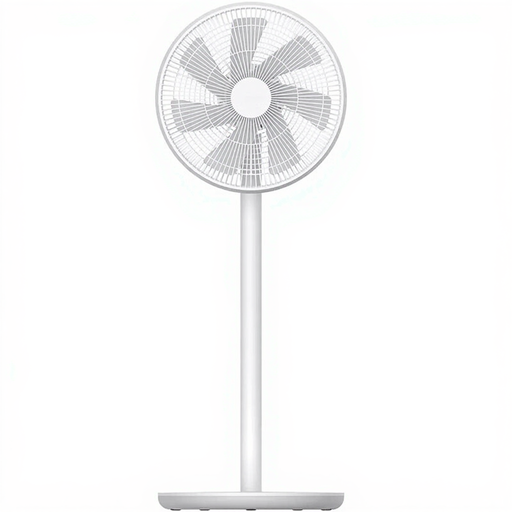
Xiaomi Smart Standing Fan 2 Lite
A standing model to compare if you want airflow to move around the room; measure the spot where you plan to place it.
The product name lists app control, seven blades, an airflow reach of up to 12 m, 90° oscillation and adjustable height.
View at Joybuy
 No image available
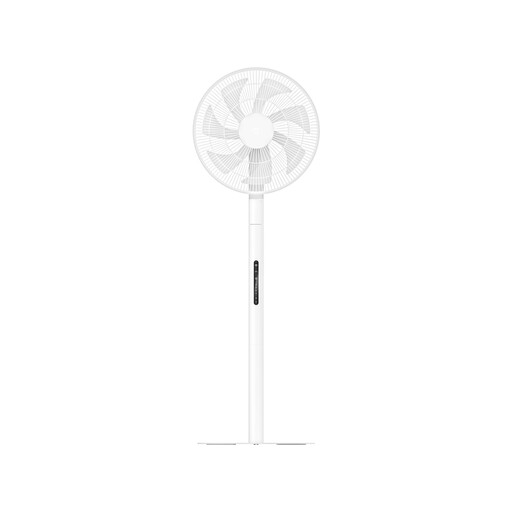
Xiaomi Mijia Smart Standing Fan Pro Slim
A standing model to compare if you want several ways to control it; check the space required and how it would fit into your workspace.
The product name lists app, remote and touch controls, a DC inverter motor, an airflow reach of up to 14 m, and support for portable charging via Type-C.
View at Joybuy
 No image available
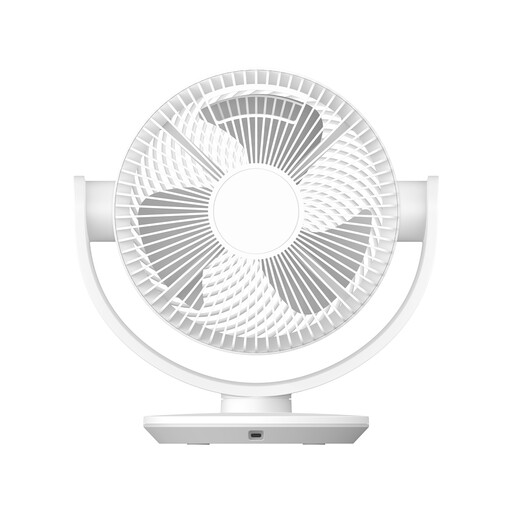
Xiaomi Smart Desktop Air Circulation Fan EU
A desktop model to consider if you want to place a circulator directly on your desk. Measure the available space and check that the fan can stand securely.
View at Joybuy
Frequently asked questions
Does an air circulator lower the room temperature like an air conditioner?
No. A fan moves air, and the airflow across your skin can feel cool. Choose one for air movement around your workspace, not with the expectation that it will cool the room like an air conditioner.
How can I position a fan safely by my desk?
Place the fan on a stable surface and keep its base and moving head clear of your belongings. The Consumentenbond warns that even a small nudge can be enough to knock a fan over.
Can a timer help avoid unnecessary electricity use?
A timer can stop the fan running for longer than you want if you might otherwise forget to switch it off. The Consumentenbond lists a timer as a way to turn a fan off after a set time; energy use also depends on the power rating and how many hours you use it for.
What if a fan I bought online isn’t right for me or breaks too soon?
According to ACM ConsuWijzer, online consumer purchases usually come with a 14-day cooling-off period. If a product breaks too soon under normal use, it may be covered by the statutory guarantee, and the seller is responsible for providing a solution.
Which product rules are relevant when buying in the Netherlands?
Electrical appliances must meet product safety requirements. For online purchases, the Netherlands Food and Consumer Product Safety Authority advises paying attention to the seller and the applicable CE marking, among other things. The European Commission lists separate ecodesign requirements for comfort fans with an electric fan power of up to 125 W. This alone doesn’t prove that a specific product meets all the requirements.


