
Home workers who want quiet calls
If you want a gentle flow of air while concentrating or making video calls, it’s best to judge the noise level on the setting you’ll actually use. The Consumentenbond includes noise in its fan tests.


A tilting desk fan is a good choice if you want a focused airflow at your own workstation. Choose a model with horizontal and vertical oscillation if you also want to move air around your desk and through the room. Compare the noise level on the setting you use during work calls, and consider how much space you have. A fan moves air but does not cool it or replace a supply of fresh outdoor air, as Milieu Centraal and the RIVM explain.
If you want a gentle flow of air while concentrating or making video calls, it’s best to judge the noise level on the setting you’ll actually use. The Consumentenbond includes noise in its fan tests.
If you’d rather not sit directly in the airflow all the time, look for a tilting head and horizontal or vertical oscillation. The Consumentenbond describes table and desk fans as compact, portable models designed mainly for one person.
When your work surface is small, available space is key. Compare a compact table model with a fan that can sit beside your desk or be used on the floor.
Choose this if: you mainly want an adjustable breeze at your desk and don’t need to change its direction constantly.
The trade-off: tilting directs the airflow, but it doesn’t necessarily mean the fan also swings from side to side.
Choose this if: you want to direct air around your desk or further through the room, rather than at one spot all the time.
The trade-off: the low noise levels quoted by Rowenta and Meaco apply to a quiet or lowest setting, not necessarily to other settings.
Choose this if: you want to use the same fan by your desk and elsewhere in the room.
The trade-off: check that it fits in its table-top configuration. According to Duux, the battery for the Duux Whisper Flex² No Wi-Fi is optional, and this model doesn’t have app control.
| What to consider | What to look for when buying | Who should consider this? |
|---|---|---|
| Noise while working | Compare noise information for each setting and focus on the one you use during work calls. | If I want to concentrate or make calls, I’ll consider the noise without losing sight of the airflow I need; around 36% of consumers prioritise quiet during work and calls. |
| Air distribution | Check whether the model tilts and whether horizontal or vertical oscillation is available. | If I don’t want to sit directly in the airflow all the time, I’ll check which directions the fan can reach automatically; around 29% of consumers give top priority to air circulating around their workspace and through the room. |
| Positioning | Compare the dimensions, footprint and table-top or floor configuration with the space around your workstation. | If I have little free space on my desk, I’ll want to know whether the fan will fit on it or can stand beside it; around 21% of consumers prioritise positioning at their workstation. |
| Power consumption | Compare the stated wattage and consider how many hours you’ll use it for. Calculate the cost using your own electricity tariff. | If I want to use the fan on a lot of working days, I’ll look at its power rating and how long I’ll use it for; around 14% of consumers give top priority to power consumption and running costs. |
A fan moves air, but it doesn’t bring in fresh air from outside without an outdoor air supply. The RIVM distinguishes between moving air and ventilating a room.
Treat air circulation and ventilation as separate needs. Check what windows, vents or mechanical ventilation your workspace has.
Low stated dB levels may apply to a quiet or low setting. The setting needed to achieve the airflow you want may sound different.
Compare noise and airflow at similar settings, and consider the distance between the fan and where you sit.
Tilting changes the direction of the airflow; automatic horizontal or vertical oscillation is a separate feature. Oscillation isn’t listed for the version of the Philips CX2050/00 described here.
Check separately whether the exact model can tilt and oscillate horizontally or vertically.
Duux states that the battery for the Whisper Flex² No Wi-Fi is optional.
Check the model code and what’s in the box before counting on cordless use.
The CX2050/00 is a desk fan designed to direct airflow at one workstation.
The QV2540 is a compact table air circulator with horizontal and vertical air distribution.
The MeacoFan Sefte 10 Table is a table-top model with adjustable horizontal and vertical swing ranges.
The Whisper Flex² No Wi-Fi can be converted between table-top and floor-standing configurations.
These models range from personal airflow at your desk to adjustable fans for table-top and floor-standing use. Compare them based on where you want to use them and which features you need there.
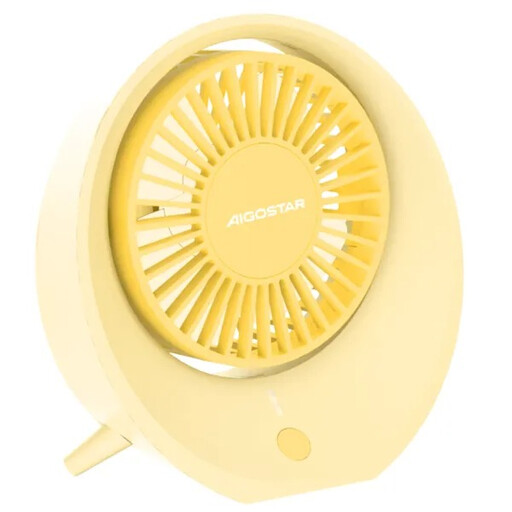 No image available
The clip-on design is made for personal airflow at a desk.
Features listed: 3 speeds, a coverage area of 2 m² and a weight of 260 g. A 5V USB adapter is required for charging; it isn’t included.
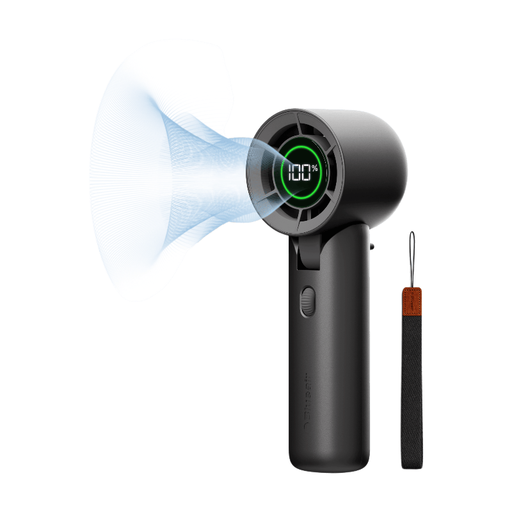 No image available
The product description mentions hands-free use on a desk for personal airflow.
Features listed: tilts up to 75°, 0–100 speed settings and a weight of 0.3 kg. Battery life is stated as up to 32 hours on the low setting.
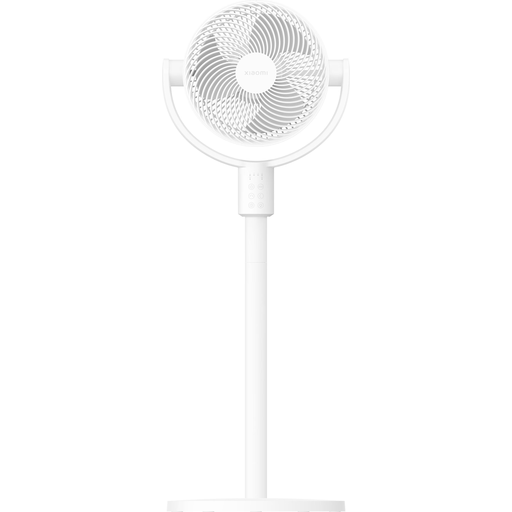 No image available
Its table-top and floor-standing configurations let you adjust where you place it around your workstation.
Features listed: 3D automatic oscillation, adjustable height, two modes and 100 speeds. The product name also mentions an airflow of 1440 m³/h, a range of 13 m and 28 dB in sleep mode.
 No image available
This model is designed for use as a table or floor fan and has automatic oscillation.
Features listed: app control and 100 adjustable speeds.
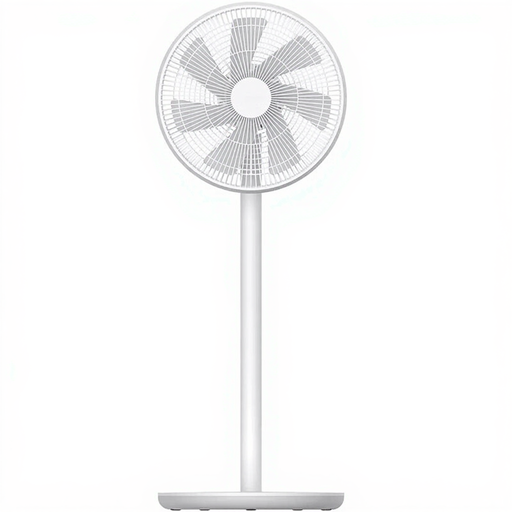 No image available
Adjustable height and oscillation are useful features if you want to direct airflow around your workstation.
Features listed: app control, 7 blades, 90° oscillation and adjustable height. The product name states that its airflow has a range of 12 m.
No. According to the RIVM, a fan moves indoor air. Ventilation requires fresh outdoor air to come in, for example through a window, vent or ventilation system.
Angle a tilting head away from where you sit, or choose adjustable oscillation if you want the air to reach other parts of the room too. Check which movements the exact model makes automatically.
Follow the model-specific instructions for cleaning, and place the fan on a stable surface with enough room for its chosen range of movement. The Consumentenbond assesses cleaning and stability separately in its fan tests.
No. According to the Rijksoverheid, there is no fixed statutory warranty period in the Netherlands. You’re entitled to a product that works properly, and if something goes wrong, the retailer is your point of contact. A manufacturer’s warranty is separate.
If applicable EU rules require a CE mark, the manufacturer declares that the product complies with those rules. According to Your Europe, no central EU body issues the mark as a certificate; the logo alone isn’t an independent performance test.