Who is a desk fan suitable for?

Remote worker who wants peace and quiet

Works for long periods at a fixed setup and wants some airflow without unnecessary distractions while concentrating or on calls. Compare the noise and airflow at the setting you actually plan to use. The Dutch Consumers’ Association (Consumentenbond) reports noise measurements taken at different distances and speeds.

Remote worker who wants to spread the airflow

Wants the air to move around different areas of the desk rather than being directed at them constantly. So, check the direction of oscillation and whether the angle can be adjusted.

Remote worker with limited desk space

Has a crowded desktop or limited space near a socket. Check the dimensions, where the fan will sit and its power supply before choosing one.

What should you look for when choosing one?

Directional, tilting desk fan

Suitable if: you work in one spot and want to direct the airflow away from your face, papers or microphone. Philips says the CX2050/00 has three speeds, a timer and a tilting head.

Keep in mind: the product information for this Philips model doesn’t mention automatic oscillation. Compare the noise and airflow at the setting you need.

Desk fan with horizontal oscillation

Suitable if: you want the air to move between different spots around your desk. Tristar specifies an 85° oscillation range and an adjustable vertical angle of 25° for the VE-5721.

Keep in mind: the Consumentenbond lists two speeds, no timer and no remote control for the VE-5721. Oscillation distributes the air differently from a constant, directional airflow.

Air circulator with horizontal and vertical oscillation

Suitable if: you want the air to move above and around your immediate seating area too. Eurom specifies that the Vento 3D Silent Comfort Black oscillates in both directions and has eight adjustable speeds.

Keep in mind: the stated dimensions are 26 × 27 × 36 cm. Check whether the fan will fit on or beside your desk; the claim that it operates quietly on its lowest setting comes from Eurom.

What to consider What to look for Who is this important for?
Comfortable noise level and airflow Compare the noise and airflow at the same speed and at the distance you’ll be working. A quiet lowest setting doesn’t necessarily provide the airflow you need. If I’m concentrating for long periods or having conversations, I want useful airflow without disruptive noise. Consumers who prioritise noise levels while working make up around 36% of this breakdown.
Airflow across several areas Check whether the model oscillates horizontally, vertically or in both directions, and whether you can turn oscillation off. If I want the air to move around different areas of my workspace, I need the right direction of oscillation. Consumers who prioritise air distribution make up around 29% of this breakdown.
Space on or beside the desk Check the overall dimensions and make sure there’s enough room for the base and moving head. Also check that the cable and socket work with your chosen position. If my desktop is crowded or my workspace is cramped, the fan needs to fit there. Consumers who prioritise available workspace make up around 21% of this breakdown.
Power supply and controls Check the power supply for the exact model and make sure its controls, timer or remote control suit the way you plan to use the fan. If I want to plug the fan in at a particular spot and operate it easily, I need to know in advance what power supply and features the model has. Consumers who prioritise connectivity and controls make up around 14% of this breakdown.

How to avoid common buying mistakes

  • Assuming the quietest setting will be both quiet and effective while you work

    The lowest setting may not provide enough airflow at your working distance. The Consumentenbond assesses noise and airflow at different settings and distances.

    Compare both at the setting and distance you’ll actually use.

  • Confusing tilting with automatic oscillation

    A tilting head changes the direction of the airflow, while an automatically oscillating model moves the air across several positions. These features aren’t interchangeable.

    First decide whether you want to keep the airflow directed at one spot or spread it around, then check the features of the exact model.

  • Thinking a fan is a substitute for fresh air from outdoors

    A fan moves air, but doesn’t bring in fresh air from outdoors by itself. Moving air around your desk and ventilating the room are two different things.

    Use the fan to circulate air, and make sure the room is ventilated too. The Dutch government recommends keeping enough ventilation grilles and trickle vents open.

Brands to compare

Philips

The CX2050/00 is a desk fan for anyone looking for a tilting head, three settings and a timer. Philips specifies these features.

  • The Consumentenbond lists three settings and a timer for this model.
  • According to the product specifications, this model doesn’t offer automatic oscillation. The manufacturer’s claim doesn’t provide enough evidence to draw comparative conclusions about how quietly it operates.

Tristar

The VE-5721 is a desk fan for anyone looking for simple controls and horizontal oscillation around their workspace.

  • Tristar specifies two speeds, 85° oscillation and an adjustable vertical angle of 25°.
  • According to the Consumentenbond, this model has no timer or remote control. The stated airflow and 48,65 dB are manufacturer figures, not the result of a comparative test.

Eurom

The Vento 3D Silent Comfort Black is an option if you want the air to move both horizontally and vertically around a study or home office.

  • Eurom specifies eight settings, a remote control and dimensions of 26 × 27 × 36 cm.
  • Make sure you have enough room for the unit. The claim that it operates quietly on its lowest setting comes from the manufacturer.

Joybuy products for your workspace

This selection includes desk fans and air circulators, pedestal models for placing beside your desk, and a portable model for targeted airflow at your workspace.

Xiaomi Smart Standing Fan 2 with app control

Xiaomi Smart Standing Fan 2

The product description says it can be used on a table or the floor and has automatic oscillation; check which placement suits your workspace.

The product name mentions app control, a DC inverter motor and 100 adjustable speed settings.

View at Joybuy
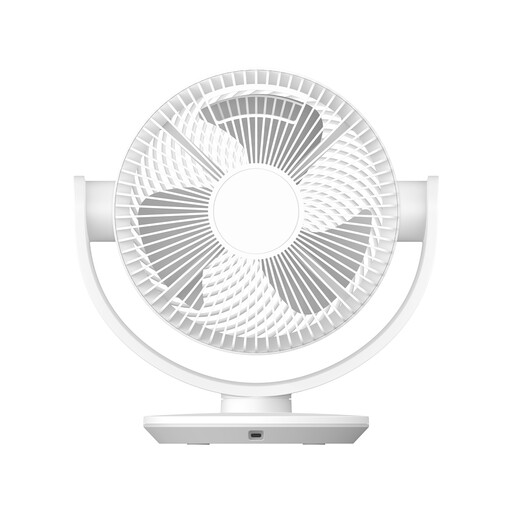
Xiaomi Smart Desktop Air Circulation Fan EU

Xiaomi Smart Desktop Air Circulation Fan EU

This desktop model is designed to circulate air around your desk. Before buying, check its dimensions and make sure the cable will reach your workspace.

The product name specifies the EU version.

View at Joybuy
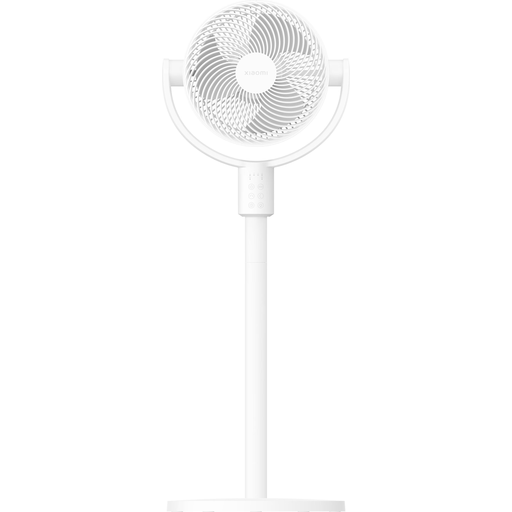
Xiaomi Smart Standing Air Circulation Fan

Xiaomi Smart Standing Air Circulation Fan

This pedestal model suits a workspace where the fan can stand beside the desk; the product description also mentions tabletop use.

The product name mentions 3D automatic oscillation, two modes, 100 speeds and adjustable height.

View at Joybuy
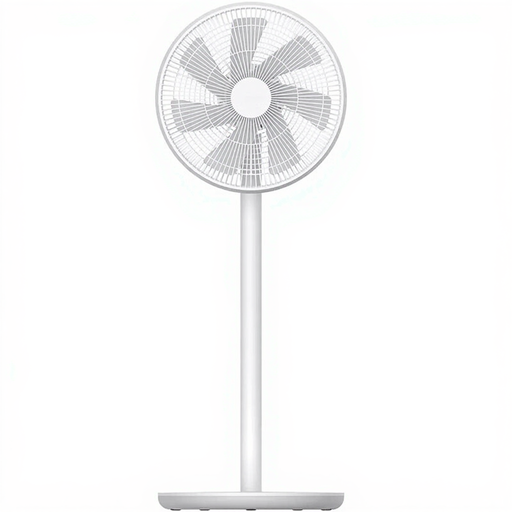
Xiaomi Smart Standing Fan 2 Lite

Xiaomi Smart Standing Fan 2 Lite

This height-adjustable pedestal model is designed to stand beside your desk; make sure you have enough floor space for it.

The product name mentions app control, seven blades and 90° oscillation.

View at Joybuy
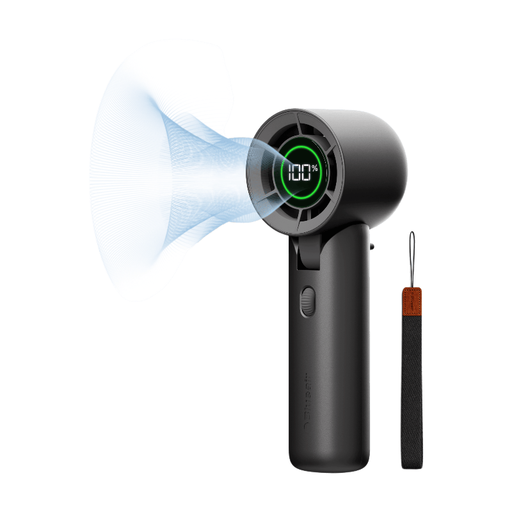
BLUEAIR AlwaysCool Portable Handheld Fan F7 in Graphite

BLUEAIR AlwaysCool Portable Handheld Fan F7, Graphite

This portable model is designed to provide targeted personal airflow at your desk; its product name doesn’t describe it as an air circulator for the whole workspace.

The product name mentions USB-C charging and a battery life of 32 hours.

View at Joybuy

Frequently asked questions

Does a desk fan replace ventilating my home office?

No. A fan moves air, but doesn’t bring in fresh air from outdoors by itself. The Dutch government recommends keeping enough ventilation grilles and trickle vents open; moving air around your desk and ventilating the room are two different things.

How can I clean a fan safely?

Follow the instructions for the exact model and unplug it before you start. Honeywell’s instructions for its HT900 series say to unplug the fan before removing the grille for cleaning; don’t assume the same disassembly steps apply to other models.

What warranty am I entitled to on a fan in the Netherlands?

When you buy as a consumer, you’re entitled to a product that works as it should. According to the Dutch government, there’s no fixed statutory warranty period in the Netherlands. What you can expect from a product depends, among other things, on the product itself, its price and the information provided at the time of sale. Report any fault to the seller.

Do I have a cooling-off period when buying online?

According to the Dutch government, a 14-day cooling-off period applies to many distance sales. Check the seller’s information and any applicable exceptions.

What safety rules apply to electric fans in the Netherlands?

The applicable rules depend, among other things, on the electrical specification. According to the Netherlands Food and Consumer Product Safety Authority (NVWA), the Low Voltage Directive applies to electrical equipment within the stated nominal AC voltage range of 50 V to 1.000 V; other specifications may be covered by different rules. So don’t assume that the rules for a mains-powered model also apply to any USB model.
