
Hobbyist with a permanent workspace
Wants an adjustable breeze at their seat without the airflow constantly blowing across the work surface. The Consumers’ Association lists usage conditions and features among the points to consider when choosing.


If you mainly want a breeze at your seat, choose a desk fan with an adjustable head. If you also want to reach other areas around your desk, look for an oscillating function or multiple directions of movement. Compare the noise at the setting you’ll actually use, the space available and the fan’s stability. A fan moves air, but it doesn’t cool the room or replace ventilation; Milieu Centraal makes this distinction too.
Wants an adjustable breeze at their seat without the airflow constantly blowing across the work surface. The Consumers’ Association lists usage conditions and features among the points to consider when choosing.
Wants to direct the airflow to other parts of the room too, and compares a tilting head with oscillation. Tristar and Duux describe these movement options for their desk models.
Uses the fan while concentrating and wants to take noise, useful speed settings and stability into account. The Consumers’ Association lists noise, ease of use and stability as assessment criteria.
Best for: feeling the airflow mainly in one spot while keeping desk space to a minimum.
Consider: a fixed direction won’t automatically reach other areas. Philips lists a tilting head for the CX2050/00; Joybuy’s product information doesn’t mention oscillation.
Best for: airflow that can move between you and other areas around your desk.
Consider: oscillation won’t keep the airflow on one spot all the time. Tristar lists two speeds, an adjustable angle and an oscillating function for the VE-5722.
Best for: circulating air across different parts of the room from your desk.
Consider: more features aren’t always better for detailed hobby work. The Duux manual lists three speeds and two oscillation modes for the Globe; consider placement and noise too.
When using a fan at your hobby desk, direction, noise and available workspace are the main things to weigh up. Compare noise and airflow at the setting you intend to use.
| What to consider | What should you check? | Who should pay extra attention? |
|---|---|---|
| Direction and distribution | Check whether the head tilts, whether the fan oscillates and whether you can switch oscillation off. | If I want to feel the airflow at my seat but also reach other areas around the desk, I need to weigh up focused airflow against wider coverage. Around 37% of consumers prioritise how the airflow is distributed. |
| Noise while you work | Compare noise and useful airflow at the same setting; a minimum noise figure doesn’t tell you how the fan sounds at your preferred setting. | If you want to concentrate while working on your hobby, look for airflow that isn’t distracting at the setting you need. Around 27% of consumers prioritise low noise. |
| Space and stability | Measure the available space and check the base, height and clearance needed for the head to move. Place the fan on a flat, stable surface. | If my work surface is already full of hobby supplies, I want to know that the fan will fit securely without getting in the way of my materials. Around 18% of consumers prioritise space and stability. |
| Controls and power consumption | Check which settings and controls you need. Only compare power ratings on the same basis of use. | If you adjust the fan regularly or use it for long periods, you’ll want to consider its controls and electricity use. Around 18% of consumers look at this first. |
A fan that moves air around the room won’t automatically remove polluted air. Milieu Centraal describes ventilation as both bringing fresh air in and removing polluted air.
Where necessary, make sure there’s also a supply of fresh air and a way for stale air to leave, and follow the safety instructions for the materials you use.
The quietest setting may not provide the airflow you need where you want it. The Consumers’ Association considers both noise and ventilation when assessing fans.
Compare noise and airflow at the setting and distance at which you actually intend to use the fan.
Oscillation moves the airflow over time; tilting changes the direction it points in. Your choice affects where the air reaches while you work.
First decide where you want to feel the airflow, then check the tilting and oscillation options on the exact model.
The CX2050/00 is a desk fan worth comparing if you’re looking for a tilting head, several speeds and a timer.
The VE-5722 is a desk model worth comparing if you want to switch between a fixed direction and oscillation.
The Globe is a desk fan worth comparing if you want several speed settings and oscillation modes.
These product options range from compact, directional desk models to taller fans with features that spread the airflow. Check that the intended placement and clearance for movement suit your workspace for each model.
 No image available
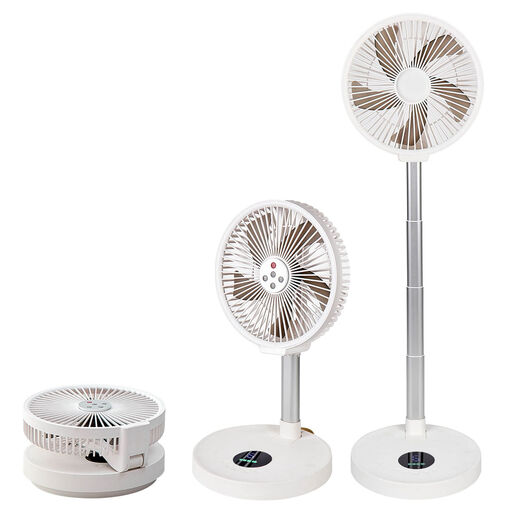
Worth considering if you’re looking for a model that, according to its product description, can also be used as a desk fan.
The description lists six speeds, a timer, adjustable height and a remote control. It also specifies manual tilting and 90° oscillation.
 No image available
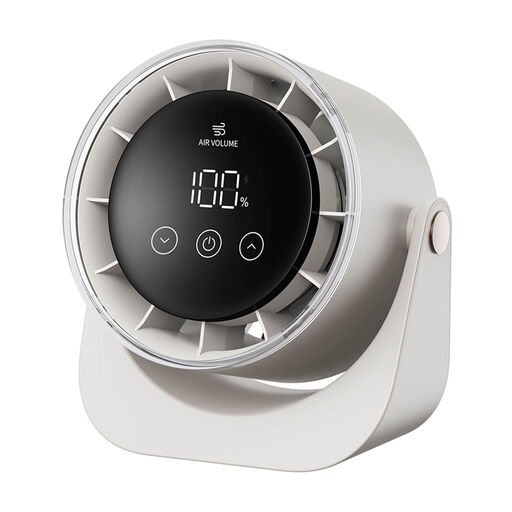
Worth considering if you’re looking for a compact fan with airflow you can direct around your desk.
The product name lists 90° tilt adjustment, an LED display and 100 speeds. The description mentions a rechargeable battery.
 No image available
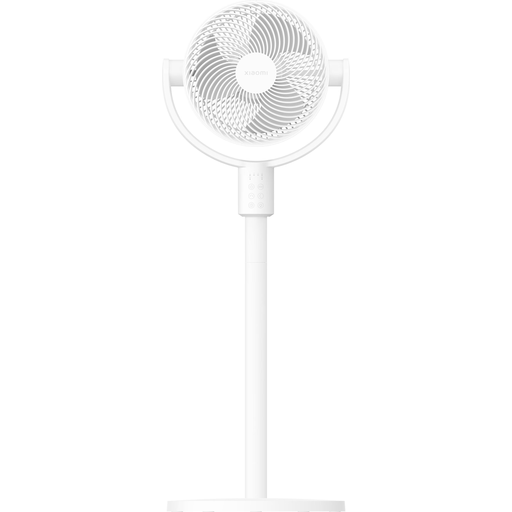
Worth considering if you’re looking for a taller model to circulate air in several directions.
The product name lists 3D automatic oscillation, two modes, 100 speeds and adjustable height. The product description mentions control via the Mi Home app.
 No image available
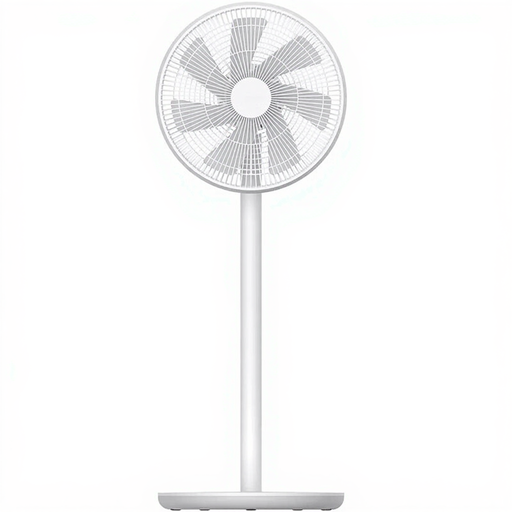
Worth considering if you’re looking for a taller model with oscillation to spread the airflow.
The product name lists 90° oscillation, app control, seven blades and adjustable height.
 No image available
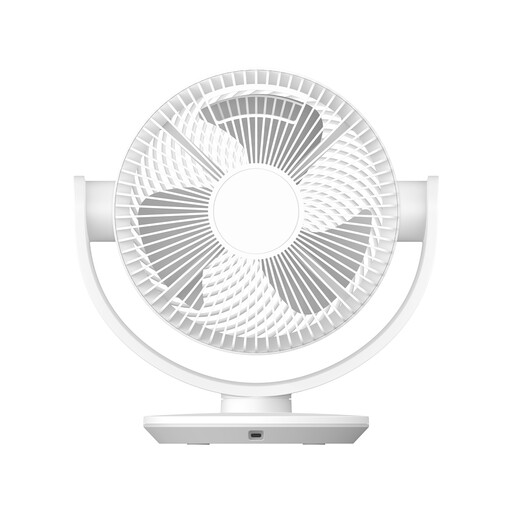
Worth considering if you’re looking for a desktop model and want to weigh up how much space you have on your work surface.
Specified power: 18 W. Dimensions: 324 × 200 × 334 mm. Specified noise level: ≤60 dB(A); compare this with other models if their measurement settings are also known. The description lists a 1.8 m mains cable.
No, a standard fan doesn’t make the air colder. The airflow can feel cooler if you’re sitting in it, but Milieu Centraal describes a fan as a way to move air, not as a replacement for air conditioning.
No, air circulation alone doesn’t replace ventilation. Milieu Centraal describes ventilation as bringing in fresh air and removing polluted air. Where necessary, make sure there’s air exchange and follow the safety instructions for the materials you’re working with.
Tilting changes the direction the airflow points in; oscillation moves the airflow between different directions. Consider which parts of your workspace need airflow, then check how these features work on the exact model.
Place the fan somewhere stable and allow enough room for the head to move. The Consumers’ Association lists stability as something to consider; follow the manual for the exact model when assembling, positioning and cleaning it.
Electrical appliances must meet the applicable safety requirements. The Dutch government’s Business Portal explains that the manufacturer must apply a CE mark when the appliance meets the relevant requirements. This general rule doesn’t confirm that an individual model has been shown to comply; check the product and manufacturer information for that.