For a single, fixed desk position, a directional desk fan is a good choice. If you want to circulate air around several areas, or would rather not feel it constantly in one spot, consider an oscillating model. Compare the noise level at the setting you actually plan to use, and check that the base is stable and will fit on or beside your desk. A fan moves air, but it won’t remove heat from the sun from your conservatory, so combine it with shading and sensible ventilation if needed.
Who is a desk fan suitable for?
Anyone who wants to circulate air around their desk
You want to direct the airflow or set it to oscillate, without expecting a fan to remove heat from the sun from your conservatory. The Consumentenbond describes a table or desk fan as being primarily intended for one person; Milieu Centraal recommends shading and smart ventilation as ways to keep heat out.
Anyone who needs a quiet environment while working from home
You use the fan while concentrating on work and want to assess its noise at a setting that moves enough air. Coolblue notes that a higher speed can mean more noise and energy use.
Anyone short on desk space
You want to place the base securely among your work essentials, or you’re looking for a model that can stand beside your desk. The Consumentenbond recommends positioning a fan somewhere stable; Duux describes the Whisper Flex² Smart as a model that can be converted from a table fan to a floor fan.
What should you look for when choosing one?
For a desk in a conservatory, important considerations include airflow direction, noise while you work, a stable position and energy use during regular operation. The Consumentenbond and Coolblue point out that the number of speed settings alone doesn’t tell you how much air a fan moves, and that a higher speed can mean more noise and energy use.
| What to consider |
What should you look for? |
Who will find this most important? |
| Airflow around your workspace |
Check whether the fan head tilts, whether the model oscillates automatically and which speed settings it offers. |
If I sit in one fixed spot, I want to feel the airflow directly or spread it around the immediate area; around 33% of consumers put air circulation first. |
| Noise while you work |
Compare the noise at the setting that provides enough airflow; a minimum noise figure doesn’t automatically tell you how loud other settings are. |
If I’m working with concentration, I want useful airflow without unnecessary noise; around 25% of consumers say noise while working is the deciding factor. |
| Position and space |
Measure the space available for the base and check that the fan can stand securely, with the cord and controls within reach. |
If my desk is already full, the fan needs to fit safely or be able to stand beside the desk; around 25% of consumers put positioning first. |
| Electricity use |
Check the stated wattage and timer; energy use also depends on the speed setting and the number of hours you use it. |
If the fan is on frequently, I want to take its electricity use into account before choosing a setting and how long to run it; around 17% of consumers prioritise running costs. |
Common pitfalls
-
Thinking a fan will solve all your problems with heat from the sun
A fan moves air, but it won’t block the sun or remove heat from your conservatory.
Use suitable shading to limit direct sunlight, and use the fan to create the airflow you want around your workspace. Milieu Centraal also recommends smart ventilation as a way to keep heat out.
-
Confusing a tilting head with automatic oscillation
A tilting head lets you adjust the direction of the airflow; it doesn’t mean the fan will change direction automatically.
Check the product information for the model to confirm tilt and oscillation separately.
-
Assuming the minimum noise figure applies at every setting
A higher fan speed can mean more noise. According to the Consumentenbond, the number of speed settings alone says little about the fan’s maximum airflow.
Where possible, compare the airflow and noise at the setting you plan to use while working, rather than looking only at the stated minimum noise level.
-
Assuming a battery is included or that the warranty has a fixed term
According to Duux, the battery for the Duux Whisper Flex² Smart is optional. A manufacturer’s warranty is also separate from your statutory rights.
Check what’s included with the version you choose. ACM ConsuWijzer explains that the statutory guarantee in the Netherlands doesn’t have a fixed term of exactly two years; what you can expect depends, among other things, on the product and how it’s used.
If you want to use the Duux Whisper Flex² Smart without a cord, the optional battery may be a separate accessory.
Brands and model features for reference
Philips
Philips describes the CX2050/00 table fan as having three speeds, two modes, a timer and a tilting head.
- These settings and the tilting head may be useful for directing airflow at a desk.
- The Joybuy product information for the CX2050/00 doesn’t mention oscillation; check this feature separately if you want to circulate air in several directions.
Rowenta
Rowenta describes the VU2740F0 table fan as having four speeds and 120° automatic oscillation.
- Oscillation may suit you if you want to circulate air across a larger part of the immediate area.
- According to Rowenta, the stated 32 dB(A) applies to the lowest setting, not automatically to higher settings.
Duux
Duux describes the Whisper Flex² Smart as a fan that can switch between table and floor configurations, with horizontal and vertical oscillation.
- Its adjustable setup may suit use on or beside your desk.
- According to Duux, the battery is optional. Duux’s claims about quiet operation aren’t based on independent noise measurements.
Tristar
Tristar describes the VE-5953 as a metal table fan with an adjustable head and 85° oscillation.
- The stated oscillation is worth considering if you want to circulate air in different directions.
- Tristar lists a 30 cm grille diameter, a weight of 3,2 kg and a noise level of 59,28 dB during operation for this model; check that the size and noise level suit your space.
Joybuy products
This Joybuy selection includes compact models for personal airflow at your desk, a handheld fan and adjustable table or floor models. Before using a fan in a conservatory, check the instructions on positioning and moisture, and make sure the version you choose has the required CE marking.
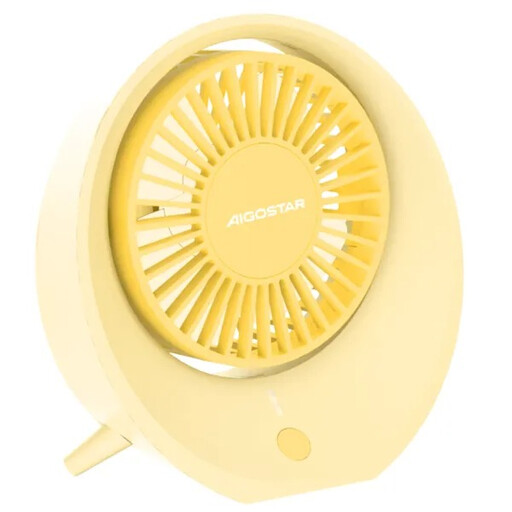 Image unavailable
4-inch USB clip-on fan, 4 blades
The clip-on design is intended to direct personal airflow in a limited desk space.
The product name specifies a 4-inch size, 4 blades and USB. Avoid exposure to rain or moisture, as stated in the usage information.
View at Joybuy
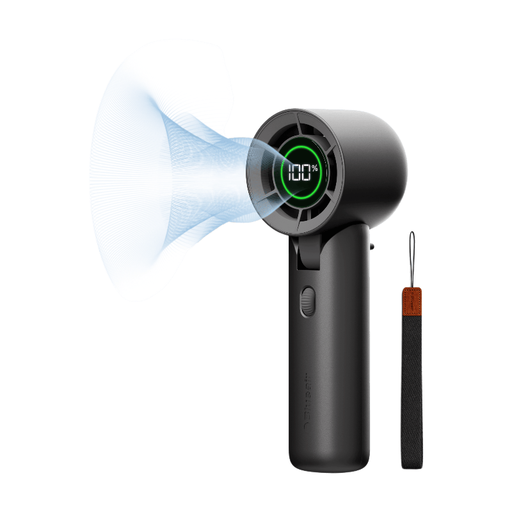 Image unavailable
BLUEAIR AlwaysCool F7 handheld fan
This portable handheld model is an option for personal airflow; it isn’t a fixed table fan.
The product name specifies USB-C charging. According to the product information, don’t use the fan near water or in a wet environment.
View at Joybuy
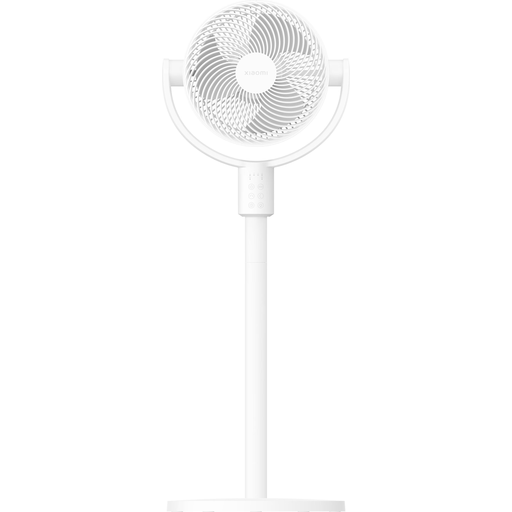 Image unavailable
Xiaomi Smart Standing Air Circulation Fan
This adjustable table/floor model may suit you if you want to place the fan on or beside your desk, depending on how you’re using it.
The product name specifies 3D automatic oscillation, two modes, 100 speeds and adjustable height. According to the usage information, keep the appliance away from sources of water.
View at Joybuy
 Image unavailable
Xiaomi Smart Standing Fan 2
The product information describes table and floor placement, with automatic oscillation for use on or beside your workspace.
The product name specifies 100 adjustable speeds and a DC inverter motor. According to the usage information, keep the fan away from sources of water.
View at Joybuy
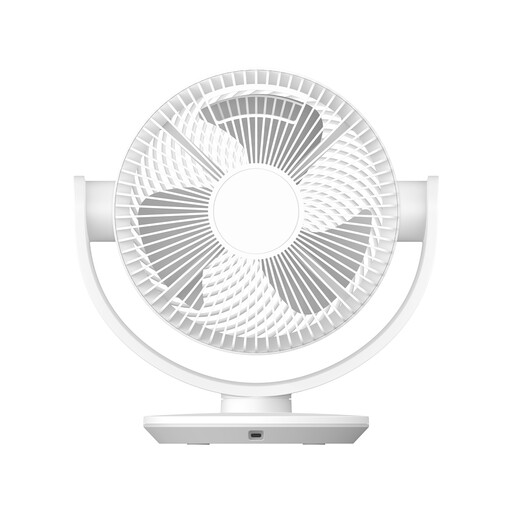 Image unavailable
Xiaomi Smart Desktop Air Circulation Fan EU
The product name identifies this model as a desktop air circulation fan for use on a desk.
Before buying, check the dimensions and the space available to make sure the fan can stand securely. According to the usage information, keep the model away from sources of water.
View at Joybuy
Frequently asked questions
Will a desk fan make the air in my conservatory colder?
No. A fan moves air and can create a cooling breeze, but it won’t remove heat from the sun from your conservatory. Use shading to limit the heat coming in, and ventilate when conditions are suitable.
Where should I put a desk fan?
Place the fan somewhere stable where the airflow can be directed as you want. Check that the base will fit and follow the positioning instructions for your chosen model.
How do I maintain a desk fan?
Follow the instructions for your chosen model when cleaning and maintaining it. Also check that the instructions are suitable for the place where you plan to use the fan.
How do I calculate electricity use, and what warranty applies?
Multiply the power in kilowatts by the number of hours used to calculate energy consumption in kWh; then multiply that figure by your own price per kWh. ACM ConsuWijzer explains that the statutory guarantee in the Netherlands doesn’t have a fixed term of exactly two years. If a product is faulty despite normal use, the seller must offer an appropriate solution.
Is CE marking compulsory for an electric desk fan in the Netherlands?
Yes. The Netherlands Food and Consumer Product Safety Authority states that CE marking is compulsory for electrical products. The marking alone doesn’t prove that every individual item has been independently tested; also check the usage information for the version you’re buying.


