Who might benefit from a desk fan beside their chair?

Home worker who wants targeted airflow

You want to direct the airflow towards yourself from a fixed seat, so consider where you’ll place the fan, whether it tilts and how much air it moves at the setting you use. The Dutch Consumers' Association recommends considering factors such as the fan’s distance from you and where it’s positioned.

Home worker who has lots of calls

You want a refreshing breeze during calls or focused work without distracting fan noise. The Dutch Consumers' Association measures noise and airflow at different settings and distances, so compare these features under similar conditions wherever possible.

Home worker with limited desk space

You need to consider the space around your chair, desk and cables. A desk fan and a model that can also be set up as a pedestal fan need different positions and heights.

What should you look for when buying a fan for your workspace?

Compact desk fan with tilting head

Choose this if: you mainly want directed airflow at one fixed seat and have a suitable spot on a desk or side table.

Bear in mind: tilting lets you point the head higher or lower, but doesn’t make it move automatically from side to side.

Oscillating desk fan

Choose this if: you want the airflow to move around or reach different seats.

Bear in mind: the airflow won’t be directed straight at you throughout the full sweep.

Convertible desk and pedestal fan

Choose this if: you want the option of placing the fan on a table or on the floor beside your chair.

Bear in mind: check that it fits in your workspace and that any battery you want is included and compatible.

What to consider What should you check? Who is this important for?
Directed airflow at your chair Check whether you can point the head towards your seat from the intended position, and compare airflow information at a similar distance. If I sit in one fixed spot, I want the airflow to reach me without having to keep moving the fan. Around 40% of consumers give targeted airflow top priority.
Noise during work and calls Compare noise figures with airflow at the same setting and distance; a minimum figure doesn’t tell you how a higher setting will sound. If I’m on a call or concentrating on work, I want to feel a breeze without the noise disrupting me. Around 30% of consumers focus mainly on noise while working.
Space beside your desk and chair Measure the space available for the base and check whether the height and direction work for your seat. With limited space, I want a stable setup that stays out of the way but still reaches my chair. Around 20% of consumers prioritise the space needed for positioning.
Power supply Check whether a socket and cable route will work; if not, find out whether a battery is included with the model and is suitable. If the cable won’t reach the spot I want, I need to know whether cordless use is possible and which battery is compatible. Around 10% of consumers give the power supply top priority.

Common mistakes when choosing a desk fan

  • Assuming the lowest noise figure applies at the airflow setting you want

    A minimum noise figure and an airflow claim may refer to different settings. The Dutch Consumers' Association compares noise and airflow at multiple settings and distances.

    Compare both features at the setting and distance you plan to use beside your chair.

  • Assuming tilting and oscillation do the same thing

    Tilting changes the direction of the head up or down; oscillation sweeps the airflow from side to side. This affects how often you feel the air directly.

    Choose a tilting head for one fixed seating position, and consider oscillation if you want the direct airflow to vary.

  • Assuming an optional battery is included or will always fit

    Duux says the battery for the Whisper Flex² is optional and notes that the Gen 1 battery pack mentioned isn’t compatible with the Whisper Flex 2.

    Before relying on cordless use, check the exact model, what’s included in the box and whether any battery is compatible.

    A compatible battery pack may need to be bought separately.

Brands to compare for a fan beside your chair

Philips

The Philips CX2050/00 is a desk fan with controls for a fixed setup.

  • Philips lists three speeds, two modes, a timer and a tilting head for this model.
  • Joybuy Netherlands doesn’t list oscillation for the CX2050/00, so tilting doesn’t replace automatic side-to-side movement.

Rowenta

The Turbo Silence Extreme+ VU2740F0 is a desk fan with automatic oscillation.

  • Rowenta lists four speeds and 120° automatic oscillation for this model.
  • The manufacturer quotes 32 dB(A) on the minimum setting and an airflow of 43 m³/min under different operating conditions; these figures aren’t a direct comparison at one setting.

Duux

According to Duux, the Whisper Flex² No Wi-Fi can be used as a desk or pedestal fan.

  • Duux lists 30 speeds, oscillation and a remote control included with this model.
  • The battery is optional; Duux says a battery pack for older Whisper Flex models won’t fit the Whisper Flex 2.

Joybuy products for personal airflow in your workspace

This selection ranges from clip-on and portable fans for personal use to desk and pedestal air circulators. Check each model to make sure its placement and settings suit the space beside your chair.
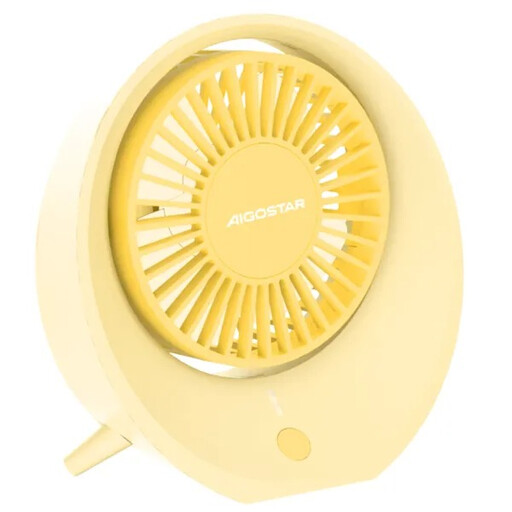
4-inch USB clip-on fan with 4 blades

4 Inch USB Clip-on Fan, 4 Blades

The clip-on design is an option if you want to direct personal airflow from a spot on your desk.

The product name specifies a 4-inch size, USB connection and four blades. According to the product information, the USB power adapter isn’t included.

Joybuy
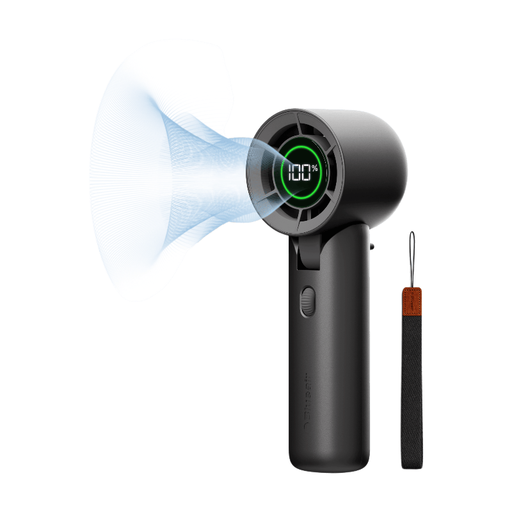
BLUEAIR AlwaysCool Portable Handheld Fan F7

BLUEAIR AlwaysCool Portable Handheld Fan F7

The product name mentions desk use; check whether the way it’s positioned suits your workspace.

The product name specifies a 32-hour battery life, USB-C charging and a portable design.

Joybuy
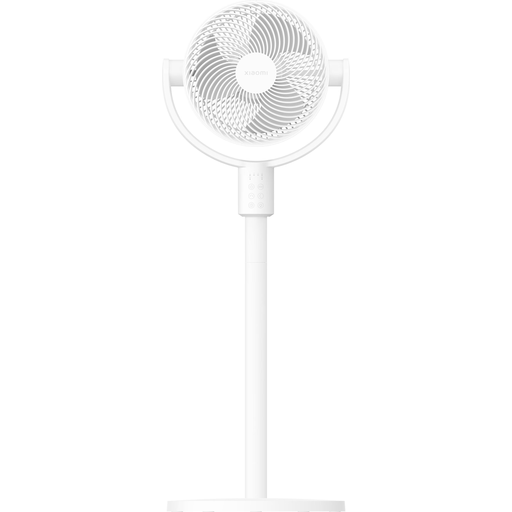
Xiaomi Smart Standing Air Circulation Fan

Xiaomi Smart Standing Air Circulation Fan

A pedestal air circulator is an option if you want to spread air from a higher position beside your chair.

The product name specifies 3D automatic oscillation, two modes, 100 speeds and a quoted airflow of 1440 m³/h.

Joybuy

Xiaomi Smart Standing Fan 2

Xiaomi Smart Standing Fan 2

The product name describes a pedestal fan; check whether the available space and airflow direction suit your chair.

The product name specifies app control, a DC inverter motor and 100 adjustable speeds.

Joybuy
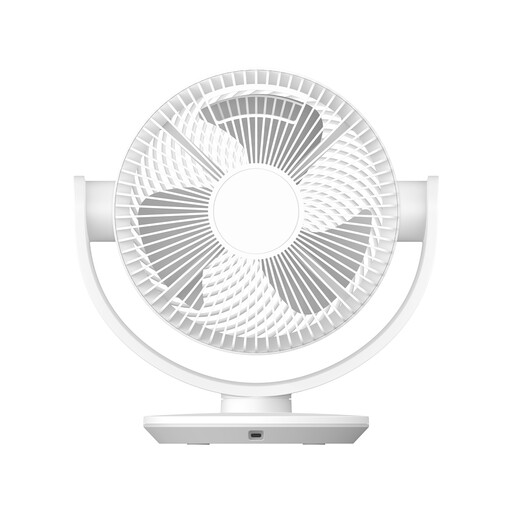
Xiaomi Smart Desktop Air Circulation Fan EU

Xiaomi Smart Desktop Air Circulation Fan EU

The product name describes a desk air circulator; check that you have enough room for it on your desk.

Joybuy

Frequently asked questions about a fan beside your chair

Can a desk fan replace fresh air or home ventilation?

No. A fan moves air around your seat, whereas ventilation means bringing in fresh air and removing stale air, according to Milieu Centraal. Keep using the ventilation systems designed for this purpose.

Where should I put a desk fan to direct air beside my chair?

Place it on a stable surface from which you can point the head towards your seat. The Dutch Consumers' Association warns that a desk fan placed low on the floor may direct airflow too low. Keep the appliance free of dust and follow the instructions for positioning and cleaning.

What affects running costs, and is a battery included?

Running costs depend on the power used at your chosen setting, how many hours you use the fan and your electricity tariff. For a model with an optional battery, also check whether it’s included with your chosen version and is compatible.

Who should I contact about a fault, and can I return an online purchase?

For a faulty product, the Dutch government says the retailer is your point of contact for the statutory guarantee; there’s no fixed statutory two-year guarantee period in the Netherlands. For eligible online consumer purchases, you’ll often have 14 days to change your mind. Check the terms and exceptions that apply to your purchase.

Which product safety rules apply to fans in the Netherlands?

Electrical appliances sold in the Netherlands must comply with the applicable European product rules. The Dutch government’s Ondernemersplein website covers topics including electrical safety and CE marking for relevant product groups. A CE mark isn’t an independent test of airflow or noise comfort; check the product identity and safety information for the model.
