
Someone working in a conservatory who wants air circulated around their desk
You want adjustable airflow around your workspace, not just a fan that blows directly into your face all the time.


If you mainly want to feel a breeze yourself, choose an adjustable desk fan. If you want to circulate air around your desk, look for oscillation and adjustable airflow directions. Compare noise levels at the setting you actually plan to use, and check that the fan is stable and fits your workspace. A fan does not make the air cooler: Milieu Centraal also recommends shading and airing your home when it is cooler outside to manage heat from the sun.
You want adjustable airflow around your workspace, not just a fan that blows directly into your face all the time.
You want a useful low setting for focused work. So compare noise and airflow at the same setting, rather than looking only at the lowest stated decibel figure.
You want to know whether extra air movement will be enough, or whether you mainly need to block out the sun and air the room when it is cooler.
First decide whether you want a personal breeze or to circulate air around your workspace. Then consider whether you actually need shading or ventilation, rather than just air movement.
| What to consider | What should you check? | Who is this important for? |
|---|---|---|
| Circulating air around your desk | Check whether the head tilts and whether horizontal or vertical oscillation is automatic or manual. | I want the air to move around more than one part of my desk, rather than blowing at me constantly. Around 30% of consumers say air circulation is their main buying priority. |
| Noise while you work | Compare noise and airflow at the setting you plan to use; figures quoted for different models and settings are not necessarily directly comparable. | When I’m concentrating on work, I want a setting with useful airflow but without distracting noise. Around 30% of consumers give noise while working top priority. |
| Heat from the sun and fresh air | Decide whether you need a breeze, less direct sunlight or fresh air from outside. Milieu Centraal distinguishes between moving air, blocking out the sun and ventilation. | If the sun heats up my conservatory, I want to know whether I need shading or to let in outside air, rather than just circulating the air. Around 20% of consumers prioritise managing heat in a conservatory. |
| Positioning and use | Check that the base fits securely, and look at the stated power consumption and cleaning instructions for the model you choose. | My desk has little spare space, or the fan will be on for long periods, so I want to know in advance whether it will fit safely and be practical to maintain. Around 20% of consumers give positioning or ease of use top priority. |
Moving air can feel more comfortable, but a fan does not make the air cooler. If the sun is strong, you may also need shading.
Decide whether you want a breeze or need to reduce the heat. Block out direct sunlight and let air in when it is cooler outside.
The quoted figures may apply to different settings. The number of speed settings alone tells you little about the fan’s maximum airflow.
Where possible, compare noise and airflow at the same setting you plan to use.
A manually tilted head stays in the direction you choose; oscillation moves the airflow direction while the fan is running.
Check for each model whether the head tilts and whether automatic horizontal or vertical oscillation is available.
Duux lists the battery for the Whisper Flex² Smart as optional. So if you want a battery, you may need to buy it separately.
Check what’s included with the version you choose. A manufacturer’s warranty does not replace your statutory rights; ACM ConsuWijzer explains the seller’s legal responsibility if a product does not do what you could reasonably expect during normal use.
BONECO describes the F100 as a compact desktop air circulator with three settings.
According to Rowenta, the Turbo Silence Extreme VU2630 is a desk fan with automatic oscillation and four settings.
Philips describes the CX2050/00 as an adjustable desk fan with a tilting head.
According to Duux, the Whisper Flex² Smart can be converted from a desk fan to a pedestal fan and has horizontal and vertical oscillation.
This selection includes directional desk fans, models for circulating air and a box fan for use in a greenhouse. Check the space required and any limitations on the environment in which each model can be used.
 No image available
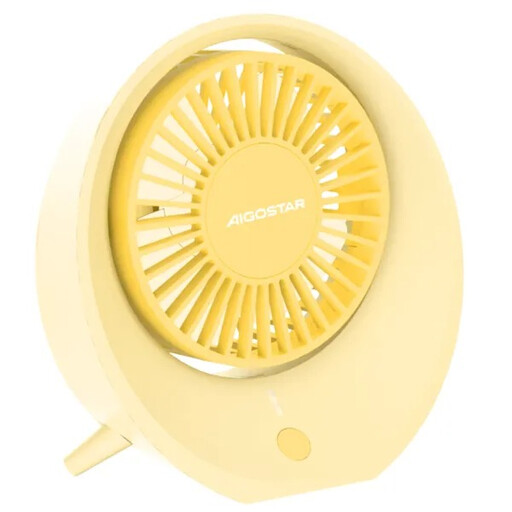
The clip-on fitting is useful if you want to direct airflow at your desk; check that your desk edge is suitable for the clamp.
The product name describes a 4-inch USB fan with four blades. Do not expose the fan to rain or moisture.
 No image available
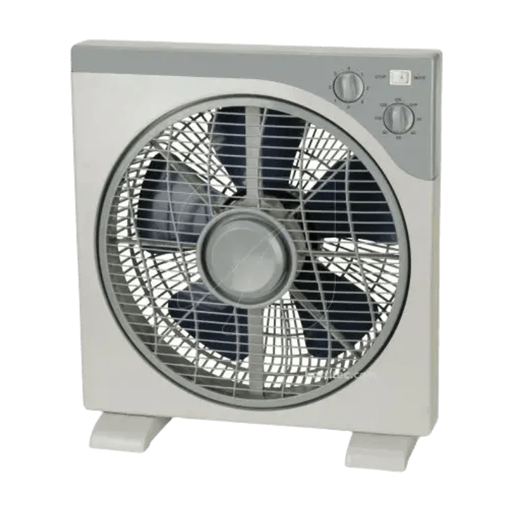
The product description mentions use in a greenhouse and air circulation over larger areas; make sure you have enough space to position it.
The fan measures 30 cm. Do not use it in an excessively damp environment, and place it somewhere stable and dry.
 No image available
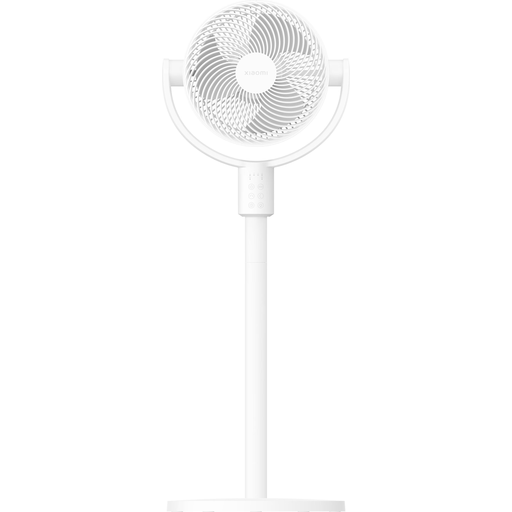
A good fit if you want to circulate air around your desk and are looking for an adjustable desk or floor-standing setup.
The product name lists 3D automatic oscillation, two modes, 100 speeds and a stated airflow of 1440 m³/h. The title also mentions a range of 13 m and 28 dB in quiet sleep mode; compare figures only at equivalent settings.
 No image available
The product description mentions automatic oscillation and use as both a desk and floor fan, making it suitable if you need air circulation and a choice of setup.
The product name lists 7+5 dual blades and 100 adjustable speeds. Check whether control via the Mi Home app suits the way you want to use it.
 No image available
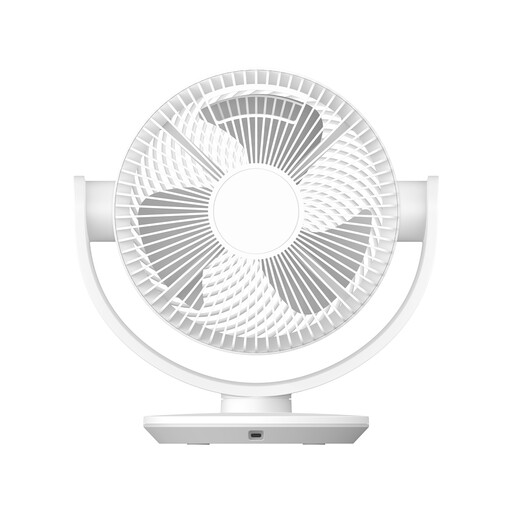
This desktop model is designed to circulate air at your desk. If you have limited workspace, check the footprint and the clearance needed around the fan before buying.
No. A fan moves air, and the airflow can make you feel cooler, but it does not lower the air temperature. When the sun is strong, Milieu Centraal recommends blocking out direct sunlight and letting air flow through when it is cooler outside.
No. According to Milieu Centraal, ventilation means bringing in fresh air and removing polluted indoor air. An air circulator can move air around a room, but it does not replace that exchange of air.
A tilting head directs the airflow in a chosen direction; with oscillation, the direction of the airflow moves while the fan is running. Check whether each model moves automatically and whether it oscillates horizontally, vertically or in both directions.
Place the fan somewhere stable and position it so the breeze does not get in the way of your work. If you choose a taller model, consider the risk of it falling over and follow the positioning instructions for that fan.
The Netherlands Food and Consumer Product Safety Authority states that CE marking is compulsory for electrical products. Check the information for the product actually on offer; this general product rule does not confirm that an individual item has been checked.
For online consumer purchases, you generally have a statutory cooling-off period of up to 14 days after delivery, subject to applicable exceptions. ACM ConsuWijzer also states that the seller is responsible for providing a suitable solution if a product does not do what you could reasonably expect during normal use. A manufacturer’s warranty does not automatically limit this statutory right.