
Working from home and looking to avoid a direct draught
You want to feel the air beside your chair, but be able to direct it away from your face or papers. The Consumentenbond explains what to look for when choosing a fan.


Start by working out where the fan can go, then decide whether you want a focused stream of air or to circulate air around a larger part of the room. A desk fan can direct air at sitting height; a tilting or oscillating air circulator offers different ways to direct the airflow, while a floor fan keeps your desk clear. Compare noise levels and airflow at the setting you plan to use while working. A fan moves air around, but it does not replace ventilation that brings in fresh air and removes stale air.
You want to feel the air beside your chair, but be able to direct it away from your face or papers. The Consumentenbond explains what to look for when choosing a fan.
You use the fan while concentrating or on calls, and want to assess its noise at a setting that still brings enough air to your chair. The Consumentenbond explains its method for testing fans.
You need to choose between a desk fan and a floor fan based on the space beside your chair and the room available on or around your desk. The Consumentenbond points out that a table or desk fan is mainly intended for one person.
First decide how you want the air to reach your chair. Then compare noise, placement and the maintenance involved in regular use.
| What to consider | What should you check? | Who is this important for? |
|---|---|---|
| Direction and coverage | Check whether the head tilts, which way it oscillates and whether you can turn this function off. Assess the airflow from the distance of your chair. | I want to be able to direct the air towards my seat, but also away from my face. Around 36% of consumers prioritise adjustable airflow. |
| Noise at your working setting | Compare noise and airflow at the setting and distance you will actually use. If a noise level is specified, check the conditions under which it was measured. | When I’m on calls or concentrating, I want useful airflow without distracting noise. Around 29% of consumers prioritise a quiet working environment. |
| Space and height | Measure the available space and check the dimensions, cord length and placement height. The Consumentenbond warns that a desk fan placed on the floor often blows too low to cool you effectively. | I have limited space around my chair and want to know whether the airflow will reach the right height. Around 21% of consumers prioritise the space available. |
| Use and maintenance | Check the stated power consumption for the exact model, the cleaning instructions and whether any battery is included or available separately. | If I work long hours, I want to know what regular use and maintenance involve. Around 14% of consumers prioritise continuous use and maintenance. |
Moving air around your workspace does not automatically remove stale air. Milieu Centraal distinguishes between air circulation and ventilation that brings in fresh air and removes stale air.
Use the fan to move air around your chair, and assess the room’s ventilation separately.
A low setting may not move enough air at the distance from your chair. Noise and airflow figures are only useful for your decision if you also take the setting and measurement distance into account.
Compare both at the setting and distance you plan to use, and check the measurement conditions behind the manufacturer’s figures.
The airflow may then stay below the height you need when seated. The Consumentenbond warns that a desk fan placed on the floor often blows too low to cool you effectively.
Check the placement height and whether the fan tilts, or choose a model that suits the spot where you want to put it.
Duux lists the battery for the Whisper Flex² Smart as optional, so whether you can use it without a cord depends on the version you choose.
Check what’s in the box and the exact version if you want to use the fan without a cord.
According to Philips’ Dutch product information, the Philips CX2050/00 is a desk fan with features for directing airflow at one workspace.
Eurom describes the Vento 3D Silent Comfort Black as a model for use in rooms including studies and home offices.
Rowenta describes the Turbo Silence Extreme+ VU2740 as a desk fan suitable for uses including working from home.
According to Duux, the Whisper Flex² Smart can be converted from a desk fan to a standing fan.
According to Tristar’s product specifications, the Tristar VE-5722 is a desk fan for use on a desk or table.
These Joybuy products are designed to move air around a desk or chair. The list includes desk, clip-on and standing models.
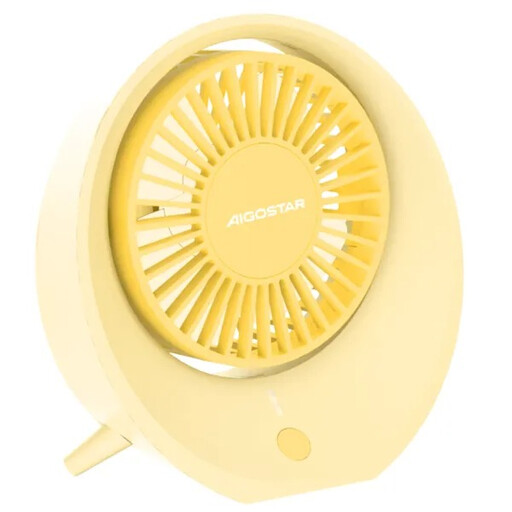 No image available
A clip-on model to direct air towards your desk; the description says it can be used on a desk or in an office.
Four blades, three speeds and a rechargeable battery. The stated weight is 260 g.
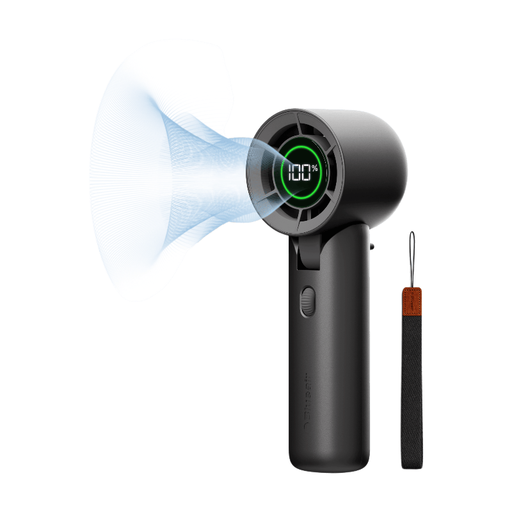 No image available
The product information mentions desk use and a tilting head to direct the airflow towards your seat.
The head tilts up to 75° and the speed setting ranges from 0–100. The stated dimensions are 19 × 7 × 6,5 cm and the weight is 0,3 kg; the description mentions a rechargeable battery.
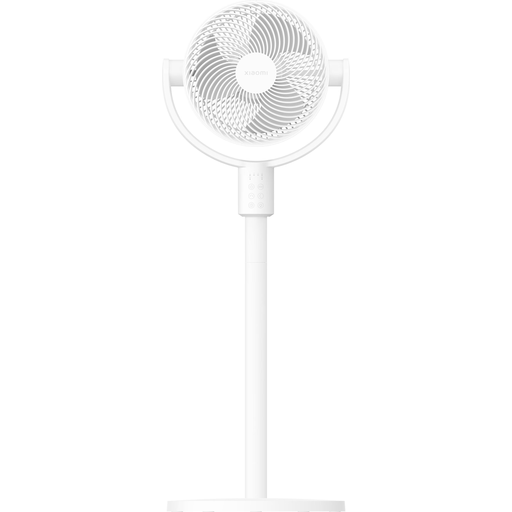 No image available
A standing air circulator for moving air around your workspace, rather than directing it at just one spot.
The product name lists automatic 3D oscillation, two modes, 100 speed settings, app control and adjustable height.
 No image available
The product information says it can be used on a table or on the floor, so you can adapt the setup to the space available.
Features listed include app control, 100 adjustable speed levels and automatic oscillation. The description states a maximum airflow of 20 m³/min.
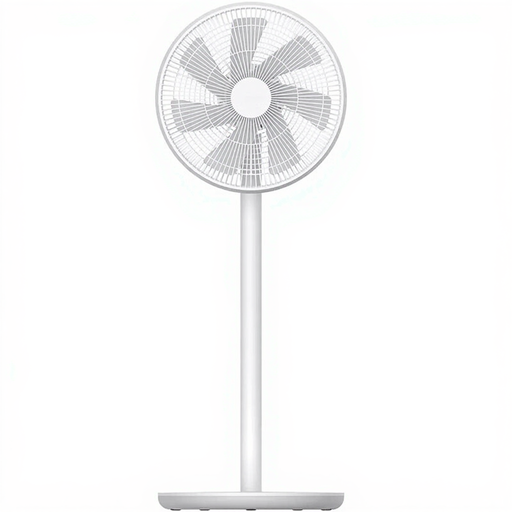 No image available
A standing model for directing air from floor level towards your seat.
The product name lists seven blades, 90° oscillation, adjustable height and app control.
No. A fan moves air around the room; ventilation brings in fresh air and removes stale air. Milieu Centraal explains the difference in its information about ventilation and fans.
No, a regular fan does not lower the air temperature. However, the airflow can make you feel cooler. Milieu Centraal explains this distinction in its guidance on fans and air conditioning.
Place the fan on a stable surface, take care with the cord and follow the instructions for your exact model when assembling and cleaning it. The Eurom Vento 3D Silent Comfort manual warns against using the fan with a damaged grille or cord, and says to unplug it before assembly or disassembly.
Electrical appliances placed on the market in the Netherlands must comply with the relevant product safety rules. According to information from the Dutch government’s Ondernemersplein, after checking that the relevant requirements have been met, the manufacturer affixes the CE mark and draws up an EU declaration of conformity. A product page or CE marking alone does not prove that a specific item has been independently tested; check the documentation and mains voltage for the version you buy.
For a standard online consumer purchase, ACM ConsuWijzer says you generally have up to 14 days from delivery to change your mind, with some exceptions. This is separate from your rights if a product does not meet what you could reasonably expect under normal use: the seller must then offer an appropriate remedy at no cost. A manufacturer’s warranty does not replace your statutory rights.