Start by considering where visitors will view your portfolio. Take daylight, reflections, viewing angles and viewing distance into account, and check how you’ll display files from your laptop. An OLED TV may suit portfolios with dark details and viewers sitting at an angle. An LCD or mini-LED TV may be worth considering in a bright room, but brightness alone doesn’t tell you how your designs will look. A matte lifestyle TV is another option if reflections are a problem, but you’ll still need to assess the picture using your own work.
Who is this guide for?
Portfolio presenter
You show photos, illustrations or designs to visitors and want to assess details and colour variations on screen. Compare your own work and picture settings: a vivid demonstration mode alone won’t show you how your files will look. The Consumers’ Association also recommends assessing picture settings with a still image.
Daylight presenter
You present in a bright room or to people who aren’t sitting directly in front of the screen. So check brightness, reflections and viewing angle separately, in the place and at the time you plan to show your portfolio. The Consumers’ Association highlights brightness and viewing angle as factors to consider when choosing a TV.
Shared living and kitchen space
You also use the same space for cooking, so you’ll need to plan the screen’s position, ventilation clearance and laptop connection carefully. Check the mounting and ventilation instructions for your chosen model, and test the connection you plan to use for presentations.
What should you consider when choosing?
OLED TV
Suitable for: portfolios with dark details and presentations where visitors may also be viewing from an angle.
Keep in mind: image retention can be a concern if images remain unchanged for long periods; LG discusses this risk for OLED TVs.
LCD or mini-LED TV
Suitable for: a presentation space where daylight is a key factor. The Consumers’ Association notes that LCD TVs can be bright.
Keep in mind: viewing angle, contrast and reflections vary by model; mini-LED alone is no guarantee of accurate portfolio colours.
Matte lifestyle TV
Suitable for: a space where reflections are distracting and a wall-mounted screen should also complement the décor.
Keep in mind: Samsung describes the matte finish on The Frame as part of the viewing experience; check for yourself whether the colours and details in your work are clearly visible.
First consider the space and how you’ll present; then compare the picture using your own files and check that you have the connections you need.
| Factor to consider |
What should you check? |
Who should pay particular attention? |
| Portfolio details and colours |
Display familiar light and dark designs, and compare picture settings. The Consumers’ Association recommends assessing the picture with a still image too. |
If I want to discuss fine details and subtle shades with visitors, I compare my own files on screen. Around 33% of consumers prioritise portfolio detail and colour reproduction. |
| Daylight, reflections and viewing angle |
View the screen in its intended position, in typical lighting, and from where people will sit and stand. Assess reflections separately from brightness. |
When I’m presenting in daylight or visitors are viewing from an angle, I want to know whether the work is still visible from those positions. Around 27% of consumers prioritise visibility in daylight. |
| Connection and screen size |
Measure the viewing distance and test your laptop via HDMI. Check whether you need a suitable adapter and whether there’s an appropriate input available. |
If I’m showing my portfolio from a laptop, the connection and readability need to work at the actual viewing distance. Around 20% of consumers prioritise connectivity and screen size. |
| Placement and energy use |
Check the model-specific mounting and ventilation instructions, and compare the energy consumption of screen sizes that suit the space. |
If the TV is going near the kitchen, I want to know in advance whether the chosen position and installation are practical. Around 20% of consumers prioritise placement and energy use. |
Buying pitfalls
-
Mistaking an attractive art or shop mode for proven portfolio colour accuracy
A screen may look appealing, yet display your design differently from how you expect. Picture settings and the content of your own files both play a part.
Compare your own light and dark designs, and adjust the picture before discussing colours with others.
-
Choosing a TV for a bright room based on peak brightness alone
A stated HDR figure doesn’t automatically tell you how visible your portfolio will be in its planned location. Ambient light, reflections and viewing angle are separate factors to consider.
Assess the screen at the time you plan to present and from the places where visitors will stand or sit.
-
Choosing a larger screen without considering viewing distance and usage time
A larger picture won’t automatically make fine details easier to read. The Consumers’ Association highlights screen size and viewing distance as factors to consider; energy use is also partly linked to screen size.
Measure the viewing distance first, then compare the energy labels of screen sizes that suit the room.
Brands to consider
Samsung
The Frame QE55LS03FAUXXN is a 55-inch example of a matte lifestyle TV for anyone who also wants to consider how it looks on the wall.
- Samsung lists a Matte Display for this model.
- The matte finish doesn’t prove that design portfolio colours will be displayed accurately. Assess your own files and picture mode.
LG
The OLED65C54LA is an example of an OLED option for anyone who values dark details and viewing from different angles.
- LG claims this model offers true-to-life colours and deep blacks; this is a brand claim, not independent confirmation of portfolio calibration.
- LG discusses image retention when images remain unchanged for long periods. Bear this in mind if you often show the same portfolio layout.
TCL
The 55C7K is a QD mini-LED example for a room where brightness is a consideration.
- TCL lists QD mini-LED and an HDR figure of 2600 nits for this model.
- That stated HDR figure doesn’t measure how easy your portfolio is to see in daylight or how accurately its colours are displayed.
Sony
The K-65XR5 is a mini-LED example with connections for a presentation set-up.
- Sony lists a resolution of 3840 × 2160 pixels, four HDMI inputs, Chromecast built-in and AirPlay for this model.
- Connectivity doesn’t guarantee that every laptop or file will display correctly without checking; test your own equipment.
Philips
The 55PML9059/12 is a QD mini-LED example with Ambilight for anyone who also wants to consider how the room looks.
- Philips describes this model as featuring Ambilight and QD mini-LED.
- Ambilight isn’t independent proof that portfolio colours will be displayed more reliably.
Joybuy products
This selection includes OLED, LCD and mini-LED TVs, as well as a matte lifestyle TV for displaying a design portfolio. For each model, check the picture in its intended position and make sure it has the connections your presentation requires.
 No image available
LG OLED65C68LA 65-inch OLED evo AI C6 4K Smart TV
OLED is worth considering for dark details or visitors viewing from an angle; compare your own files and picture settings.
65-inch OLED evo screen; 4K; 120Hz; VRR up to 165Hz.
Image retention can be a concern with OLED TVs if images remain unchanged for long periods.
View at Joybuy
 No image available
50NU800B6LC
An LCD option to consider if you’re looking for a TV for your portfolio; check reflections and how your own work looks in the planned location.
View at Joybuy
 No image available
Philips 55PUS8001 55-inch F 4K TV
A 55-inch 4K TV to consider for displaying images; check that they’re clear from your actual viewing distance.
55-inch; 4K.
View at Joybuy
 No image available
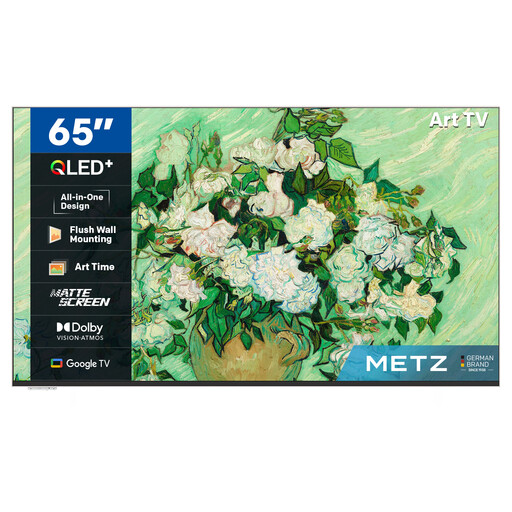
METZ Lifestyle TV 65MUE7800Z 65-inch Smart TV
A matte lifestyle TV to consider if reflections and wall presentation matter; check how your own designs look on screen.
65-inch; UHD; QLED+; Google TV; matte screen.
The frame is sold separately.
View at Joybuy
 No image available
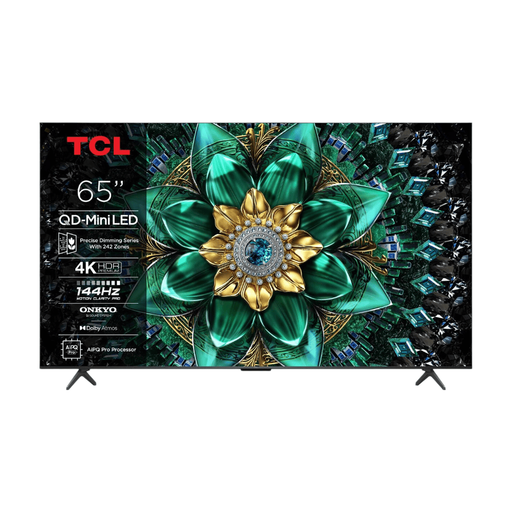
TCL 65Q6C QD-Mini LED TV
An LCD and mini-LED option to consider for a portfolio set-up; assess viewing angle and reflections using your own work in the intended location.
4K; HDR Premium 1000 Nits.
The stated HDR figure alone doesn’t tell you how clearly your portfolio will show in the room.
View at Joybuy
Frequently asked questions
How can I show my portfolio from a laptop?
You can connect a laptop to a TV via HDMI if the laptop has a suitable output or adapter. Check the HDMI input on your chosen model and test your own files before an important presentation.
How do I choose a screen size for visitors?
Measure the distance from visitors’ eyes to the planned TV position, then check whether small portfolio text is readable from there. Based on its own research, the Consumers’ Association suggests a comfortable viewing distance of around 2.4 times the screen’s diagonal measurement; treat this as a guide, not a fixed rule.
Can I mount the TV on a wall close to the kitchen?
It depends on the position and the exact model. Check the mounting instructions and leave the specified ventilation clearance; being close to a kitchen doesn’t in itself determine whether a particular mounting position is suitable.
What should I do if I display the same design on an OLED TV for a long time?
Where possible, avoid leaving the same page unchanged for long periods, and check the screen protection features on your chosen model. LG describes features designed to help limit image retention, but they don’t guarantee that the risk will disappear.


