
Researchers annotating sources
You read a lot of reports and want to save and find comments and handwritten references in PDFs.


For handwritten references during delta research, your choice mainly depends on the documents, maps and software you use. A colour tablet suits colour documents and tablet apps; an e-reader with a paper-like screen suits reading and annotating supported file formats; and a Windows 2-in-1 suits a Windows workflow that you know is compatible. Check whether a pen is included, and test your own files and export process before deciding.
You read a lot of reports and want to save and find comments and handwritten references in PDFs.
You assess details and colour differences in research documents, and weigh up screen space against portability.
Your annotations are part of a workflow involving specific apps or desktop software. Compatibility with that software and your files will help determine which tablet is right for you.
| What to consider | What should you check? | Who should give this more weight? |
|---|---|---|
| Handwritten references | Check whether you can annotate PDFs and whether your comments remain usable after export. Also check that the right pen is included with the model you choose. | When I annotate sources, I want to be able to save and share comments in my PDFs. Around 36% of consumers put annotating sources at the top of their list. |
| Maps and figures | View one of your own colour-coded maps with small labels at the screen size you are considering. Also compare screen space with weight. | When I’m looking at maps with fine details, I want to be able to assess colours and labels clearly on screen. Around 29% of consumers give viewing maps and figures their highest priority. |
| Reading on the go | Weigh up screen size and portability against the apps you need while reading. A paper-like screen experience doesn’t automatically mean that all tablet apps are available. | When I read research documents in different places, a manageable size matters, but I don’t want to restrict how I read. Around 21% of consumers prioritise reading on the go without distractions. |
| Software and files | Check which apps are available on the exact model you’re considering, and compare the supported import and export formats with your own document workflow. | When my annotations need to work with existing research software, I want to be able to test that workflow first. Around 14% of consumers put software and file compatibility ahead of other considerations. |
A device may support a pen without including one in the box. Without a compatible pen, you won’t be able to use it for the handwritten workflow you have in mind.
You may need to buy a compatible pen separately. Check compatibility and what’s in the box for the exact model you’re considering.
Before you buy, check which pen works with the specific model and whether it’s included. Microsoft states that the Slim Pen for the Surface Pro 12 inch (2nd Edition) is sold separately.
An e-reader with its own operating system and an Android tablet don’t necessarily offer the same apps or document workflow. A pleasant writing experience doesn’t prove that your research app is available.
Make a list of the apps and file formats you can’t do without. Test a representative document on the model you’ve chosen, including the export you need.
The Government of the Netherlands states that there is no fixed statutory guarantee period in the Netherlands; what you can reasonably expect from a product also matters.
Keep your proof of purchase and product description. If a product is faulty, you can contact the seller.
The iPad Air is a colour tablet for reading documents and annotating them with a compatible Apple Pencil.
The Galaxy Tab S10 FE and FE+ are colour tablets for reading and annotating PDFs with an S Pen.
The Paper Pro is designed for reading and handwritten annotations in supported document formats.
The Surface Pro 12 inch (2nd Edition) is a Windows 2-in-1 for combining pen input with a compatible Windows workflow.
The Note Air4 C is an Android device with a colour e-paper screen for reading and taking notes.
This selection includes colour tablets with pen support and tablets for reading and note-taking, with research document annotation in mind.
 No image available
For reading colour documents and taking handwritten notes with a compatible Apple Pencil.
13 inches; M4; Wi-Fi; 128 GB. Apple Pencil Pro is sold separately.
 No image available
For reading PDFs and adding handwritten notes.
8.2-inch E Ink tablet with stylus. The product title mentions a protective case.
 No image available
For taking notes with a stylus pen and viewing research documents on a larger screen.
12.7-inch 2K screen; 256 GB storage; stylus pen included. The title lists 20 GB RAM, comprising 8 GB plus 12 GB of virtual memory.
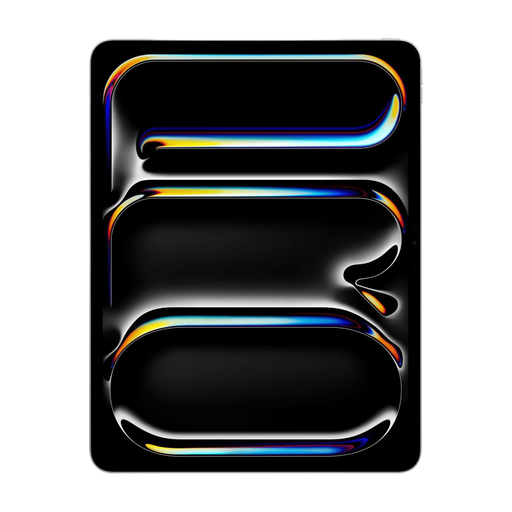 No image available
For viewing research documents and figures on a 13-inch tablet and annotating them with Apple Pencil.
M5; Wi-Fi; 512 GB. Apple Pencil is sold separately.
 No image available
For anyone looking for an E Ink note-taking tablet for handwritten notes.
10.65-inch E Ink screen. The product description mentions a stylus.
Import a representative PDF into the app you plan to use, write a comment next to a figure and export the file. Samsung describes PDF import and annotation in Samsung Notes; reMarkable lists PDF import and export. Check that your own file and referencing method work as expected.
Don’t assume that general pen support means a pen is included. Apple lists support for Apple Pencil Pro and Apple Pencil (USB-C) on the iPad Air, but doesn’t include a Pencil in the box. Microsoft sells the Slim Pen for the Surface mentioned above separately. Check what’s included with the exact model you’re considering.
According to reMarkable, some extra features, including unlimited cloud storage and additional app features, are part of Connect. Decide whether you need these features and check the current terms before choosing this workflow.
According to the Government of the Netherlands, there is no fixed statutory guarantee period in the Netherlands; if a product is faulty, you can contact the seller. ACM ConsuWijzer states that you usually have 14 days from delivery to change your mind about an online product purchase. Check which exceptions and returns terms apply to your purchase.