
Vandaag of morgen in huis

Kwaliteit gegarandeerd

Welkomstaanbiedingen ontgrendelen: GRATIS bezorging | Tot 80% korting | Gratis 30 dagen JoyPlus-proefperiode
Download de app
The Dell Plus S2725QS 27-inch 4K monitor might seem like an easy choice on paper. Yet many buyers focus mainly on resolution, refresh rate and price. This can mean overlooking important details, such as the right connection for 4K at 120 Hz, how adjustable the stand is and the difference between USB-C and standard HDMI.
For people working from home, students, business users and casual gamers, three pitfalls are particularly worth avoiding:
The Dell S2725QS has a resolution of 3840 x 2160 pixels, also known as 4K Ultra HD. On a 27-inch screen, that works out at around 163 pixels per inch. This allows text, spreadsheets, photos and fine interface details to be displayed with plenty of detail.
A 4K monitor does demand more from your computer than a Full HD screen. So check that your laptop or desktop supports 3840 x 2160 at your preferred refresh rate. For office work, 4K is particularly useful if you often have several windows open side by side or work with small text.
The S2725QS supports a refresh rate of up to 120 Hz. This means the picture is refreshed more times per second than on a standard 60 Hz monitor. Windows, videos and games in motion can therefore look smoother, depending on the source and settings.
According to the listed product specifications, the monitor supports AMD FreeSync Premium. This technology can match the monitor’s refresh rate to that of a compatible graphics card. The results depend on your hardware, drivers and game settings. NVIDIA G-Sync is not officially certified for this model, so operation through the settings is not guaranteed.
The stated response time is 8 ms GTG, with a fast mode of 5 ms GTG. This is useful information for casual gaming, but it is not the same as a guarantee of competitive gaming performance.
According to the product details, the Dell Plus S2725QS has:
DisplayPort 1.4 is useful for a computer that needs to drive 4K at a high refresh rate. HDMI 2.1 can be handy for compatible consoles or other devices, but always check the output of the source device you’re connecting.
Note the difference between this model and the Dell Plus S2725QC. As well as HDMI, the specifications provided for that model also list USB-C with up to 65 W Power Delivery and USB-A ports. This can be handy if you want to keep cables to a minimum on your desk. If you mainly want to connect a monitor and don’t need a USB-C dock, the S2725QS offers a simpler range of connections.
The Dell S2725QS uses an IPS panel with a viewing angle of 178 degrees horizontally and vertically. IPS is a popular choice for office work and entertainment, as colours and contrast remain fairly consistent when viewed from different positions. The product specifications list a brightness of 350 cd/m², a static contrast ratio of 1,500:1 and a 10-bit colour depth.
The stand is height-adjustable by 130 mm. You can also tilt and swivel the screen, and use it in portrait mode. The pivot function is useful for long web pages, documents and lines of code. If you want to use a monitor arm, the VESA mounting point is important.
When the monitor arrives, check that the stand is firmly attached and place the monitor on a stable, level surface. Keep the ventilation openings clear and don’t apply liquids directly to the screen. According to the product specifications, the included cables are a DisplayPort cable, an HDMI cable and a power cable.
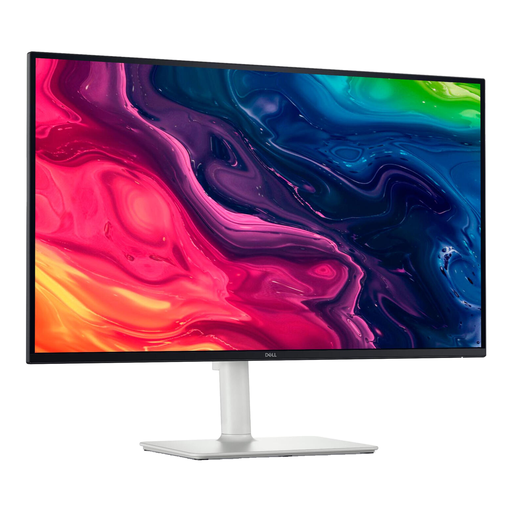
Why it suits this user: A straightforward 27-inch 4K monitor for studying, office work, streaming and light gaming, without the need for a USB-C dock.
The product specifications list 120 Hz, HDMI 2.1 and DisplayPort 1.4. This means you can check in advance which connections are available for modern source devices.
3840 x 2160 pixels, IPS panel, FreeSync Premium, 130 mm height adjustment and 100 mm VESA mounting.
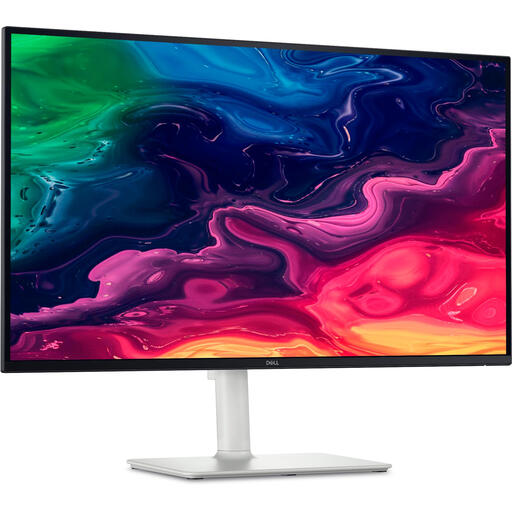
Why it suits this user: A good choice for a tidy workspace, with a compatible laptop that can send video and receive power through a single USB-C cable.
As well as 4K and 120 Hz, the product information lists USB-C with up to 65 W Power Delivery. Check that your laptop supports USB-C DisplayPort Alt Mode.
USB-C connection, two HDMI 2.1 ports, built-in speakers and an adjustable stand.
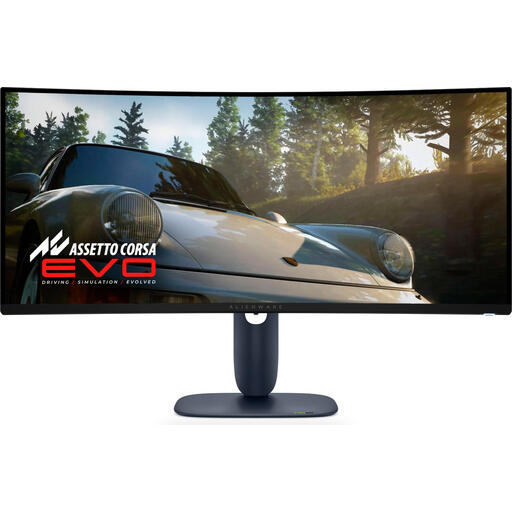
Why it suits this user: An alternative for users who are more interested in a wide gaming view and a high refresh rate than a compact 27-inch 4K setup.
The specifications list a 34-inch 21:9 screen, 3440 x 1440 pixels and 240 Hz. This makes it clear that it’s designed for a different use case from a 27-inch 4K monitor.
QD-OLED panel, 240 Hz, ultrawide aspect ratio and several modern connections.
We’ve put together a complete, up-to-date list of products that meet these strict selection criteria and comply with current European safety regulations.
According to the listed product specifications, the monitor supports a refresh rate of 120 Hz, as well as HDMI 2.1 and DisplayPort 1.4. Whether you can use 4K at 120 Hz depends on your computer, graphics card, cable and selected input. Check the manual for your source device.
The monitor has a 4K resolution, 120 Hz and FreeSync Premium. Based on the product specifications, this makes it suitable for casual gaming and entertainment. For competitive gaming, a lower stated response time, a higher refresh rate or a different panel type may be more important.
The product information provided lists typical power consumption of around 24,6 W. Actual consumption varies depending on brightness, picture mode, HDR use and connected equipment. Before buying, also check the European energy label and the energy costs for your intended use.
