Joybuy products with a large built-in screen
These Joybuy products are gaming laptops with large built-in screens. Compare the exact model, the requirements of your games and the screen size you find comfortable.
 No image available
ASUS TUF Gaming A18 FA808UP-S8011W, 18-inch, Ryzen 7 260, RTX 5070, 16 GB, 1 TB SSD, QWERTY
A good fit if you’re looking for a large built-in screen.
The product name lists an 18-inch screen, Ryzen 7 260, RTX 5070, 16 GB, 1 TB SSD and QWERTY keyboard.
Joybuy
 No image available
ASUS ROG Strix G18 G814PM-S9012W, 18-inch, Ryzen 9 8940HX, RTX 5060, 16 GB, 1 TB SSD, QWERTY
A good fit if you’re looking for a large built-in screen. Check the processor and included power supply in the exact product listing.
The product name lists an 18-inch screen, Ryzen 9 8940HX, RTX 5060, 16 GB, 1 TB SSD and QWERTY keyboard. Joybuy states that a charger is not included.
Joybuy
 No image available
MSI Titan 18 HX AI A2XWJG-492NL, 18-inch UHD+ Mini LED, 120 Hz, Core Ultra 9 285HX, 64 GB, 6 TB SSD, RTX 5090 24 GB
A good fit if you’re looking for a large built-in screen and want to compare these listed specifications with other models.
The product name lists an 18-inch UHD+ Mini LED screen, 120 Hz, Intel Core Ultra 9 285HX, 64 GB DDR5, 6 TB SSD and NVIDIA GeForce RTX 5090 24 GB.
Joybuy
 No image available
Acer Nitro 18 AI AN18-61-R25V, Ryzen AI 7 350, RTX 5060 8 GB, 18-inch WQXGA IPS, 165 Hz, 16 GB, 1 TB SSD, QWERTY
A good fit if you’re looking for an 18-inch built-in screen. Check the full model when comparing screen or connection details.
The product name lists an 18-inch WQXGA IPS screen at 165 Hz, Ryzen AI 7 350, GeForce RTX 5060 8 GB, 16 GB DDR5, 1 TB SSD and Windows 11 Home.
Joybuy
 No image available
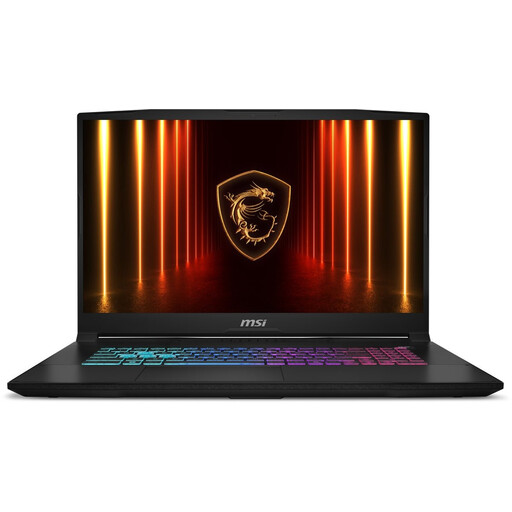
MSI Katana 17 HX B14WFK-021NL, QWERTY
An option to compare if you’re looking for a large built-in screen. Check the screen version on this exact model.
MSI lists several screen options for the Katana 17 HX B14W series, so the full model code is important when checking the specification.
Joybuy
Frequently asked questions
Does a laptop for deck-building games definitely need a dedicated, fast graphics card?
Not just because of the type of game. Compare the system requirements for the specific games you want to play with the full laptop specification, and bear in mind any other games you use the laptop for.
What should I check if Windows doesn’t detect my external screen?
Check that the video output on your exact laptop is compatible with the screen and cable. Microsoft recommends checking the display settings and cable, among other things, if you have connection problems. Don’t assume every USB-C port supports video.
How can I tell which screen specification comes with a model in a series?
Check the full model or part code and the screen details for the specific model. MSI lists both FHD and QHD options for the Katana 17 HX B14W, so the series name alone doesn’t tell you the resolution.
What should I check if a gaming laptop is sold without a charger?
Check what power supply the exact laptop needs and what’s included in the box. The European Commission states that common charging requirements have applied to laptops since 28 April 2026, and that consumers must be able to buy a device without a new charger. This doesn’t mean every existing USB-C charger supplies enough power for every gaming laptop.
Can I use a 16-inch laptop to play deck-building games on a large screen?
Yes, if you connect the laptop to a separate monitor or TV that’s compatible with its video output. Check the screen’s input and the cable too. If you want a large display without an external screen, compare models with a larger built-in screen.


