
Vandaag of morgen in huis

Kwaliteit gegarandeerd

Welkomstaanbiedingen ontgrendelen: GRATIS bezorging | Tot 80% korting | Gratis 30 dagen JoyPlus-proefperiode
Download de app
Upgrading to DDR5 memory can give your PC a noticeable speed boost, especially for gaming and demanding software. But the market is filled with technical specifications and marketing terms that make it difficult to choose correctly. Many users fall into the same traps, wasting money on modules that don't perform optimally or aren't even compatible.
As a Joybuy Product Recommendation Officer, I'm here to help you cut through the noise. We'll focus on the facts so you can make an informed decision. Here are the most common pitfalls and how to avoid them.
Pitfall 1: Fixating on the highest MHz. A high clock speed (MHz) looks impressive, but it's only half the story. High speed combined with high CAS Latency (CL) can negate the performance gains. It's the balance between these two that truly matters.
Pitfall 2: Ignoring compatibility. The most common mistake is buying DDR5 for a motherboard that only supports DDR4. They physically do not fit. Furthermore, it's crucial to pay attention to optimisation profiles like Intel XMP and AMD EXPO, which must match your processor platform.
Before you make a purchase, there are a few non-negotiable specifications you need to verify. These determine the actual performance and usability of your PC memory upgrade.
Memory speed is expressed in megahertz (MHz) or megatransfers per second (MT/s). This indicates how quickly data can be transferred. The CAS Latency (CL) indicates how many clock cycles it takes for the memory to respond to a request. A lower CL value is better.
For most users, including gamers, a speed around DDR5 6000MHz with a CL value between 30 and 36 is a popular and effective choice. This offers an excellent balance between speed and responsiveness without paying a premium.
The amount of memory you need depends on your usage.
Always check which type of memory your system requires.
Below are some DDR5 memory options tailored to different user profiles, based on their objective specifications.
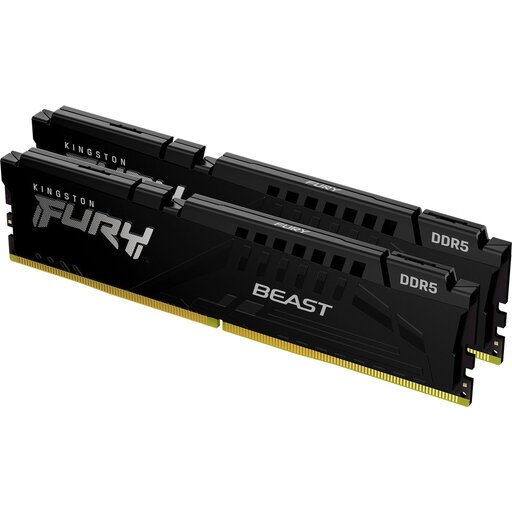
Why This Fits Their Persona: This user is looking for a solid and reliable upgrade without paying for extreme specs. This 32GB kit offers ample capacity for multitasking and gaming, with a good speed that is a clear improvement over DDR4.
You aren't paying for the absolute highest clock speed, but instead get a balanced 5600 MT/s with a reasonable CL36 timing. The kit supports both Intel XMP and AMD EXPO, which prevents compatibility issues.
32GB capacity: More than enough for the coming years. Broad compatibility: Supports both Intel XMP 3.0 and AMD EXPO.
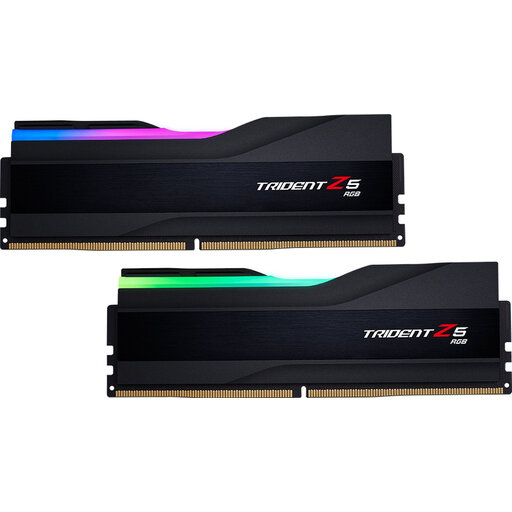
Why This Fits Their Persona: This gamer wants smooth gameplay and is looking for the 'sweet spot' for gaming memory. This kit combines the ideal DDR5 6000MHz speed with a low CL30 latency for maximum responsiveness in games.
This product avoids the pitfall of an unbalanced speed-to-latency ratio. Instead of focusing on an extremely high MHz with poor timings, this kit delivers a proven, efficient combination.
Optimal performance balance: 6000 MHz with CL30 is ideal for modern gaming PCs. Customisable RGB lighting: For a personalised look in a windowed PC case.
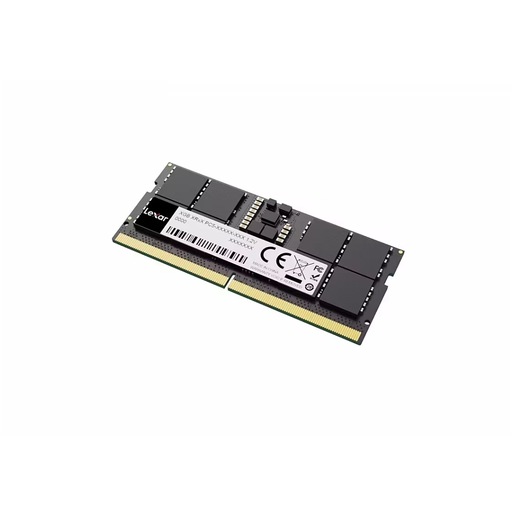
Why This Fits Their Persona: This user wants to improve their laptop's performance for faster multitasking or better performance in demanding applications. An upgrade from 8GB to 16GB or replacing slower memory can make a world of difference.
This is a SO-DIMM module, specifically designed for laptops. This prevents the critical mistake of buying the wrong form factor (DIMM) that won't fit in a laptop.
Instant performance boost: A speed of 5600MHz provides a noticeable improvement in load times and responsiveness. Easy installation: A quick and effective upgrade for compatible laptops.
We have compiled a complete, up-to-date list of products that fully meet these strict selection criteria and local regulations.
For most games available today and in the near future, 16GB DDR5 is sufficient for a smooth experience at 1080p and 1440p resolutions. However, if you plan to stream, run heavy applications in the background, or game at 4K, 32GB offers more headroom and better performance.
Both are one-click memory overclocking technologies. Intel XMP (Extreme Memory Profile) was developed by Intel for their platforms. AMD EXPO (Extended Profiles for Overclocking) is AMD's answer, specifically designed for their Ryzen 7000 series and newer processors on the AM5 platform. While many modern kits support both profiles, it's advisable to choose a kit explicitly optimised for your CPU for the most stable performance.
No, that is not possible. DDR5 and DDR4 modules have a different physical layout (a different key notch position) and operate at different voltages. They are not interchangeable. You need a motherboard that specifically supports DDR5 to use this type of memory. Always check your motherboard's specifications before making a purchase.
