
Vandaag of morgen in huis

Kwaliteit gegarandeerd

Welkomstaanbiedingen ontgrendelen: GRATIS bezorging | Tot 80% korting | Gratis 30 dagen JoyPlus-proefperiode
Download de app
Building a new PC or upgrading your current system is an exciting project. But when choosing components like RAM, the sheer volume of technical specifications can be overwhelming. Especially when looking for DDR5 6000MHz RAM, it's easy to fall into common traps. This guide will help you make the right choices without wasting money on marketing hype.
Before you open your wallet, it's wise to know what often goes wrong. Many buyers make one of the following mistakes:
To avoid these mistakes, it's important to understand a few core specifications. These determine the actual performance and stability of your gaming memory.
The speed of RAM is expressed in Megahertz (MHz), which indicates how many times per second the memory can process data. The CAS Latency (CL) indicates how many clock cycles it takes for the memory to respond to a request. A lower CL value is better.
The 'sweet spot' for many modern systems in 2026 is DDR5 6000MHz with CL30. This combination offers an excellent balance between speed and responsiveness, resulting in smooth performance in games and applications without paying a premium.
To reach the advertised speed of 6000MHz, you need to enable a profile in your motherboard's BIOS.
Many modern RAM kits support both profiles, making them a flexible choice. Always check your motherboard's specifications before purchasing to ensure it supports the profiles of your chosen RAM.
A RAM with a heatsink is more than just for show. This metal spreader helps dissipate the heat generated by the memory chips, especially during intensive use like gaming or overclocking. This contributes to the stability and lifespan of the modules.
Additionally, DDR5 RGB lighting is a popular feature for those who care about their PC's aesthetics. It allows you to synchronise your memory's lighting with other components for a personalised look.
Below are some popular choices, tailored to different user profiles. We've focused on specifications that offer a good balance of performance, compatibility, and functionality.
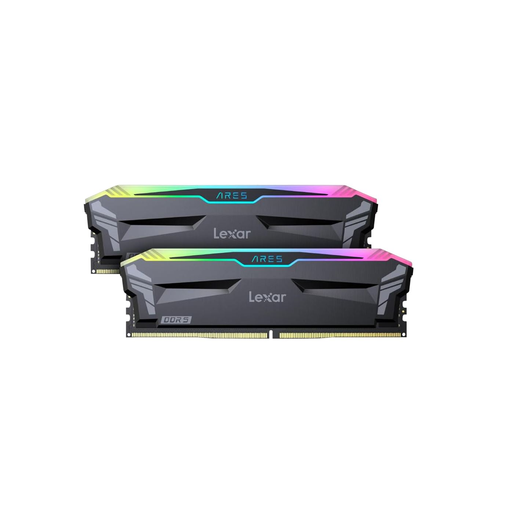
Why This Fits Their Persona: This 32GB DDR5 kit is the ideal middle ground for modern games and daily tasks. It provides enough memory for multitasking without paying for excess capacity. The 6000MHz CL30 specification delivers excellent performance for a competitive price.
This kit sidesteps the 'higher MHz is better' trap by focusing on the balanced 6000MHz CL30 combination. Support for both Intel XMP 3.0 and AMD EXPO minimises compatibility issues.
Broad compatibility thanks to dual-profile support. The aluminium heatsink ensures effective cooling, and the RGB lighting is customisable.
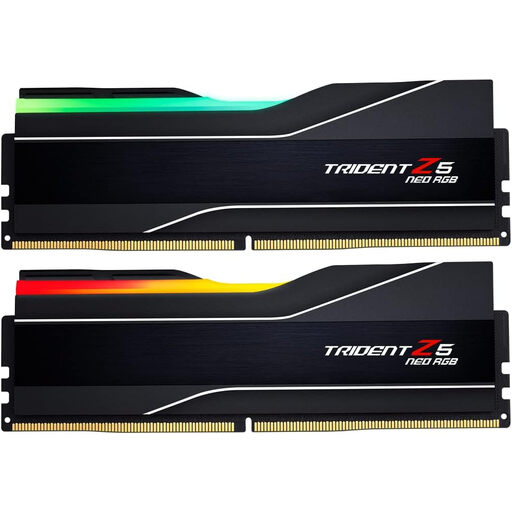
Why This Fits Their Persona: For those working with demanding software like video editing programs, 3D rendering, or virtual machines, 64GB is not a luxury. This kit provides the necessary capacity to work smoothly without interruptions.
This kit avoids the pitfall of insufficient capacity for professional tasks. It combines a large amount of memory with the efficient 6000MHz CL30 specification, so you don't have to compromise on speed.
Large 64GB capacity for demanding workloads. Optimised for AMD systems with AMD EXPO support and equipped with a stylish heatsink with RGB.
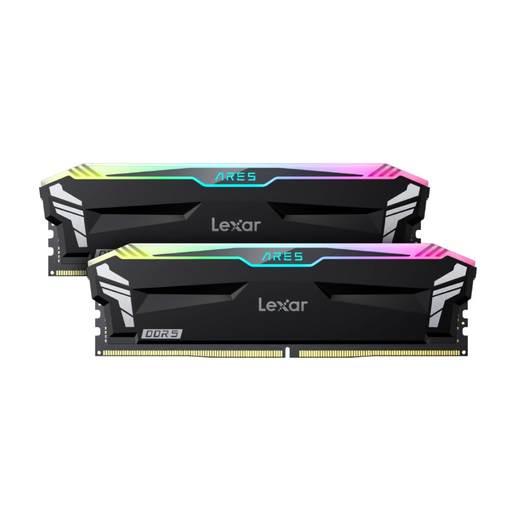
Why This Fits Their Persona: For the user who wants to get the absolute most out of their system. The 6400MHz speed, combined with a high-end processor, provides that extra bit of performance in specific games and benchmarks.
This is a deliberate choice for those who prioritise performance over price. It avoids the trap of buying blindly by fulfilling a specific need: maximum clock speed for systems that can leverage it.
Higher 6400MHz clock speed for peak performance. Supports both Intel XMP 3.0 and AMD EXPO and is equipped with a premium aluminium heatsink.
If your build's aesthetics are just as important as its performance, it's worth exploring our full range. We've curated a complete, up-to-date list of products that meet strict selection criteria.
Yes, for the vast majority of games, 32GB of DDR5 is more than enough. This gives you enough headroom to run other applications like Discord or a web browser alongside your game without performance loss. Only for very specific simulation games or heavy content creation is 64GB worth considering.
After installation, RAM often runs at a lower JEDEC default speed. To use the advertised 6000MHz, you need to restart your computer and enter the BIOS/UEFI menu (usually by pressing DEL, F2, or another key during startup). Look for a setting called 'XMP' or 'EXPO', select the profile, and save the changes.
For standard use, a heatsink isn't strictly necessary. But for gaming memory, and especially when overclocking, a RAM with a heatsink is highly recommended. It helps keep temperatures in check, which benefits system stability during long and intensive sessions. Most high-performance kits come with a heatsink as standard.
