
Vandaag of morgen in huis

Kwaliteit gegarandeerd

Welkomstaanbiedingen ontgrendelen: GRATIS bezorging | Tot 80% korting | Gratis 30 dagen JoyPlus-proefperiode
Download de app
As a Joybuy Product Recommendation Officer, I see the vast number of choices people face when building a new PC every day. Especially when you're looking for DDR5 6000MHz memory, you're often bombarded with specifications. Terms like CL30, AMD EXPO, and XMP can make it difficult to see the forest for the trees.
You're building a powerful system around a modern AMD or Intel processor and want to ensure your memory doesn't become a bottleneck. The 6000MHz speed is often called the 'sweet spot' for performance and stability, particularly for AMD AM5 systems. This article is designed to help you make an informed choice. We'll highlight some popular options and provide practical tips so you can confidently buy the right PC memory.
Before we dive into the products, here are a few key points to help you understand the specifications and choose the right kit for your needs.
The amount of RAM you need depends entirely on your use case.
32GB DDR5 6000MHz kit is the ideal choice. It provides more than enough capacity for the latest games, multitasking with programs like Discord and a browser in the background, and light content creation.64GB DDR5 RAM is a wise investment. It prevents your system from slowing down during highly memory-intensive tasks.Besides the clock speed (6000MHz), CAS Latency (CL) is a crucial factor for actual performance. This value indicates how many clock cycles it takes for the memory to respond to a request. A lower CL value is better. For DDR5 6000MHz memory, CL30 is a highly sought-after value that offers an excellent balance between speed and response time, resulting in smooth performance for gaming RAM DDR5.
To reach the advertised speed of 6000MHz, you need to activate a profile in your motherboard's BIOS.
AMD EXPO memory is optimised for stability and performance on these platforms.Many modern kits support both profiles, but it's always a good idea to check if the kit you choose is optimised for your platform.
Below is a selection of DDR5 6000MHz memory kits that stand out for their specifications and popularity among PC builders.
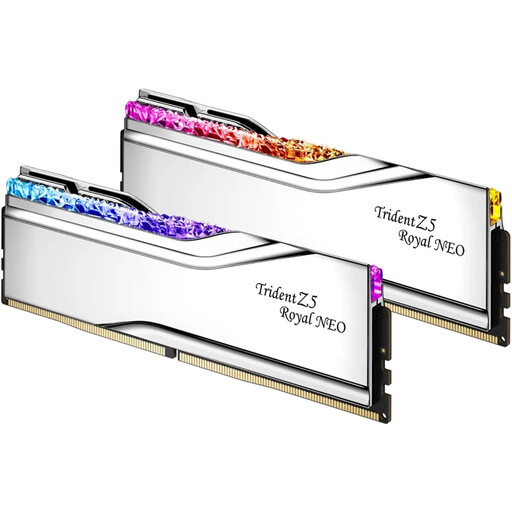
Why It Stands Out The G.Skill Trident Z5 Royal Neo series is renowned for its striking appearance, featuring a crystalline RGB light bar and a polished silver heatspreader. Beyond aesthetics, this kit delivers exceptional performance with a very low CAS Latency of CL28, which is even faster than the common CL30 standard.
Key Features
DDR5 RAM with RGB and a unique 'Royal' finish.Who Is It For? For the PC builder and gamer who demands not only high performance but also a unique and luxurious look for their system. The low CL28 timing makes it a top choice for enthusiasts where every millisecond counts.
View the G.Skill Trident Z5 Royal Neo
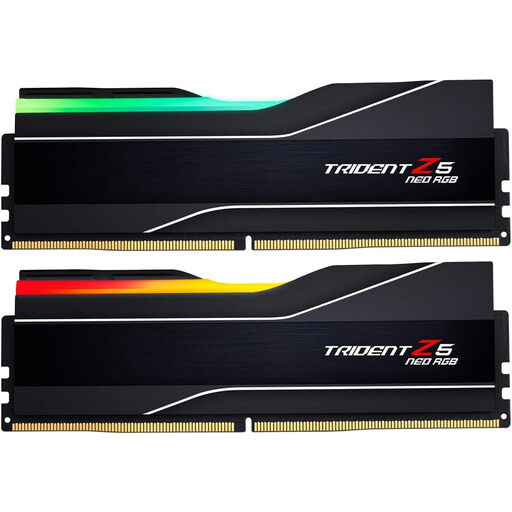
Why It Stands Out This kit combines the reliable performance of the Trident Z5 Neo series with a massive 64GB capacity. This makes it a powerhouse for the most demanding tasks, from 8K video editing to running multiple heavy applications simultaneously. The sleek black heatspreaders with RGB lighting fit well in almost any build.
Key Features
Who Is It For? Ideal for content creators, programmers, and power users building a future-proof system. If you regularly hit the limits of 32GB of RAM, this 64GB kit provides the headroom you need.
View the G.Skill Trident Z5 Neo RGB
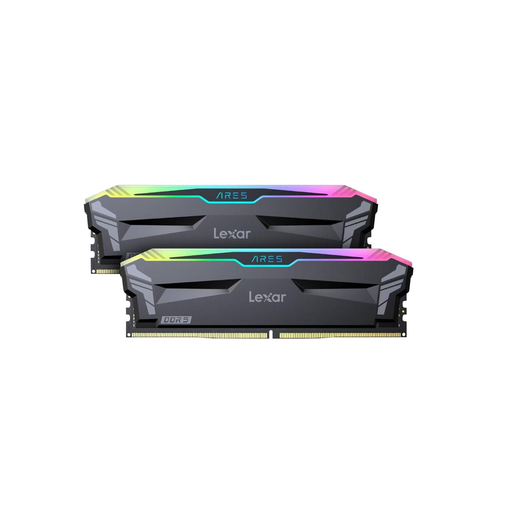
Why It Stands Out The Lexar Ares DDR5 kit is a strong contender for those seeking an excellent price-to-performance ratio. It delivers the sought-after combination of 6000MHz and CL30 in a 32GB package. According to Lexar, the memory is built with SK hynix chips, which are known for their stability and overclocking potential. Its broad compatibility with both AMD EXPO and Intel XMP 3.0 makes it a flexible choice.
Key Features
Who Is It For? This is an excellent all-around choice for gamers and PC builders who want the 'sweet spot' specifications without paying a premium. The support for both AMD and Intel profiles makes it a safe and smart purchase.
The memory kits mentioned above all feature DDR5 RAM with RGB, which is a great way to give your PC a personal touch. But your build's aesthetics don't stop at the memory. From case fans and coolers to motherboards and graphics cards, there are countless ways to create a cohesive and impressive lighting scheme.
Looking for more ways to personalise your PC? Check out our range of RGB computer lighting.
For the current generation of processors, particularly the AMD Ryzen 7000 series, 6000MHz is widely considered the 'sweet spot'. This is because the CPU's memory controller can operate at an optimal ratio with this speed, leading to high performance without stability issues or the high cost of faster kits.
Functionally, they do the same thing: they are pre-configured profiles you can select in the BIOS to run your RAM at its advertised speed and timings. The main difference is that EXPO was developed and certified by AMD for their AM5 platform, while XMP is Intel's standard. A kit that supports both offers the broadest compatibility.
