Start by choosing the app that lets you watch the quiz you want, live or on demand. If it already works well on your smart TV, you don’t need an extra device. A separate streaming stick or box can provide an app you’re missing or the controls you want, but it won’t solve reflections from tall windows. So check your TV’s position and picture settings too, rather than choosing a device just because it has a 4K label.
Who is this choice relevant to?
Quiz fans dealing with window reflections
If you watch during the day, you’ll want to be able to read the questions and answers. RTINGS explains how direct light from large windows can cause reflections on a TV screen, so check your viewing position and the TV’s picture settings too.
Viewers of Dutch live TV
If you want to watch a particular quiz live or later, start with the channel and its associated service. NLZIET lists apps for platforms including Google TV, Apple TV and Fire TV; check which devices the service you want supports.
Viewers with unreliable Wi-Fi
If the right app is already available but your connection keeps dropping, a wired network option may be worth considering. A streaming box with Ethernet is only practical if you can run a network cable to your TV.
What should you look for?
For daytime quizzes, both screen visibility and access to the right programme matter. Your internet connection and setup will help determine which equipment is practical.
| What to consider |
What to check before buying |
Who is this important for? |
| A clear picture in daylight |
View the screen from where you usually sit, at your usual viewing time. Check for window reflections, positioning and picture settings. |
If I watch during the day, I want to be able to read the questions from my seat and see whether the window is reflected on the screen. Around 34% of consumers prioritise readability in daylight. |
| Access to the right quiz |
First, find the channel and check the options for watching live and catching up. Then check whether the app is available on your specific device. |
I want to watch a quiz on a particular channel, live or later, so I check the service first. Around 33% of consumers prioritise access to the right quiz and channel. |
| Connection and controls |
Check the Wi-Fi signal where your TV is, whether Ethernet is an option and which remote comes with the model. |
If the Wi-Fi signal by my TV is unreliable, I want to know whether I can use a wired connection and how to navigate between apps. Around 20% of consumers prioritise connection and controls. |
| Positioning and connections |
Check the available HDMI space, power supply and which cables are included with the device. |
If there’s little room around my TV, I want to know in advance how the streamer connects and what’s in the box. Around 13% of consumers prioritise easy positioning and connections. |
Common buying mistakes
-
Assuming a 4K label will solve window reflections
A streamer won’t change the reflective properties or position of your TV screen. The Consumentenbond also notes that regular TV programmes from NPO or RTL aren’t automatically broadcast in 4K.
First, check the TV from where you usually sit in typical daylight and review the picture settings. Then choose a device based on the apps and connections you need.
-
Buying a stick without checking the quiz service
Whether you can watch a programme depends on the channel, the service and the app available on your chosen device. A streaming device doesn’t automatically give you access to every programme.
First, look up the quiz and channel you want, then check whether the service is available on the TV or streamer you’re considering.
-
Assuming every version has the same content or connections
Differences between models and generations can affect the connections and accessories included. So compare the full model name and the contents of the box.
For the Google TV Streamer (4K), Google specifies a certified HDMI 2.1 cable, sold separately. Check which cables are actually included with the version you choose.
Brands to consider
Google
The Google TV Streamer (4K) is a separate box for anyone looking for Google TV, a remote control and Ethernet.
- Google lists 32 GB of storage and an Ethernet connection for this model.
- Google specifies a certified HDMI 2.1 cable, sold separately. 4K output doesn’t mean that a regular TV programme is available in 4K.
Xiaomi
The TV Stick 4K (2nd Gen) is a compact Google TV solution for a TV with an HDMI port and reliable Wi-Fi.
- Xiaomi lists a power adapter and HDMI extension cable as included in the box.
- Xiaomi lists a wireless connection as a requirement for use and specifies 8 GB of storage. Check separately whether the app for your chosen channel is available.
STRONG
The LEAP-S3 is a Google TV box for anyone considering a separate device with Ethernet.
- STRONG lists Ethernet, HDMI and a remote control.
- STRONG’s information refers to both Android 11 with an upgrade option and Android 14. Check the software version of the model on offer.
Apple
Apple TV 4K is a box-based solution for viewers who prefer the Apple ecosystem.
- Apple lists HDMI and Ethernet for the announced generation.
- On 13 October 2026, Apple said this generation would be available from 13 November 2026. Apple lists an HDMI cable as sold separately.
Joybuy products for this viewing need
These Joybuy products are METZ TVs with Google TV, for anyone who wants to use a quiz service directly on a TV with a compatible app.
 No image available
METZ 50MUF7000Z 50-inch UHD Smart TV
Google TV gives you access to apps. Check whether the quiz service you want is available on this TV model.
50 inch (127 cm); UHD; Google TV; HDR10; Dolby Vision and Dolby Atmos.
Joybuy
 No image available
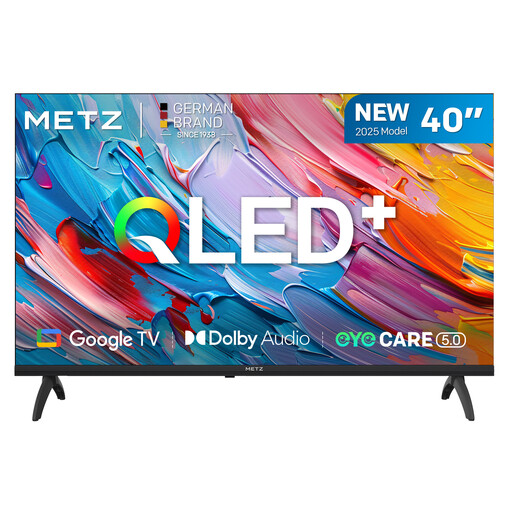
METZ 40MQF7000Z 40-inch QLED Smart TV
Google TV gives you access to apps. Check whether the quiz service you want is available on this TV model.
40 inch; HD; QLED; Google TV; HDR10 and HLG.
Joybuy
 No image available
METZ 32MQF7030Z 32-inch QLED HD Smart TV
Google TV gives you access to apps. Check whether the quiz service you want is available on this TV model.
32 inch; HD; QLED; Google TV; HDR10 and Dolby Audio.
Joybuy
 No image available
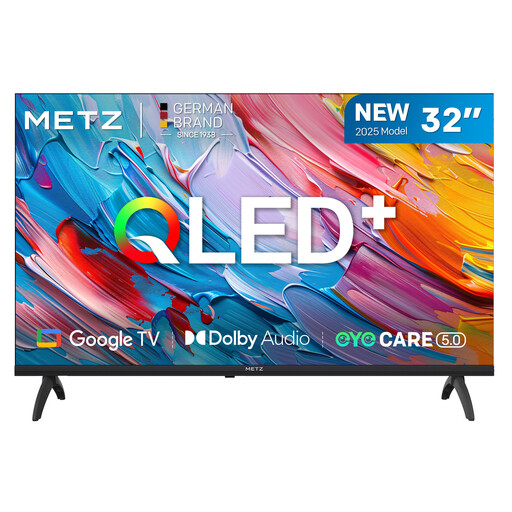
METZ 32MQF7000Z 32-inch 2025 QLED HD Smart TV
Google TV gives you access to apps. Check whether the quiz service you want is available on this TV model.
32 inch; HD; QLED; Google TV; HDR10 and HLG.
Joybuy
Frequently asked questions
Does a 4K streamer make quiz questions easier to read in daylight?
Not if the problem is window reflections or a TV screen with the brightness set too low. First, check the light, your viewing position and the picture settings. The Consumentenbond notes that regular NPO or RTL TV programmes aren’t automatically broadcast in 4K.
How can you watch a quiz on a Dutch channel?
Start with the channel, then check its associated service. NPO describes NPO Start as a way to catch up on NPO programmes and lists live streams of NPO channels. NLZIET offers live TV with a subscription and lists apps for platforms including Google TV, Apple TV and Fire TV.
What do you need to connect a separate streamer?
Check that you have a spare HDMI port, a power supply and an internet connection. Google says the Google TV Streamer (4K) needs a certified HDMI 2.1 cable, sold separately. Xiaomi lists a power adapter and HDMI extension cable as included with the TV Stick 4K (2nd Gen).
Do you need a separate streamer if your TV already has apps?
Not if the service you want is available on your specific TV model and the app works properly. NLZIET lists support for platforms including Google TV; check your TV’s app store for the specific service and programme.


