Joybuy products for watching in daylight
This selection features LCD TVs with QD mini LED or QLED for watching sport during the day. Check that the size suits your space, and assess reflections and sports footage for each model.
 No image available
TCL T8D 85-inch 4K QD-Mini LED Smart TV (2026)
This QD mini LED TV fits the mini LED approach; see for yourself how easy the screen is to view in your daylight conditions.
85 inch; 4K; 144 Hz; HDR; FreeSync Premium; VRR; Onkyo 2.1 Sound; HDMI 2.1.
Measure first to check that this screen size suits your room and viewing distance.
Joybuy
 No image available
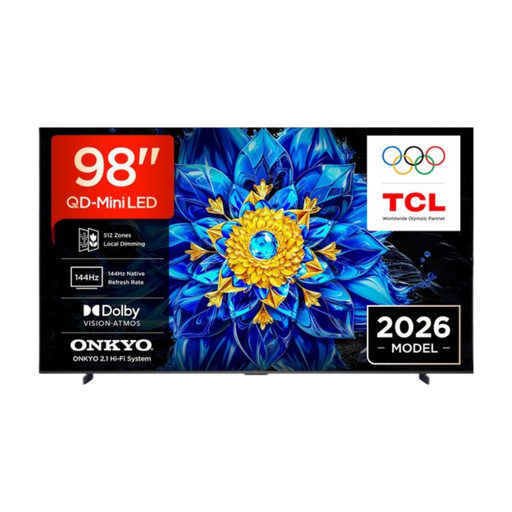
TCL T8D 98-inch 4K QD-Mini LED Smart TV (2026)
This QD mini LED TV fits the mini LED approach; check visibility and reflections in the room where you’ll be watching.
98 inch; 4K.
Carefully measure your viewing distance and available space before choosing this size.
Joybuy
 No image available
TCL 65T8D 65-inch QLED QD-Mini LED TV, 4K, 144 Hz
This 65-inch QD mini LED version is worth considering if you’re looking at mini LED for a bright room.
65 inch; 4K; native 144 Hz; VRR; FreeSync Premium; Onkyo 2.1 Sound.
The stated refresh rate is a specification, not an independent assessment of cricket footage.
Joybuy
 No image available
TCL 50Q6C QD-Mini LED TV, 50 inch, 4K, 144 Hz
This QD mini LED TV is an option to compare if you’re looking for a smaller screen in the mini LED range.
50 inch; 4K; 1000 nits; 144 Hz; Energy Class E.
The stated HDR figure alone does not prove how easy it will be to see a live match in light from a window.
Joybuy
 No image available
METZ 86MQE8000Z QLED Google TV, 86 inch, 144 Hz
This QLED TV is worth considering if you’re looking at a large screen for sport; check that the size suits your room.
86 inch; 4K; HDR10+; Dolby Vision Atmos; HDMI 2.1; FreeSync Premium.
A stated refresh rate is not an independent assessment of motion handling.
Joybuy
Frequently asked questions
Is an HDR figure in nits enough to choose a TV for watching cricket in daylight?
No. A stated HDR specification alone does not tell you how window reflections or an ordinary live broadcast will look. Assess the exact TV in similar ambient light, and pay attention to motion handling, too.
How should you set up your TV once it’s positioned by the windows?
Set up your TV at home using the lighting conditions you usually watch in. Choose a picture mode you find comfortable and check that light and dark details remain visible. Picture settings can affect energy use. The Consumers' Association recommends assessing settings in the conditions you usually have in the room.
What should you check when positioning or wall-mounting your TV?
Check the dimensions of the stand, the weight and the specified mounting details for the exact model, and consider the windows from your usual seat. For the Sony K-65XR70, Sony lists VESA 30,0 × 30,0 cm; this measurement does not automatically apply to other TVs.
How do you compare TVs’ energy use?
Compare the European energy label for the exact model, paying attention to the SDR and HDR information. Ideally, compare TVs of a suitable size; different picture settings can affect actual energy use. The European Commission explains what information the label provides for electronic displays.
What are your rights when buying a TV online in the Netherlands?
When you buy online from a business, you generally have a 14-day cooling-off period. The Dutch government notes that there are exceptions and that the seller must provide information about the cooling-off period. You also have rights if a product is faulty, as well as rights relating to security updates for smart devices. Before buying, check who the seller is and how returns and after-sales service are handled.


