If you don’t have a spare power socket for a monitor, consider a portable screen that receives both the picture and power through a suitable laptop connection. If you do have a socket available, a larger USB-C monitor could give you more room for schemas and may also charge your laptop. The monitor will still need mains power, and its charging capacity and connection must be suitable for your laptop.
Who are these monitor setups suitable for?
If you don’t have a spare power socket for the monitor
A portable second screen could be a good fit if your laptop supports a suitable connection for both picture and power. ASUS lists a USB-C port with DisplayPort Alt Mode and USB 3.2 for the ZenScreen MB16ACV.
Laptop users with one spare connection
If you have room for the monitor’s plug, check whether a USB-C monitor can also charge your laptop. BenQ lists 90 W USB-C Power Delivery for the RD280U; check that this suits your laptop.
If you want to view complex schemas and documentation side by side
A larger screen can give you more workspace, but resolution, aspect ratio and adjustability matter too. Compare these features with the space on your desk and the way you arrange your windows.
What should you look for when choosing?
| What to consider |
What should you check? |
Who is this important for? |
| No extra power socket |
Check whether the exact screen can receive both picture and power through a connection to your laptop, and whether your laptop supports this. |
If there’s no spare socket, I don’t want to choose a monitor that needs an extra mains plug. Around 36% of consumers prioritise avoiding an extra monitor plug. |
| Charging your laptop through the monitor |
Compare the video support of your laptop’s connection and the stated Power Delivery output with your laptop’s charging requirements. |
I have one power socket for the screen and want to know whether the monitor can charge my laptop too. Around 29% of consumers prioritise replacing their separate laptop charger. |
| Viewing schemas clearly |
Compare screen size, resolution and aspect ratio, and consider the space available on your desk. |
I want to see a large part of a database schema alongside relevant documentation. Around 21% of consumers prioritise having a clear view of their workspace. |
| Position and power consumption |
Check the adjustment options and compare power consumption figures on a like-for-like basis. |
Once the power connection and screen space are sorted, I want to position the monitor comfortably and take its power consumption into account. Around 14% of consumers prioritise adjustability and running costs. |
Common mistakes when choosing
-
Assuming “one USB-C cable” means “no power socket needed”
A large USB-C monitor may charge your laptop through its connection, but the monitor itself still needs mains power. A portable screen powered by a laptop works differently.
Before buying, count the mains plugs needed for your complete setup and check the power source required by the exact screen.
-
Confusing a USB hub with laptop charging
A USB hub, USB-C video and USB-C Power Delivery are different features. A hub on its own doesn’t confirm that the monitor can charge your laptop.
Check the Power Delivery specification for the exact model and compare it with your laptop’s connections and charging requirements.
-
Choosing based on screen size alone
Screen size doesn’t tell you how many pixels or how much vertical space you’ll have. Aspect ratio and screen positioning also affect how well you can view schemas and documentation.
As well as screen size in inches, compare resolution, aspect ratio and adjustability with your desk and the windows you want to use at the same time.
Brands to consider
ASUS
The ZenScreen MB16ACV is a portable second screen for laptops with a suitable connection.
- ASUS lists a 15.6-inch Full HD screen with USB-C for picture and power for this model.
- The specifications don’t list height adjustment. Check that your laptop supports the required connection.
BenQ
The RD280U is designed for coding and, according to BenQ, combines a 3:2 screen with USB-C Power Delivery.
- BenQ lists a 28.2-inch screen, 3840 × 2560 pixels, 90 W USB-C Power Delivery and 110 mm of height adjustment for this model.
- The monitor has a built-in power supply, so it still needs a power socket. Charging also depends on your laptop and connection.
Dell
The UltraSharp U2724DE is a 27-inch QHD hub monitor for anyone looking for a larger screen and a range of connections.
- Dell lists a resolution of 2560 × 1440 pixels and a 120 Hz refresh rate for the U2724DE; the version listed offers 90 W power delivery.
- Check the version you choose and its compatibility with your laptop. These specifications don’t confirm that every laptop will work with a single cable.
Philips
According to Philips, the 27E1N5600HE/00 combines a 27-inch QHD screen with USB-C and an integrated webcam.
- Philips describes picture, data and power being delivered through one USB-C cable to a compatible device.
- Check the charging capacity of the version you choose and whether your laptop’s USB-C port supports the features you need.
iiyama
The ProLite XU2793HSU-B7 is a standard 27-inch monitor with a USB hub; this doesn’t confirm that it can charge a laptop over USB-C.
- iiyama lists Full HD, 100 Hz and a USB hub for this model.
- iiyama marks the XU2793HSU-B7 as EOL and names a successor. Check the exact model and the video and power connections you need.
Joybuy products to help you choose
This selection includes fixed USB-C monitors with laptop charging and portable second screens. Check the power source and laptop connection required for each model.
 No image available
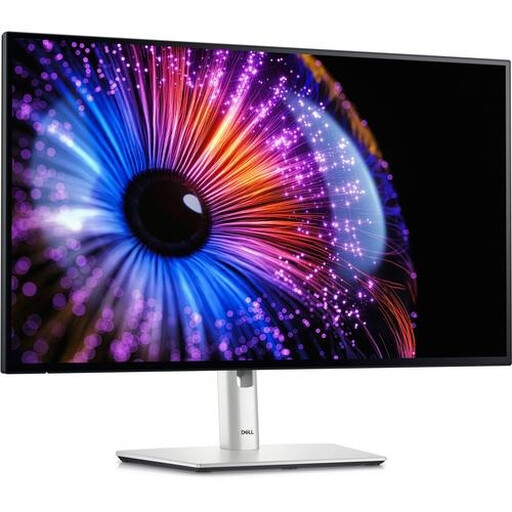
Dell UltraSharp U2724DE 27-inch QHD monitor
A larger workspace for schemas, with laptop charging through a compatible Thunderbolt 4 or USB-C connection.
27 inches; 2560 × 1440 pixels; 120 Hz; 90 W Power Delivery. The monitor itself needs a mains connection.
Joybuy
 No image available
ASUS ProArt PA278CV 27-inch QHD monitor
A dedicated workspace for schemas if you have a monitor socket available and its charging feature suits your laptop.
27 inches; 2560 × 1440 pixels; 75 Hz; 65 W USB-C Power Delivery; height and tilt adjustment. The monitor needs a power source.
Joybuy
 No image available
ASUS ProArt PA278CGV 27-inch QHD monitor
A larger screen for schemas if you have a power socket available for the monitor and your laptop supports its charging connection.
27 inches; 2560 × 1440 pixels; 144 Hz; 90 W USB-C Power Delivery; height, tilt and swivel adjustment. The monitor itself needs a power source.
Joybuy
 No image available
TECLAST V16Q portable 16-inch monitor
A portable second screen if a more compact workspace suits you. Check in advance how your laptop connects to and powers the screen.
16 inches; 2560 × 1600 pixels; 16:10; 144 Hz; IPS; two USB-C ports and Mini HDMI.
Joybuy
 No image available
Lenovo L16 portable 16-inch WUXGA monitor
A portable second screen for extra workspace. Check that the connections and power supply suit your laptop and setup.
16 inches; 1920 × 1200 pixels; 16:10; two USB-C ports; up to 65 W Power Delivery; adjustable stand.
Joybuy
Frequently asked questions
Do you need a power socket at all with a USB-C monitor?
Yes, a large USB-C monitor that runs on mains power needs electricity of its own. If your laptop and connection are compatible, the charging feature may replace your separate laptop charger. A suitable portable screen can receive power from the connected device.
How do you check whether your laptop works with one cable?
Check the features of the USB-C ports on both your laptop and monitor. ASUS lists USB-C with DisplayPort Alt Mode and USB 3.2 for the ZenScreen MB16ACV. To charge your laptop, you’ll also need to compare the Power Delivery output with your laptop’s charging requirements.
What should you look for in a monitor for large database schemas?
Compare resolution, aspect ratio and adjustment options as well as screen size. For example, BenQ lists a 28.2-inch 3:2 screen with 3840 × 2560 pixels for the RD280U. Also consider whether it will fit on your desk and how you want to arrange your windows.
How do you compare monitor power consumption?
Compare power consumption figures on a like-for-like basis and check the current EU energy label. BenQ lists normal power consumption of 34 W and maximum power consumption of 205 W separately for the RD280U. Your annual cost will also depend on how many hours you use it and your electricity tariff.
What should you consider when setting up and maintaining your monitor?
Choose a screen position that suits your workspace, leave room for ventilation and keep your equipment free of dust. The Netherlands Fire Service recommends paying attention to heat dissipation and dust around electrical appliances. Don’t use a shortage of power sockets as a reason to connect equipment unsafely.


