
Mood-focused mystery gamer
You mainly play games with dark scenes and want blacks, shadows and bright details to remain clearly distinguishable. RTINGS.com explains why contrast contributes to picture quality in a dark room.


For mystery games in a dark room, contrast and visible shadow detail usually matter more than the highest quoted refresh rate. OLED suits you if deep blacks are your priority, provided you check the usage guidance and warranty terms. Mini-LED with VA is an LCD alternative with local dimming, while standard LCD models involve different trade-offs. Also compare VRR flicker, HDR performance and the display mode available through your connection.
You mainly play games with dark scenes and want blacks, shadows and bright details to remain clearly distinguishable. RTINGS.com explains why contrast contributes to picture quality in a dark room.
You want to play dark games smoothly without distracting brightness fluctuations when VRR is active. RTINGS.com has investigated VRR flicker across different panel types.
You weigh your choice of display against extended mixed use, as well as clear warranty terms around OLED burn-in. Panel protection and additional manufacturer cover vary by model.
A good fit if: deep blacks in dark scenes are your top priority and you’re happy to follow the care guidance for the specific model.
Trade-off: RTINGS.com reported VRR flicker on OLED monitors; panel protection does not rule out burn-in.
A good fit if: you’re looking for an LCD with local dimming; AOC lists 336 dimming zones for the Q27G3XMN/BK.
Trade-off: this isn’t OLED; RTINGS.com noted black smearing and VRR flicker on the Q27G3XMN it tested. Check whether those findings apply to the version you’re considering.
A good fit if: you want LCD with native contrast and don’t consider local dimming or OLED essential. RTINGS.com notes that VA generally offers higher contrast than IPS.
Trade-off: performance varies by model; an HDR label alone doesn’t tell you how well it handles blacks and shadow detail.
A good fit if: wide viewing angles or VRR performance matter more to you than deep blacks. In the group it examined, RTINGS.com found less VRR flicker on IPS than on VA and OLED.
Trade-off: that research finding isn’t a guarantee for every IPS model; compare the performance of the exact monitor.
| What to consider | What should you check? | Who should pay particular attention? |
|---|---|---|
| Black levels and shadow detail | Compare contrast and HDR tests for the exact model; if it’s an LCD, check whether it has local dimming. | If I want to distinguish shadows and bright details clearly in dark scenes, I put black levels first; around 33% of consumers give this concern top priority. |
| Stable picture at variable frame rates | Look for a VRR test of the specific model at changing frame rates; don’t assume VRR support alone means flicker-free performance. | If brightness fluctuations distract me during a dark game, picture stability matters more; around 27% of consumers put this concern first. |
| Longevity, warranty and cost | Read the care guidance and warranty terms for the exact OLED model, then compare them with LCD alternatives. | If I also use the monitor for other types of content over long periods, I want to understand the usage and warranty terms in advance; around 20% of consumers prioritise longevity and cost. |
| Sharpness and connection | Check the resolution and maximum refresh rate for each port, then compare them with the output from your PC or console. | If I want to use my preferred sharp display mode with my own equipment, I check the connections carefully; compatibility comes first for around 20% of consumers. |
An HDR label on its own doesn’t tell you how a monitor displays blacks and subtle details in dark scenes.
Check the precise certification level and look at independent measurements or tests of contrast, local dimming and shadow detail. VESA publishes separate performance criteria for DisplayHDR and DisplayHDR True Black.
RTINGS.com reported flicker at changing frame rates in its research on monitors and in a test of the AOC Q27G3XMN.
Look for VRR tests of the exact model and weigh the possibility of flicker against the black levels you want.
Additional cover may depend on the exact model and its warranty terms. A stated burn-in prevention measure doesn’t mean burn-in is impossible.
Read the terms for the exact version and distinguish additional manufacturer cover from your statutory consumer rights. The Dutch government explains that these rights exist alongside a manufacturer’s warranty.
The maximum display mode can vary by port. MSI specifies up to 180 Hz via DisplayPort and up to 144 Hz via HDMI 2.0 for the MAG 27CQ6F.
Check the port, cable and source together to make sure they support the resolution and refresh rate you want to use.
The Q27G3XMN/BK is a VA mini-LED model for anyone considering an LCD with local dimming.
The MAG 27CQ6F is an example of a standard curved VA gaming monitor.
The Odyssey G5 G55C is a curved QHD LCD option; the G6 G60SD is a separate OLED choice.
The AW2725D is a QHD QD-OLED option for anyone looking to combine OLED with a high quoted refresh rate.
The 27M2N8500/00 is a QHD QD-OLED model with a quoted DisplayHDR True Black 400 certification.
These models show different OLED and LCD options for QHD gaming in dark scenes. Check the connections and the performance that matters for your needs for each model.
 No image available
A standard VA LCD option to compare if you’re looking for a gaming monitor for dark scenes; check independent tests of the black levels and VRR performance of this exact model.
The product name lists WQHD (2560 × 1440), 240 Hz, Rapid VA and FreeSync Premium.
 No image available
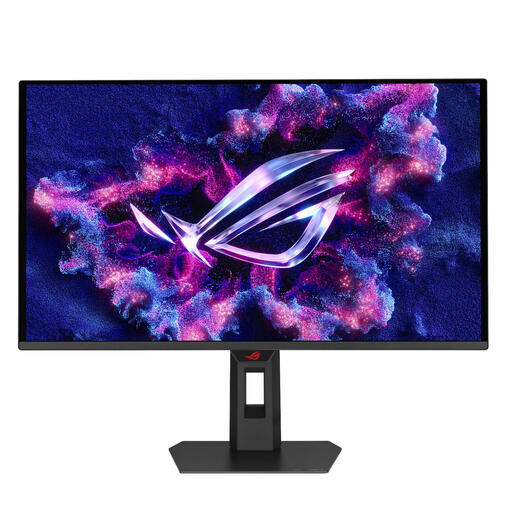
An OLED option to compare if deep blacks are your priority; also check the usage guidance and tests for the exact model.
The product name lists QHD (2560 × 1440), 240 Hz and two HDMI 2.1 connections.
 No image available
An IPS LCD with mini-LED and local dimming to compare for dark scenes with bright details; check independent picture quality tests.
The product name lists 1152 zones, QHD, 275 Hz and an IPS panel.
 No image available
A QD-OLED option to weigh up if OLED is your preference; check the model tests and whether the connections suit your PC or console.
The product name lists QHD (2560 × 1440) and a QD-OLED panel.
 No image available
An ultrawide OLED option to compare if you’re considering a wider screen as well as the panel type; check that your equipment and games support that resolution.
The product name lists 3440 × 1440 and a QD-OLED panel.
No. An HDR label alone doesn’t tell you enough about how a monitor displays dark scenes. Check the certification level and compare tests of contrast, local dimming and shadow detail for the exact model; VESA has separate performance criteria for DisplayHDR and DisplayHDR True Black.
Follow the care instructions for the exact model and use the available panel protection features as recommended by the manufacturer. Samsung, for example, describes Pixel Refresh and Pixel Shift for its OLED monitors; also check the warranty terms for your model.
Not necessarily; the maximum refresh rate can vary by connection. MSI specifies up to 180 Hz at QHD via DisplayPort and up to 144 Hz via HDMI 2.0 for the MAG 27CQ6F. Also check the output from your PC or console.
The Netherlands has no fixed statutory warranty period; according to the Dutch government, a product must meet the standard you can reasonably expect from it. A manufacturer’s warranty is in addition to this. If a product is faulty, the retailer is your point of contact.
According to the Dutch government, distance purchases from a business generally come with a 14-day cooling-off period. Check the returns information and bear in mind that this rule doesn’t automatically apply to an online purchase from a private individual.