
Competitive gamer playing in the dark
You want to track fast movement without losing detail in dark scenes. RTINGS’ motion tests and its review of the AOC Q27G3XMN are both useful when weighing up your options.


The right monitor for fast online arena matches in a dark room depends on what matters most to you: deep blacks, sharp motion or a stable picture when frame rates fluctuate. OLED and Mini LED VA are worth considering for dark-scene performance. IPS is worth a look if VRR stability comes first, but always test the exact model and bear in mind that each panel type involves trade-offs.
You want to track fast movement without losing detail in dark scenes. RTINGS’ motion tests and its review of the AOC Q27G3XMN are both useful when weighing up your options.
Your PC doesn’t always deliver the same frame rate, and you want to know whether VRR flicker could be distracting. RTINGS describes this issue on the OLED and VA monitors it tested.
You want a screen for arena matches and everyday use, and are weighing up contrast, features and buying options. Xiaomi’s specifications for the G27Qi EU apply to that specific model.
A good fit for: anyone who values deep blacks and fast pixel transitions; ASUS lists a QHD WOLED panel and 240 Hz for the XG27AQDMG.
Trade-off: RTINGS observed VRR flicker on the OLED models it tested. ASUS says OLED Care helps reduce risks, but it is no guarantee.
A good fit for: anyone who wants to compare strong dark-scene performance with a fast QHD monitor; AOC lists 336 dimming zones and 180 Hz for the Q27G3XMN/BK.
Trade-off: RTINGS reported some black smearing and VRR flicker at fluctuating frame rates on the Q27G3XMN it tested.
A good fit for: anyone who values a steadier VRR picture when frame rates fluctuate; RTINGS observed this on the IPS and TN screens it tested.
Trade-off: Xiaomi lists a typical contrast ratio of 1000:1 for the G27Qi EU. Don’t expect the same dark-scene performance as OLED or a well-dimmed Mini LED model.
| Consideration | What to look for | Who should consider it |
|---|---|---|
| Dark-scene performance and visibility | Compare black levels and any dimming features with motion tests of the same model. | If you want to keep track of opponents in dark scenes, dark-scene performance is your top concern. Around 31% of consumers in this breakdown make it their main priority. |
| Sharp motion | Look at independent measurements of pixel transitions and overshoot at the refresh rate you play at. | If you want to track fast movement during arena matches, model-specific measurements matter more than a quoted millisecond figure alone. Around 31% of consumers prioritise motion clarity. |
| VRR with fluctuating frame rates | Look for a VRR flicker test of the exact model and bear fluctuating frame rates in mind. | If your PC’s frame rate fluctuates, you’ll want to know whether VRR flicker is distracting in dark scenes. Around 23% of consumers make stability with fluctuating frame rates their main priority. |
| Everyday use and build | Check the full model code, connections, adjustability and energy label. | If you use your monitor outside matches too, practicality matters alongside contrast and speed. Around 15% of consumers prioritise versatility and their choice of purchase. |
GtG and MPRT are different measurement methods. Visible blur and overshoot also depend on the mode you use.
Where possible, compare independent reviews of the model at the refresh rates you play at. ASUS says the VG27AQ1A’s 1 ms MPRT figure is based on internal testing and may differ in real-world use.
RTINGS observed VRR flicker on the OLED and VA monitors it tested, including the AOC, when the frame rate changed. You’ll need a model-specific test to find out how a particular monitor performs.
Look for a VRR flicker test of the exact model and weigh the results against the contrast you want.
The Xiaomi G27Qi EU and G27Qi 2026 have different model codes and maximum refresh rates. The product name alone doesn’t make these variants interchangeable.
Before buying, check that the full model code matches the key specifications.
The Government of the Netherlands states that there is no fixed statutory guarantee period in the Netherlands. Your statutory rights and the manufacturer’s warranty are not the same; if a product is faulty, contact the retailer.
Read the terms for the exact model and check what they say about burn-in. Report problems with a faulty product to the retailer.
The Q27G3XMN/BK is a Mini LED VA option for QHD gaming in a dark room.
The ROG Strix OLED XG27AQDMG is a 240 Hz QHD WOLED model; the TUF VG27AQ1A is an IPS alternative with a maximum refresh rate of 170 Hz when connected to a suitable DisplayPort source.
The G27Qi EU is a 27-inch QHD IPS option with a maximum refresh rate of 180 Hz; Xiaomi lists the model code as P27QCA-RGGL.
These Joybuy models include OLED and IPS monitors, including IPS models with Mini LED. Compare the resolution, refresh rate mode and other specifications that matter for your games for each model.
 Image unavailable
An OLED option to weigh up for dark-scene performance and fast arena gameplay.
27 inches; WQHD; OLED; 280 Hz.
 Image unavailable
An IPS and Mini LED model to compare if you’re weighing up both dark scenes and fast matches.
27 inches; QHD; Fast IPS; Mini LED with 1152 zones; 275 Hz.
 Image unavailable
This model offers two listed modes, so you can weigh up whether resolution or refresh rate matters more to you.
27 inches; Mini LED; Fast IPS; 1152 zones; 4K at 160 Hz or FHD at 320 Hz.
 Image unavailable
A QD-OLED model to include in your comparison for gaming in a dark room.
26.7 inches; 4K UHD; QD-OLED.
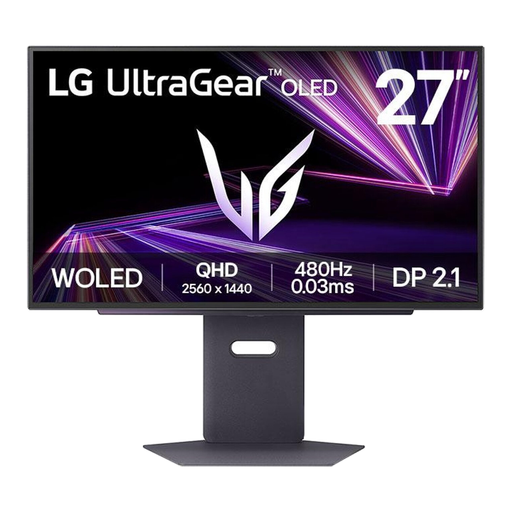 Image unavailable
A QHD OLED option to compare if dark-scene performance and fast arena gameplay matter to you.
27 inches; QHD; OLED.
No. Also compare independent measurements of pixel transitions and overshoot in the modes you play in. ASUS says the VG27AQ1A’s MPRT figure is based on internal testing and may differ in real-world use; don’t compare it directly with a GtG figure.
First check that your PC, the input you’re using and the monitor are all set to the desired refresh rate. According to ASUS, the ASUS VG27AQ1A’s listed 170 Hz requires a suitable GPU source via DisplayPort. Then assess the motion and VRR settings in your own games, as the frame rate affects what you see.
Check the care features and the specific terms for the exact model, including what the manufacturer says about burn-in. ASUS describes OLED Care for the XG27AQDMG as a way to reduce risk, not as a guarantee that burn-in won’t occur. Statutory rights in the Netherlands are separate from the manufacturer’s warranty; if a product is faulty, contact the retailer.
For many online purchases from a business by a consumer, the Government of the Netherlands provides a 14-day cooling-off period; check the terms that apply to your purchase. Electronic displays sold on the EU market are subject to energy labelling rules. The label includes information you can use to compare energy consumption in SDR and HDR, among other things.