What should you look for?
OLED or QD-OLED
Choose this if: deep blacks and small, bright clues are your priority in a dark room.
Trade-off: static images left unchanged for long periods can increase the risk of burn-in. Check the model’s care and warranty terms.
Mini-LED LCD with local dimming
Choose this if: you want HDR highlights and menus may remain on screen for long periods.
Trade-off: the backlight dims in zones rather than pixel by pixel. Check reviews of the exact model to see whether bright details against black show any blooming.
VA LCD without confirmed local dimming
Choose this if: you’re looking for a QHD gaming monitor with a VA panel and advanced HDR isn’t a priority.
Trade-off: a VA panel type or HDR label alone doesn’t tell you how blacks or dark motion will look on that specific model.
First decide how much weight to give black levels, HDR and use with static images. Then check the resolution, connections and performance in dark scenes of the model you’re considering.
| Consideration |
What should you check? |
Who is this relevant to? |
| Blacks and bright clues |
Compare OLED with reviews of dark scenes on the mini-LED or VA model you’re considering. Look for blooming around small bright details. |
If I want to see clues clearly in dark scenes without distracting blooming, black levels come first. Consumers whose main concern is black levels make up around 36% of consumers with this buying question. |
| HDR and static images |
Compare HDR performance model by model, and read the care instructions and panel warranty terms. |
If I want bright HDR highlights but also use menus that stay on screen for long periods, I weigh these two factors together. Around 29% of consumers with this buying question prioritise HDR and long-term use. |
| Text, sharpness and connections |
Check the resolution, screen size, aspect ratio and the HDMI, DisplayPort or USB-C features required by your monitor and device. |
If I want small text to look sharp and need to connect my PC or console with the signal I want, resolution and compatibility are key. This applies to around 21% of consumers with this buying question. |
| Running costs and aftercare |
Check the energy label, and distinguish between commercial warranty terms and statutory warranty rights. |
If running costs and help in the event of a fault are my main concerns, I want to compare these points in advance. Consumers who put costs and aftercare first make up around 14% of consumers with this buying question. |
Joybuy products for dark puzzle games
This selection includes OLED models for dark scenes and mini-LED monitors as alternatives if local dimming and HDR matter to you. Weigh up the trade-offs and specifications of each model.
 No image available
LG UltraGear 27GX704A-B.AEU
OLED is a good option if deep blacks in dark puzzle scenes are your priority. Bear in mind the potential for static images to remain on screen for long periods.
27 inches; QHD (2560 × 1440); 240 Hz.
DisplayHDR True Black 400; 2× HDMI 2.1; 1× DisplayPort 1.4.
View at Joybuy
 No image available
MSI MAG 272QP QD-OLED X24
QD-OLED is a good fit if dark scenes matter to you. Check the care instructions if you plan to use it for long periods with static images on screen.
26.5 inches; WQHD; 240 Hz.
16:9; 2× HDMI; DisplayPort; USB-C.
View at Joybuy
 No image available
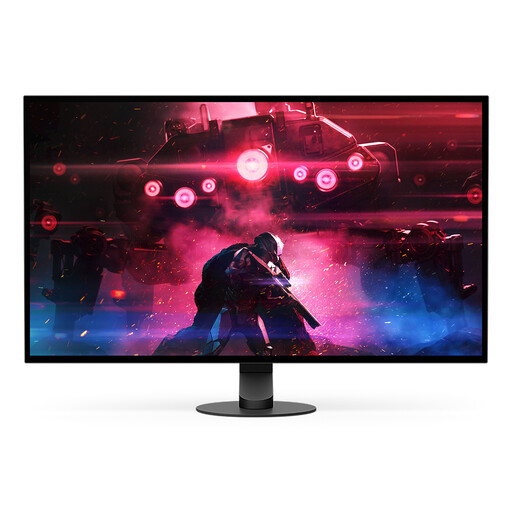
Sony INZONE M10S
The OLED panel is a good option if black levels in dark scenes matter to you. For static images, follow the care advice for the specific model.
26.9 inches; 2560 × 1440; Quad HD; OLED.
View at Joybuy
 No image available
INNOCN 2751S PLUS
This mini-LED monitor is an alternative if local dimming and HDR matter to you. Check reviews of this model to see how bright details against black are rendered.
27 inches; QHD; mini-LED with 1152 zones; 275 Hz.
IPS panel.
View at Joybuy
 No image available
KTC M27P6
This mini-LED option combines local dimming with a listed 4K mode. Check reviews of the exact model to see how it handles dark scenes and small bright details.
27 inches; mini-LED with 1152 zones; Fast IPS.
4K 160 Hz / FHD 320 Hz; HDR1400; USB-C 65 W.
View at Joybuy
Frequently asked questions
Is the highest refresh rate the most important thing for story-driven puzzles?
Not necessarily. RTINGS puts the emphasis on input lag for reaction-based games. For story-driven puzzles, dark scenes, text and resolution also deserve attention. Compare these factors with the connection options on your gaming device.
How should you care for an OLED monitor during long gaming sessions?
Follow the care instructions for the exact model and, where possible, avoid leaving bright, static elements on screen for long periods. LG describes automatic image cleaning after use on standard models, but warns that menus may vary by model, so check the relevant manual.
What can you do if your monitor develops a fault sooner than expected?
In the Netherlands, statutory warranty rights apply alongside any manufacturer’s warranty. According to ACM ConsuWijzer, the retailer is responsible for providing an appropriate solution if a product does not perform as you could reasonably expect under normal use. A commercial warranty period does not automatically mark the end of your statutory rights.
Can you inspect a monitor bought online before deciding to keep it?
For ordinary online consumer purchases, there is generally a statutory 14-day cooling-off period after delivery, according to ACM ConsuWijzer. Check the terms and any exceptions that apply to your order.
Does a gaming monitor sold in the Netherlands need an energy label?
EU energy labelling rules apply to electronic displays, including computer monitors. The European Commission describes the product information that must be provided. Use the relevant energy label to compare models, rather than as an indication that you need to choose a particular energy class.


