
Regular desktop listener
You usually listen at your desk and want to position two speakers for a wider soundstage. Check that you have enough space and that the connections are compatible with your music source.


If you usually listen in one place and have room for two speakers, a pair of separate desktop speakers could suit you if you want a more spacious sound. Check that their inputs are compatible with your computer or other music source. A Wi-Fi or Bluetooth speaker is a better fit if wireless playback from your phone or use in different rooms matters more to you. However, one speaker cannot offer the same physical spread as two separate speakers. The Dutch Consumers’ Association notes that compact enclosures generally offer less scope for low frequencies, while larger speakers need more space.
You usually listen at your desk and want to position two speakers for a wider soundstage. Check that you have enough space and that the connections are compatible with your music source.
You want to play music without giving up too much desk space. The Dutch Consumers’ Association describes a smaller enclosure as a trade-off in terms of low-frequency performance.
You mainly play music from your phone or want to use the speaker in other parts of your home. Choose a connection that suits how and where you listen.
Best if: you usually listen in one place, have room for two speakers and have a suitable audio connection available.
Trade-off: two enclosures and the necessary cables take up space. Check the connections on the exact model.
Best if: a small setup and a connection to your computer matter more to you than a larger enclosure.
Trade-off: the Dutch Consumers’ Association points out that compact enclosures generally offer less scope for low frequencies. If you’re using USB-C, also check whether the port carries audio or power.
Best if: you mainly want to stream wirelessly from your phone or use the same speaker in different rooms.
Trade-off: one speaker cannot offer the same physical spread as two separate desktop speakers. Check that it has the connection option you want.
| What to consider | What to look for when buying | Who is this most relevant to? |
|---|---|---|
| Sound spread | Check whether you can position two speakers and whether their inputs are compatible with your music source. | If I listen to dance music from one spot, I want to be able to position two speakers for a more spacious sound; around 36% of consumers give this sound spread top priority. |
| Connections and desk space | Compare your computer or phone’s audio output with the inputs and dimensions of the exact model. | With limited workspace, I want a set that connects to my computer and fits on my desk; around 29% of consumers prioritise connections and placement. |
| Sound at home | Check whether you can adjust the volume and, where available, the bass. Consider housemates and neighbours. | When I listen at home, I want to tailor the music to my surroundings and the people around me; around 21% of consumers give controlled sound top priority. |
| Wireless and flexible use | Choose between Bluetooth, Wi-Fi and a battery, depending on your source and whether you want to listen without a mains socket. | If I want to play music from my phone or use the speaker in different places, wireless convenience matters most to me; around 14% of consumers prioritise this flexibility. |
A USB-C connection may be intended for audio or for power. For the Sonos Era 100, you need a separately available adapter to connect an external source via the line input. The Creative Pebble Pro has separate USB-C audio and USB-C PD power connections.
Check what each port does, which connections your source device has, and whether any required adapter or power supply is included.
Creative states that the Pebble Pro delivers up to 30 W RMS over USB audio when both the USB-C audio and USB-C PD ports are connected.
Before comparing power ratings, check the power requirements and measurement basis for the exact model.
According to the Dutch Consumers’ Association, larger enclosures generally offer more scope for low frequencies, but take up more space. In a shared home, strong bass can also be a practical consideration.
Measure the space available and consider your listening environment, as well as any agreements or local rules about noise nuisance.
The R1280DBs is an example of active bookshelf speakers for a fixed stereo setup, with a range of inputs.
The A2+ Next Gen is a desktop stereo set for connecting a computer and analogue audio sources.
The Pebble Pro is a compact set of computer speakers with several connection options.
The Era 100 is a Wi-Fi and Bluetooth speaker for home use. Sonos says you can pair two units for a wider soundstage.
The Authentics range is an example of speakers for wireless use at home. According to JBL, the Authentics 300 also has a battery.
This selection focuses on compact computer speakers and desktop audio for playing music from a computer. For each model, check that the connection suits your source and that it will fit in your workspace.
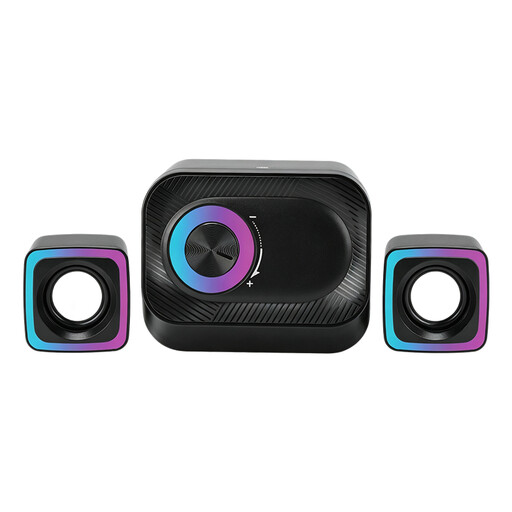 No image available
Suitable for playing music from a PC when you want to control the volume from your desk.
The set has two satellite speakers and a main unit with a volume knob. It is wired and features RGB lighting.
 No image available
Suitable for listening to music at your desk if you’re looking for a compact stereo setup.
According to the product description, each speaker measures approximately 120 × 72 × 88 mm. The set is described as stereo and features coloured LED lighting.
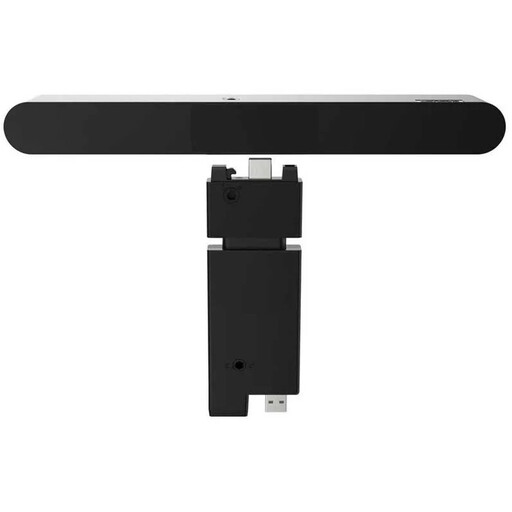 No image available
Suitable for playing music from a desktop if you’re looking for a wired soundbar to use with your monitor.
The product specifications list wired 2.0 audio and 4 W RMS.
 No image available
Suitable for stereo listening at your desk from a compatible computer or other source.
The set is described as 2.0 stereo and lists Bluetooth 5.3, USB and a 3.5 mm AUX input.
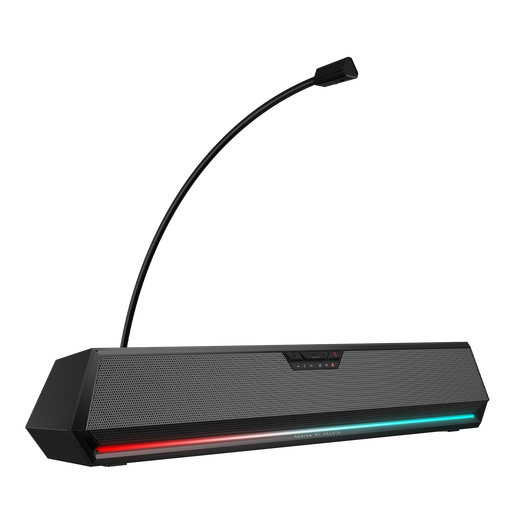 No image available
Suitable for playing music from a desktop if you want one soundbar instead of two separately positioned speakers.
The product information lists Bluetooth, USB and 3.5 mm audio. This is one soundbar, not a pair of separate speakers.
First check your computer’s audio output, then check the input on the exact speaker model. Creative describes separate USB-C audio and USB-C PD power ports for the Pebble Pro. For an external source connected via the Sonos Era 100’s line input, Sonos says you need a separately available adapter.
Not with every model: Sonos says the Era 100 supports both Wi-Fi and Bluetooth. Check which connections another model supports.
In the Netherlands, you’re entitled to a product that is fit for purpose, and you can contact the seller if there’s a problem. The Dutch government explains that there is no fixed statutory guarantee period; the expected lifespan depends on the product. A manufacturer’s guarantee is in addition to your statutory rights.
This depends partly on your circumstances and local rules. The Dutch government says that in many municipalities, causing a nuisance to neighbours is an offence under the local by-laws (APV), so the specific rules may vary from one municipality to another. If your music could disturb anyone, agree on arrangements with your neighbours and check the local rules if necessary.