What should you look for?
Start with how you want to listen: first check whether your existing headphones and output settings are enough, then consider connections, amplification or call features.
| What to consider |
What should you check? |
Who is this important for? |
| Private listening and background noise |
Check whether you can select your headphones as the output device, and whether their fit and isolation suit the way you use them. |
When I’m at a shared desk, I want to listen without sound coming through the laptop speakers; around 36% of consumers put private listening at the top of their buying concerns. |
| Connection and everyday use |
Check the USB connection or adapter you need, your headphone plug and your laptop’s output settings. |
When I connect my audio device every day, I want it to work with my laptop and headphones; around 29% of consumers prioritise a suitable connection and ease of use. |
| Amplification for your headphones |
Compare the specifications for the exact output, load and mode relevant to your headphones; start at a low volume. |
When I want to keep using my wired headphones, I want a suitable output without comparing power figures out of context; around 21% of consumers prioritise suitable amplification. |
| Calls and microphone |
Check the microphone input, headset compatibility, operating system and any required software. |
When I make work calls at my desk, I want to listen and use or mute the microphone; around 14% of consumers put calls at the top of their buying concerns. |
Joybuy products
This selection focuses on wired USB or USB-C headsets for listening through a dedicated audio output; several models also list a microphone for calls. Check that the headset is selected as the output device on your laptop. These are headset options, not a comparison of standalone DAC amplifiers.
 No image available
Logitech USB Headset H540 Wired
A wired headset for listening and making calls via a USB connection.
The product description lists USB Type-A, stereo audio, a microphone and on-ear controls.
Joybuy
 No image available
Logitech H340 USB headset, black, wired
A wired USB headset for listening and making calls through a computer output.
The product description lists digital stereo audio and a microphone.
Joybuy
 No image available
Samsung EO-IC100 wired in-ear headset, USB Type-C, black
A wired in-ear headset for listening and making calls via USB Type-C.
The product details list a built-in DAC, microphone and button controls; the description says ear tips in several sizes are included.
Joybuy
 No image available
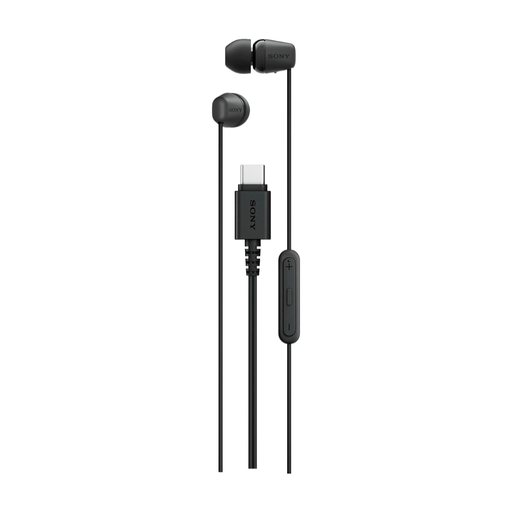
Sony IER-EX15C wired in-ear headset, USB Type-C, black
A wired in-ear headset for music and calls via USB-C.
The product description lists a microphone, controls and a ridged cable designed to help prevent tangles.
Joybuy
 No image available
EPOS | SENNHEISER IMPACT SC 230 USB MS II, single-sided headset
A single-sided USB headset for calls and listening at a workstation.
The product description lists USB 2.0, a microphone and a 2.9-metre cable; the design doesn’t cover both ears.
Joybuy
Frequently asked questions
Why can I still hear sound coming from my laptop speakers after connecting my headphones?
In Windows, go to Settings > System > Sound and check whether your headphones or USB DAC are selected as the output device. Also check the playback settings in the app you’re using. Microsoft Support recommends choosing the correct audio output; this is a settings check, not in itself a reason to buy a more expensive DAC.
Can a DAC block nearby voices or the sound of a laptop fan?
No, a DAC won’t make the room or fan quieter. If you want to block sound reaching your ears from outside, headphone fit and isolation are more relevant. Bear in mind that isolation can also make sounds you want to hear from your surroundings less audible.
What should I bear in mind when listening for long periods?
Start at a low volume and limit loud listening over long periods. The World Health Organization gives a maximum of 40 hours per week at an average level of 80 dB as an example; this isn’t a guaranteed safe volume setting for every DAC and headphone combination.
What are my rights if I buy a DAC online in the Netherlands?
For distance sales, you generally have a 14-day cooling-off period, according to the Dutch government. You’re also entitled to a product that meets legal requirements; if there’s a problem, contact the seller about your statutory guarantee. The Dutch government states that there is no fixed statutory guarantee period in the Netherlands.
Does every USB DAC need a CE mark?
Not simply because it’s a particular type of product: according to the European Commission, a CE mark is required when a specific product is covered by harmonised EU rules that require it. Check the relevant product documentation, and don’t assume a product complies based on a general brand page.


