If your local music is stored on a computer or phone, choose a desktop DAC or compact USB DAC based on the connections and controls that suit your headphones and listening space. These devices don’t store your music themselves. If you want to browse albums without a connected computer, choose a standalone player with suitable storage and file support. Check for yourself whether its screen is easy to use beside your window.
Who are these options for?
Computer listener by the window
Your local collection is stored on a computer, and you want to connect wired headphones without needing a separate screen to choose your music. FiiO and iFi audio product information describes DAC devices that use an existing source.
Listener with a standalone music player
You want to select albums on the device itself, so you’re looking at storage, supported file formats and on-screen controls. Sony and FiiO describe standalone players with local playback capabilities.
Listener with specific headphones
For you, the choice starts with finding a connector and output that suit your headphones. FiiO and Sony’s specifications show why you need to check the connections on each model.
What should you look for when choosing?
Desktop DAC for a computer
A good fit if: your music is stored on a computer and you want a volume control and suitable headphone outputs in a fixed listening spot.
Bear in mind: you’ll still need the computer as your source; a model such as the FiiO K11 also needs a separate power supply.
Compact USB DAC
A good fit if: your files are already stored on a laptop or compatible phone and you want to keep things compact.
Bear in mind: storage, file selection and controls remain on your source device; check the USB connection too.
Standalone music player
A good fit if: you want to browse and play local albums without a computer.
Bear in mind: you’ll control your collection using the player’s screen. A stated brightness level doesn’t prove the screen will be easy to read beside your window.
| Consideration |
What to check before buying |
Who is this important for? |
| Controls beside a bright window |
Decide which screen you’ll use to select albums and, if possible, try the controls in similar lighting. The FiiO M23 has adjustable brightness, but that doesn’t show how easy it is to read beside your window. |
If I want to choose albums on the device itself by the window, I need to be able to use the controls in that spot. Around 33% of consumers rank using controls in window light as their top buying priority. |
| Playing local files independently |
Check your collection’s file formats, the available internal storage and whether the exact model supports microSD. |
If I want to select albums without a computer, local storage and file browsing are essential. Around 27% of consumers give independent playback top priority. |
| Compatibility with your headphones |
Check that the plug fits, and compare power figures only for the same output, impedance and test conditions. |
If I want to keep using my existing headphones, I’ll first check that their connector and output are compatible. This match comes first for around 20% of consumers. |
| Space, connections and power |
Check your source’s USB port, the power connection required and which power supply or cable comes with the exact version. |
If I want as little extra equipment and as few cables as possible beside my listening spot, size and power options matter. Around 20% of consumers give a compact design with a suitable connection top priority. |
Common buying mistakes
-
Confusing a DAC with a player that has its own storage
The FiiO K11, iFi ZEN DAC 3 and AudioQuest DragonFly Cobalt use a source device. According to Sony, the Sony NW-A306 has its own storage and a microSD connection.
Before comparing DAC specifications, decide where your files are stored and which device you want to use to select albums.
With a DAC, you’ll still need a suitable computer or phone as your music source.
-
Treating a screen specification as proof it’s readable by the window
An adjustable brightness setting or screen specification doesn’t tell you how reflections will affect the screen in your listening spot.
Try the controls in similar lighting or choose a position where you can shield the screen. Don’t assume readability is a proven feature of the model.
-
Leaving power and connections until after you’ve bought
According to FiiO, the FiiO K11 requires DC 12V/2A. The iFi ZEN DAC 3 manual says it can be powered using the USB cable provided; a separate 5V power supply isn’t included.
Check what’s in the box, your source’s port and the power requirements of the exact version.
Depending on the power option you choose, you may need a separate power supply or adapter.
Relevant brands to consider
FiiO
FiiO describes both the K11 desktop DAC and the M23 standalone music player; they are different types of product.
- According to FiiO, the K11 has multiple digital inputs, a volume control and 6,35mm and 4,4mm headphone outputs.
- The K11 requires a DC 12V/2A power supply and can’t play stored albums independently.
- According to FiiO, the M23 supports local decoding up to 384kHz-32bit/DSD256 and has adjustable screen brightness.
- Adjustable brightness doesn’t prove that the screen will be easy to read beside a bright window.
iFi audio
According to iFi audio, the ZEN DAC 3 is a desktop DAC for use with an existing digital source.
- The product specifications list USB-C audio and 6,3mm and 4,4mm headphone outputs.
- The manual describes power via USB or a separate 5V power supply; the separate power supply isn’t included. The device has no standalone storage for albums.
Sony
The Dutch specifications for the NW-A306 are relevant if you want to play local files on a standalone player.
- Sony lists microSD support, a range of local file formats and a 3,5mm output.
- According to Sony, 18 GB of the stated 32 GB internal storage is actually available. These specifications don’t include a comparable test of screen readability beside a bright window.
AudioQuest
AudioQuest describes the DragonFly Cobalt as a compact USB DAC and headphone amplifier for use with an existing source.
- This type of product may suit you if your music is already stored on a computer or compatible phone.
- Storage and controls remain on the source device. AudioQuest’s claims about improved sound are brand claims, not an independent performance test for this window-side setup.
Joybuy product picks
This selection focuses on standalone players for local music. They offer a different option from a desktop DAC that uses a computer as its source.
 No image available
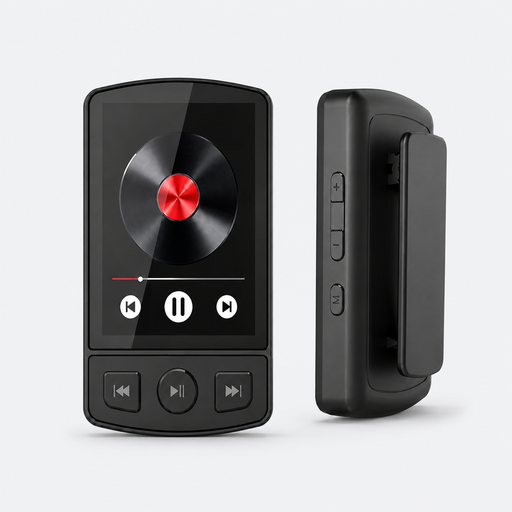
64 GB MP3 player with Bluetooth 5.2 and clip
A standalone player for anyone who wants to listen to local music on the device itself.
64 GB; expandable via TF or microSD card up to 128 GB; Bluetooth 5.2; 1.77-inch colour screen.
Joybuy
 No image available
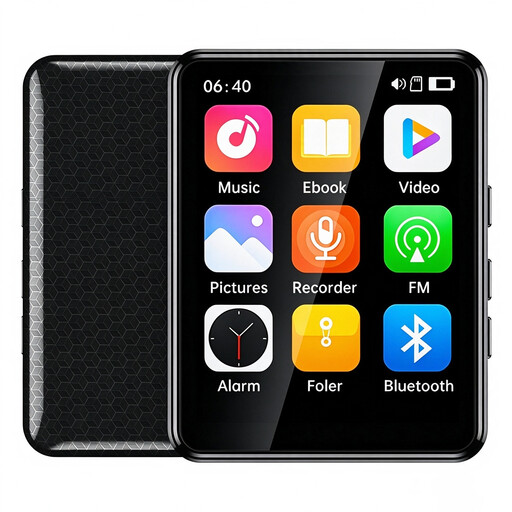
VIELLAN 64 GB MP3 player with 2.4-inch touchscreen
A standalone player for anyone who wants to select local music on the device and check that the supported formats suit their collection.
64 GB; 2.4-inch touchscreen; supports formats including MP3, FLAC and APE; expandable via TF card.
Joybuy
No image available
MP3 player with clip and TF card support up to 128 GB (Black)
A standalone player for local music, with a stated 3.5mm connection for wired headphones.
TF card support up to 128 GB; 3.5mm headphone socket; Bluetooth 5.2; 1.77-inch colour screen.
Joybuy
 No image available
Digital audio player with 1.8-inch display and Bluetooth
A standalone audio player for anyone who wants to choose local music using the device’s controls.
1.8-inch display; button controls; supports MP3, WMA and FLAC; Bluetooth.
Joybuy
 No image available
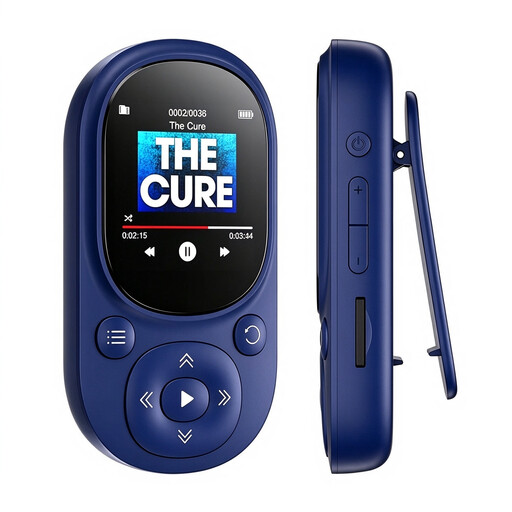
64 GB MP3 player with Bluetooth 5.3 and microSD slot up to 128 GB (Blue)
A standalone player for anyone who wants to store local files and listen wirelessly with compatible headphones or a speaker.
64 GB; microSD slot up to 128 GB; Bluetooth 5.3; 1.44-inch colour display; supports MP3, WMA and APE.
Joybuy
Frequently asked questions
Can I play local files directly from any DAC?
No. The FiiO K11, iFi ZEN DAC 3 and AudioQuest DragonFly Cobalt use a source device to store and play your files. According to Sony, the Sony NW-A306 has its own storage and a microSD connection; check that the device supports your collection’s file formats.
How do I connect a desktop DAC without overlooking its power connection?
First, check your computer’s audio output and the power requirements of the exact model. According to FiiO, the K11 requires DC 12V/2A. The iFi ZEN DAC 3 manual says it can be powered using the USB cable provided, while a separate 5V power supply isn’t included. Then select the DAC as your source’s audio output and start at a low volume.
What are my rights in the Netherlands if I buy online or receive a faulty product?
According to the Dutch government, for many online purchases from a business, you have a 14-day cooling-off period; exceptions and the type of seller may affect this. You’re also entitled to a product that works properly. If there’s a fault, contact the seller to find a solution.
Is a powerful headphone amplifier automatically suitable for listening at high volume for a long time?
No. An amplifier’s power doesn’t determine what listening level is safe. The World Health Organization emphasises that both volume and listening time matter. Keep the volume down, and don’t turn it up to drown out background noise.


