
Host with a wide seating arrangement
Your guests sit to the left and right of the TV too, so check the picture from those seats.


For a larger group, the viewing angle from the seats at either end and the distance to the back row are key factors when choosing a TV. Consumentenbond generally describes OLED as a technology with a wider viewing angle, while QLED can often offer higher brightness; compare the specific TV in the lighting conditions of your room too. Also check that you can receive the race you want to watch and that the screen will fit in the available space.
Your guests sit to the left and right of the TV too, so check the picture from those seats.
Measure the distance from the back row and compare screen sizes that suit both that distance and the available space.
You watch in daylight and want to follow the race with ease. Take account of incoming light, reflections and motion handling.
| What to consider | What to look for when buying | Who is this important for? |
|---|---|---|
| Viewing angle | Consumentenbond generally describes OLED as a technology with a wider viewing angle. Check the specific TV from the seats at either end. | If guests sit beside the TV, I want them to be able to follow the race even when viewing the screen from an angle. Around 36% of consumers say viewing angle is their top priority. |
| Screen size and viewing distance | Measure the distance from the back row and check that the TV will physically fit. Consumentenbond gives around 2.4 times the screen diagonal as a starting point for a comfortable viewing distance. | For those sitting at the back, I want to choose a screen size that suits both the distance and the available space. For around 29% of consumers, screen size for the back row comes first. |
| Daylight and motion | Consumentenbond notes that QLED can often offer higher brightness. Compare brightness and reflections in similar lighting conditions, and check sports footage; a stated panel refresh rate alone does not guarantee smooth broadcasts. | When watching an afternoon race in a bright room, I want to assess reflections and fast-moving images without overlooking the seats at the sides. Around 21% of consumers prioritise daylight performance and motion handling. |
| Reception and sound | For the specific race, check which app and connection you need, along with any subscription requirements. Listen to make sure the commentary is clear in the room. | If I first want to know whether I can receive the race and hear the commentary, I check the whole setup. Around 14% of consumers prioritise reception and setup. |
Guests at the sides will be viewing from a different angle; a larger screen won’t make up for a disappointing viewing angle.
Check the picture from the seats at either end, and choose the screen size based on the back row.
OLED, LCD and mini-LED models vary from one TV to another. A general feature doesn’t automatically tell you how the picture will look in your room or from the seat at the widest angle.
First consider your seating arrangement and the light in the room, then compare specific models.
The race you want to watch must also be available through the service and connection you use.
Shortly before the race, check how you can receive it and whether you need a particular app or subscription.
A two-year manufacturer’s warranty doesn’t automatically mean your legal rights end after that. ACM ConsuWijzer explains that the product’s expected lifespan under normal use is also relevant.
Keep your proof of purchase and contact the retailer if the product develops a fault sooner than it reasonably should.
The OLED77G68LW is a 77-inch model worth considering when both screen size and seating spread across the room matter.
The 75C6K is a 75-inch QD mini-LED model to consider when weighing up screen size and daytime viewing.
The BRAVIA 5 K-65XR5 is a 65-inch mini-LED option to compare if that size suits your measured viewing distance.
The 65OLED810/12 combines a 65-inch OLED screen with Ambilight, so you can weigh up those features alongside your viewing distance.
Neo QLED is an LCD and mini-LED option to compare with OLED when brightness in a bright room is a factor.
This selection includes OLED TVs in a range of sizes and a 75-inch QLED TV. Compare the screen size with the distance to the back row, and check the picture from the sides.
 No image available
The 77-inch OLED screen is an option to consider when guests are spread around the room; Consumentenbond generally describes OLED as a technology with a wider viewing angle.
77 inches; OLED; 4K; Smart TV. Measure your viewing distance and check that the TV will fit in the available space.
 No image available
OLED can suit a spread-out seating arrangement; check this model from the seats at either end and make sure 65 inches suits the distance to the back row.
65 inches; OLED; 4K; 120 Hz; VRR up to 165 Hz; Dolby Vision; Dolby Atmos; webOS 26.
No image available
This 55-inch OLED screen is worth considering if your viewing distance is shorter; also check the picture from the sides if guests are spread around the room.
55 inches; OLED; 4K; 120 Hz native; VRR up to 165 Hz; Dolby Vision; Dolby Atmos; webOS 26.
 No image available
Compare the 48-inch screen size with the distance to your seats; if your viewers are spread around the room, also check the picture from the seats at either end.
48 inches; OLED; 4K; 120 Hz native; VRR up to 165 Hz; Dolby Vision; Dolby Atmos; webOS 26.
 No image available
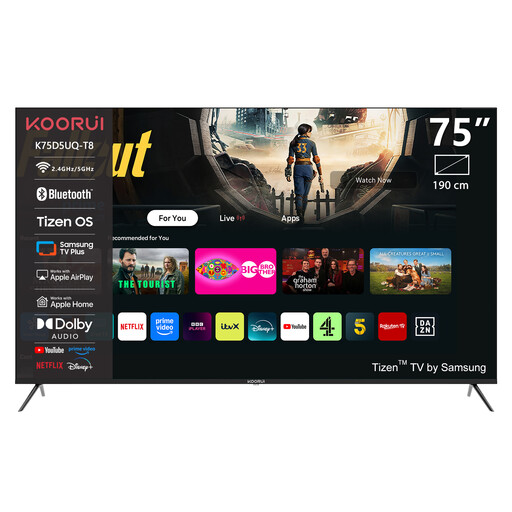
Compare the 75-inch screen size with the distance to the back row. Check the picture from the sides separately; the QLED label alone doesn’t tell you what the viewing angle will be like.
75 inches; 4K UHD; QLED; Tizen OS.
Measure the distance from their seats to the screen and compare it with the screen diagonal. Consumentenbond gives around 2.4 times the diagonal as a starting point for a comfortable viewing distance; also check the available width and height.
Not necessarily. For the specific race, check how it’s available and whether the app, connection and any subscription requirements will work with your setup.
If you’re placing the TV on a stand, check its dimensions including the feet. Listen from the seats you plan to use to make sure the commentary is clear; Consumentenbond suggests a soundbar as a possible extra, not an automatic necessity.
Compare the EU energy labels of the specific models. The European Commission says the label shows consumption in kWh per 1,000 hours and may also provide separate information about HDR. To estimate your own energy use, multiply the stated consumption by your viewing hours and divide by 1,000.
No, your legal rights don’t automatically end after two years. ACM ConsuWijzer explains that what matters is what you can reasonably expect from the product under normal use; the retailer is your point of contact if the product develops a fault sooner than it reasonably should.