What should you look for when choosing?
NPO described the 2026 Tour de France Femmes as an afternoon broadcast. That doesn’t tell you whether another race will be shown live in the evening. So check the race and viewing options before choosing a device.
| What to consider |
What should you check? |
Who is this important for? |
| Race and service |
Look up the exact race and date, then check the Dutch app and any subscription required. |
If I want to watch a particular race with friends, I start with the service that offers that race. Around 26% of consumers are most concerned about having access to the right race. |
| Live or catch-up |
Check whether the full race or a suitable replay is available, and when you can start watching it. |
If the get-together starts after the live broadcast, I want to know in advance whether we can watch the race later. Around 26% of consumers prioritise being able to watch at their preferred time in the evening. |
| Internet connection |
Test the broadcast on your TV and the network connection you plan to use during the get-together. |
If the Wi-Fi at the viewing spot is unreliable, I want to know before the evening whether streaming works there and whether a wired connection is possible. Around 21% of consumers prioritise a reliable connection. |
| Controls and existing TV |
Test the app on your smart TV first, then compare casting with using a remote control. |
For an evening with several viewers, I want a set-up that’s easy to use, without adding a device if the TV app already does the job. Around 16% of consumers say ease of use or avoiding an extra device is their main concern. |
| Overall viewing set-up |
Check whether an HDMI cable is included and which subscription you need for the race you’ve chosen. |
When I’m weighing up the cost of watching, I want to include any cables and the service as well. Around 11% of consumers prioritise the total cost of the device and viewing. |
Joybuy products
This selection includes projectors and portable streaming devices. Check whether the Dutch app for your race is available on the exact model, and whether the device will work with the TV set-up you have in mind.
 No image available
CC360 FHD smart projector
Could be worth considering if you’re planning a projector set-up for your get-together. Check the app and broadcast for the exact model first.
The product description mentions pre-installed streaming apps and wireless casting. The title lists FHD and 4K support.
View at Joybuy
 No image available
2026 video projector with built-in apps
Could suit a set-up where you want to use apps directly on the projector. Check whether the Dutch broadcast of your chosen race is available on it.
The product name lists Wi-Fi 6, Bluetooth, automatic screen correction and a remote control. The description mentions a projection size of 50–200 inches and 180° rotation.
View at Joybuy
 No image available
Rokid Station
The product title mentions the Rokid Max and Air series as the intended use. Check whether the set-up you have in mind is suitable for watching together on a TV.
The product information mentions Android TV, a remote control and a 5000 mAh battery. According to the product description, Netflix is not currently supported.
View at Joybuy
 No image available
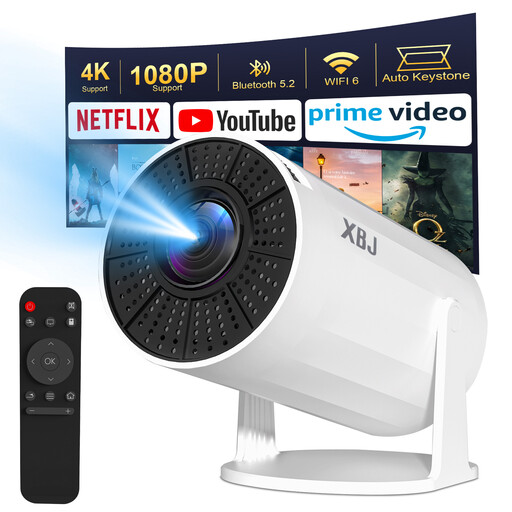
XBJ portable projector
Could be worth considering if you want to use streaming apps on a projector. Check the app for your chosen race and test how it works where you’ll be watching.
The product name lists Wi-Fi 6, Bluetooth 5.2, Android 11, 180° rotation, 200 ANSI and a screen size of 40–200 inches. The description says that direct wireless streaming from a phone isn’t supported due to HDCP restrictions, and suggests a TV stick as an alternative.
View at Joybuy
Frequently asked questions
Do you always need a separate streaming box for a cycling evening?
No, not if your smart TV has the app for the broadcast you’ve chosen and it works well. Test the app and the race in advance; the content available on a smart TV can change.
Can you automatically watch an afternoon race live in the evening?
No, an earlier broadcast doesn’t automatically become a live broadcast in the evening. NPO described the 2026 Tour de France Femmes as an afternoon broadcast. For the race you want to watch, check whether a replay or highlights are available.
How do you get your set-up ready for guests?
Connect the device to a suitable HDMI input, set up the internet connection and any account you need, then play the actual broadcast in advance. Google says the HDMI cable for the Google TV Streamer is sold separately; Xiaomi lists a cable in the box for the TV Box S (3rd Gen).
Do you need a subscription as well as a device?
That depends on the race and the service. HBO Max describes its cycling coverage as a sports package with a basic subscription and a Sport add-on. Check the current terms and whether the race you want is available. NPO Start offers live streams of NPO channels, but that doesn’t guarantee you’ll be able to watch the same race.
What are your rights when you buy a media player online?
According to the Dutch regulator ACM, for a standard online consumer purchase you’ll generally have a statutory 14-day cooling-off period from delivery, subject to legal exceptions. Check the terms that apply to your purchase. A streaming subscription is separate from buying the device.
Can subtitles help if it gets noisy during your get-together?
They can, if subtitles are available for the programme. NPO describes subtitles for supported programmes on NPO Start and explains how to turn them on in the Apple TV app. Check this for the specific broadcast.


