
Precise route planner
You click consecutive points on a map and want to place the cursor with control. The ANWB route planner works by clicking route points.


Choose a mouse that suits your hand and works with the connection you’re allowed to use. When clicking cycling route points, controlled cursor movement matters more than the highest possible DPI. At a shared desk, quiet buttons and easy switching between devices are useful if you need those features. A vertical mouse is primarily a matter of fit for longer sessions, not a proven solution for aches and pains.
You click consecutive points on a map and want to place the cursor with control. The ANWB route planner works by clicking route points.
You want to avoid disturbing others with clicking sounds and may need to switch between work devices. Choose these features only if they suit the devices and arrangements at your workplace.
You regularly plan or edit routes and want to consider your hand position and workstation set-up. Arboportaal describes repetitive finger and hand movements, as well as static strain, when working at a screen.
In the ANWB cycling route planner, you click route points on the map. So look for good cursor control. Hand fit and your workstation set-up also matter if you spend long periods working at a screen. Arboportaal recommends tailoring the workstation to the user.
| What to consider | What should you check? | Who will find this most important? |
|---|---|---|
| Cursor control | Check whether the sensitivity is adjustable and whether you can use the scroll wheel with control. | If I want to click route points accurately, I need to be able to adjust the cursor speed to suit my screen. Around 33% of consumers prioritise map control. |
| Quiet clicks | Check whether quiet buttons are specified for the exact model, and whether the click feel and fit are comfortable. | When I work at a shared desk, I want to reduce unnecessary clicking sounds without choosing a mouse that doesn’t suit my hand. Around 27% of consumers prioritise quiet use. |
| Hand fit | Check the recommended hand size and whether the model is designed for left- or right-handed use. Also adjust your workstation to suit your own measurements. | For longer sessions, I want a shape that suits my hand and the ability to set up my workstation properly. Around 20% of consumers prioritise fit. |
| Connection and power | Check Bluetooth support, which USB receivers are allowed, which accessories are included and how the model is powered. | If I want to use the same mouse with different work devices, its connection needs to be compatible with what’s allowed on those computers. Around 20% of consumers prioritise switching between devices and power. |
A sensor’s maximum specification doesn’t tell you how controlled the cursor will feel. The ANWB route planner requires you to click route points on the map.
Compare adjustability and fit, and try a cursor speed that lets you select route points reliably.
According to Logitech, the standard MX Anywhere 3S does not include a Logi Bolt receiver. If Bluetooth isn’t an option on the shared computer, check which connection and receiver are needed for that version.
Before buying, check what’s in the box and which connections are allowed on the computer. A separate receiver may take up an extra USB port and needs to be stored somewhere.
The Logitech Lift is available in separate left- and right-handed versions and, according to Logitech, is designed for small to medium-sized hands. Its shape is no proof that an individual user will experience fewer aches and pains.
Check the version and recommended hand size, and try the grip if possible. Don’t treat claims about comfort as a guarantee against discomfort.
ACM ConsuWijzer distinguishes between a commercial warranty and your legal rights in relation to the seller. An additional warranty package does not replace those legal rights.
If a product develops a fault, check your legal rights first, then consider whether an additional warranty would be useful in your situation.
The models discussed range from compact and standard-sized right-handed options to a vertical design; features vary by model.
The compact Yvi+ is worth considering if quiet buttons and multi-device connectivity matter to you; the Bayo+ is a separate vertical model.
The MW 9100 is a compact rechargeable option with Bluetooth and a 2.4GHz receiver; the MW 8C ERGO is a separate, larger model for right-handed use.
This selection of Joybuy products is suited to planning cycling routes and using a mouse at a shared desk.
 Image unavailable
Worth considering if you’re looking for quiet clicks and adjustable cursor speed for a shared desk and map work.
2.4G and BT connectivity; adjustable DPI levels; compatible with multiple systems; 1 AA battery.
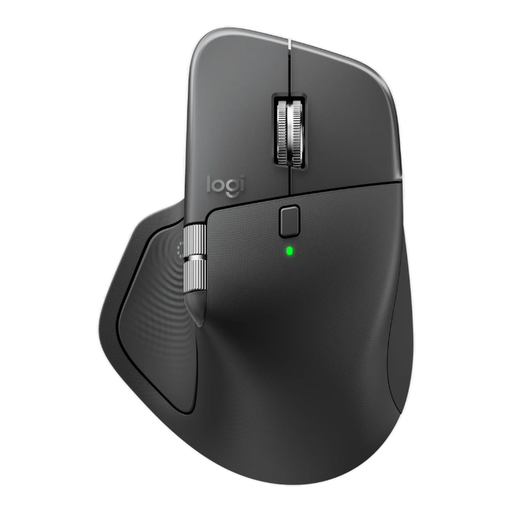 Image unavailable
Worth considering if you want quieter clicks and the ability to switch between devices at a shared desk; the shape described is for right-handed use.
8K DPI; Logi Bolt receiver; Bluetooth; USB-C charging; Graphite colour.
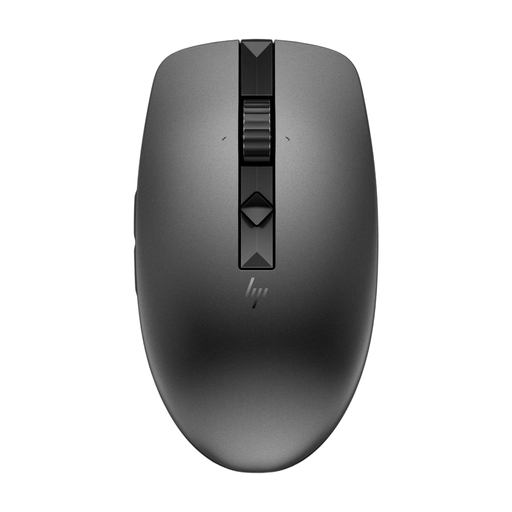 Image unavailable
An option if you’re looking for a wireless mouse described as multi-device; check that its connection is suitable for the shared computer.
Wireless mouse; multi-device designation.
 Image unavailable
This version is designed for left-handed users with larger hands, so check that it suits your hand and workplace.
L Left model; white.
 Image unavailable
A vertical option to consider if the shape suits your hand; a vertical mouse is no guarantee that you’ll experience less discomfort.
Vertical design; Graphite; this version is for right-handed use and designed for small to medium-sized hands.
No. The ANWB route planner requires you to click route points on the map, not to use a particular DPI setting. Adjustable cursor speed can help you tailor the controls to your screen; choose a shape and setting you can control comfortably.
For Logitech mice with Easy-Switch, Logitech says to switch on the mouse, hold down the Easy-Switch button for three seconds if needed, then select the mouse in the Bluetooth settings. For other models, check the manual and whether pairing is allowed on the shared computer.
Adjust your workstation to suit your body measurements and take breaks from screen work; these are recommendations from Arboportaal. If discomfort starts, you can contact your occupational health physician or request a workstation assessment. A different mouse is not a guaranteed treatment.
No, you don’t need an additional warranty package to have legal rights. According to ACM ConsuWijzer, the seller is responsible for providing a suitable solution free of charge if a product develops a fault too soon during normal use. There is no single general statutory warranty period for mice that applies equally to every product.
Wireless radio equipment is covered by the European framework for radio equipment. The European Commission outlines requirements including safety and electromagnetic compatibility; the manufacturer is responsible for the applicable EU conformity requirements and CE marking. Check the information for the version you’ve chosen: general product regulations do not prove that a specific listing is compliant.