
Map and route designers
You work with maps, sources and design documents, and first want to find out which software your course requires. QGIS publishes installation options for several operating systems.


For urban cycle design, choose a desktop that suits the software and project demands specified by your course; mapping and demanding CAD or 3D assignments don’t automatically call for the same configuration. Next, choose a screen setup that you can position suitably in relation to the window: a mini PC with a separate monitor offers different options from an all-in-one. Arboportaal recommends positioning your viewing direction parallel to the window.
You work with maps, sources and design documents, and first want to find out which software your course requires. QGIS publishes installation options for several operating systems.
You may be creating more complex models or CAD drawings. Autodesk and SketchUp publish system requirements that you can compare with the exact software version and desktop configuration.
You want to be able to read maps and text on screen in daylight. Arboportaal recommends positioning your viewing direction parallel to the window; the positioning and adjustability of your screen also matter.
Start with the required software and the most demanding task you’ll actually be doing. Then consider where to put your screen and what you need for a complete workspace.
| What to consider | What to look for when buying | Who is this most relevant to? |
|---|---|---|
| A screen that’s easy to read beside a window | Assess the viewing direction, screen adjustability and finish of the exact monitor. Arboportaal recommends positioning your viewing direction parallel to the window. | If I study beside a bright window, I want to be able to read maps and text clearly; around 31% of consumers make daylight readability their top buying priority. |
| Compatibility with design software | Ask your course provider for the software name and version. Then check that the operating system and configuration are suitable; for example, QGIS is available for Windows and macOS, but that says nothing about other software used on your course. | If my course requires specific programmes, I want to know in advance whether they’ll run on the operating system I choose; around 25% of consumers prioritise software compatibility. |
| More demanding CAD and 3D projects | Check the memory and graphics requirements against the software version and assignment. For AutoCAD 2026 on Windows, Autodesk lists 8 GB as the basic memory requirement and recommends 32 GB; these requirements don’t automatically apply to other programmes or projects. | For demanding CAD or 3D assignments, I want to check the configuration against the requirements of the software version I’ll use; around 25% of consumers prioritise suitability for more demanding design work. |
| A complete study space | Make a note of what you already have and check whether a monitor, suitable cables and peripherals are included. An all-in-one combines the computer and screen; with a mini PC, you choose the screen separately. | If I don’t yet have a complete study space, I want to know in advance which components I’ll need to add; around 19% of consumers prioritise having a complete workspace. |
A product specification doesn’t tell you how the screen will perform in your workspace. Arboportaal highlights viewing direction and sun blinds as factors to consider when dealing with reflections and glare.
First check where you can position the screen, then look at the finish and adjustment options of the exact monitor.
Configurations can vary within a compact desktop range. Lenovo states that some options are available only on selected models.
Check the full model number and the components included with the offer.
A mini PC with a separate monitor and an all-in-one are different starting points for your study space.
Make a list of the components you already have, then compare complete setups.
Autodesk’s AutoCAD requirements apply to a specific software version and distinguish between basic and recommended configurations.
Let the required software and the demands of your assignment determine which requirements are relevant.
The Pro Mini 400 G9 is a compact Windows option available in several configurations. The specifications below apply to model 6D494EA#ABH.
The Mac mini is a compact macOS option with a screen you choose separately, provided your course software works on macOS.
The ThinkCentre M70q Gen 5 is a compact Windows range to compare if you’re considering a separate screen and different configurations.
The Precision 5860 Tower is a configurable workstation option if specific CAD or 3D requirements call for a particular configuration.
These options include compact desktops with a screen you choose separately, as well as all-in-ones with an integrated screen.
 No image available
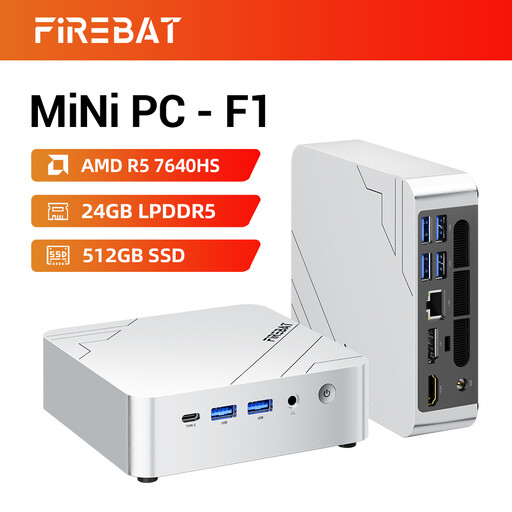
A compact Windows mini PC for a setup with a screen chosen separately.
The product name lists an AMD Ryzen 5 7640HS with 6 cores and 12 threads, 24 GB LPDDR5 memory, a 512 GB SSD and Radeon 760M graphics. It also lists USB 4.0, HDMI 2.1 and output for up to three 4K displays.
 No image available
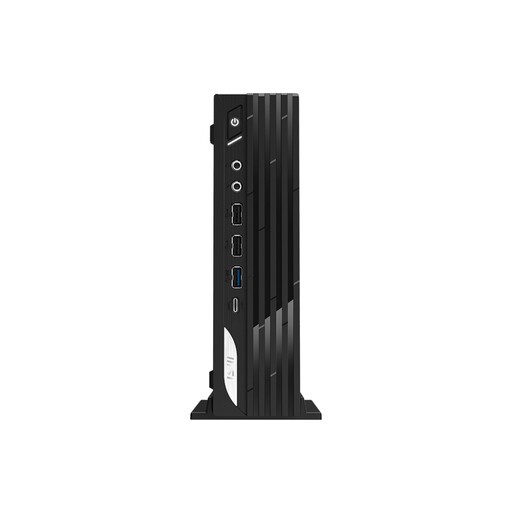
A compact Windows desktop to consider if you want to choose a separate screen.
The product name lists an Intel Core i7-14700, 16 GB DDR5 memory, a 1 TB SSD and Windows 11 Pro.
 No image available
A Windows mini PC for a study space where you choose the screen separately.
The product name lists an Intel Core Ultra 7 155H, 16 GB DDR5 memory, a 1 TB SSD and Windows 11 Pro.
 No image available
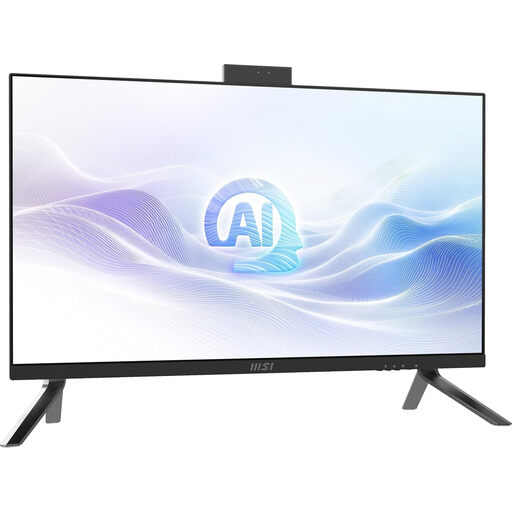
An all-in-one for an integrated study space, with the computer and screen combined in a single device.
The product name lists an Intel Core Ultra 7 155H, a 27-inch screen with 2560 × 1440 pixels, 32 GB DDR5 memory, a 1 TB SSD and Windows 11 Pro. You can’t choose the screen separately from the computer.
 No image available
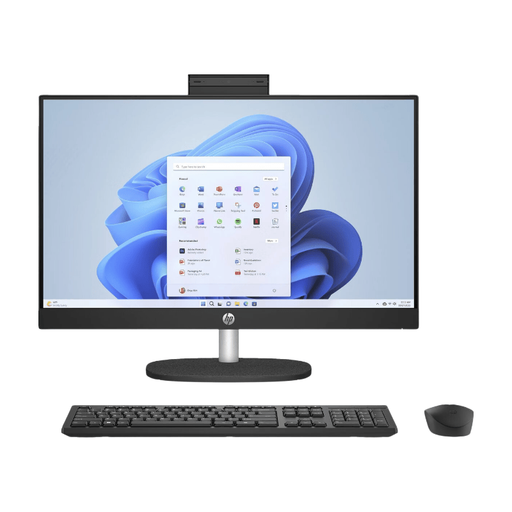
An all-in-one with an integrated screen for anyone who wants to position the computer and display as a single unit.
The product name lists a 24-inch all-in-one with Windows 11 Home. The stand isn’t adjustable and the power adapter must be purchased separately.
Not necessarily: the screen’s position and any sun blinds also matter. Arboportaal recommends, among other things, positioning your viewing direction parallel to the window; also check the finish and adjustability of the exact monitor.
Not just because of the subject you’re studying. Ask which programmes and project types you’ll use, then compare them with the requirements for the relevant software version. For example, the requirements for AutoCAD 2026 are only relevant if you use that version and do the associated work.
Compare the computer’s video output with your monitor’s input and check which cable is included. Try to position your viewing direction parallel to the window and use sun blinds if needed, as Arboportaal recommends.
For online purchases from a business, a 14-day cancellation period applies in many cases; check the applicable exceptions and the seller’s information. ACM ConsuWijzer also makes clear that the legal guarantee is separate from any manufacturer’s warranty: if a product is faulty, the seller is responsible for providing an appropriate solution.
EU energy labelling rules cover electronic displays, including monitors, with exceptions for certain screen products. EUR-Lex sets out the rules for displays; don’t automatically apply the same conclusion to the complete desktop computer.