
Vandaag of morgen in huis

Kwaliteit gegarandeerd

Welkomstaanbiedingen ontgrendelen: GRATIS bezorging | Tot 80% korting | Gratis 30 dagen JoyPlus-proefperiode
Download de app
A curved monitor on your desk looks impressive. It promises an immersive experience for both work and gaming. But you're often bombarded with marketing terms, and not every curved monitor is worth the price. Many models have hidden drawbacks that only become apparent after purchase. As a Product Recommendation Officer at Joybuy, I'll help you cut through the noise so you can choose a model that's truly right for you.
Before you pull out your wallet, watch out for these common pitfalls:
To avoid a bad purchase, focus on the specifications that truly matter for your use case.
This is the core of your monitor and determines the image quality.
A larger screen isn't always better if the resolution doesn't scale with it. The pixel density (pixels per inch, PPI) determines how sharp the image is.
Modern features can significantly simplify your desk setup, especially when working from home.
Here are a few models that score well on the above criteria, tailored for different users.
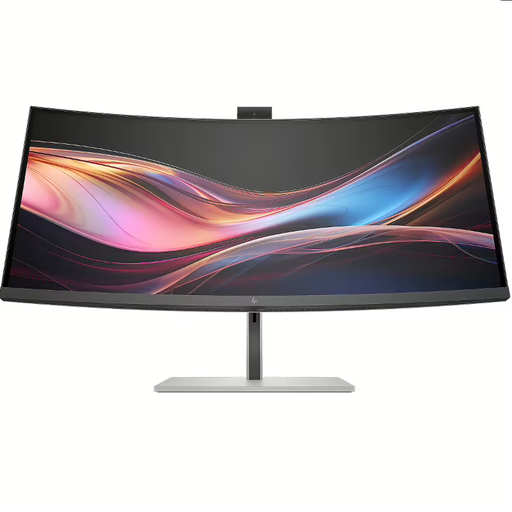
Why This Fits Their Persona: This is an all-in-one solution for the modern home worker. The built-in AI webcam, KVM switch, and Thunderbolt 4 connectivity make an external dock and separate webcam redundant. Perfect for a clean and productive desk.
This model completely bypasses the connectivity trap. With Thunderbolt 4 (100W PD), a KVM switch, and even an RJ45 port, you only need one cable for a complete workstation.
The IPS Black panel offers superior contrast for an IPS screen, and the built-in AI webcam with auto-framing ensures professional video calls.
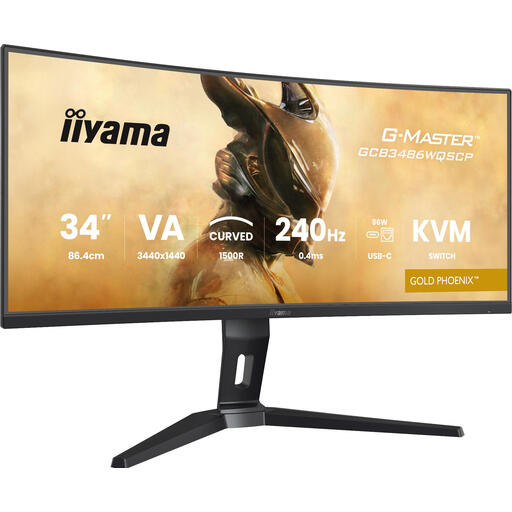
Why This Fits Their Persona: For gamers where every millisecond counts. The combination of an extremely high refresh rate and a fast response time provides an edge in fast-paced shooters and racing games. The 1500R curve ensures maximum immersion.
This monitor doesn't just focus on its 240Hz refresh rate; it combines it with a fast 0.4ms response time on a VA panel. This minimises the 'ghosting' that plagues many high-speed VA screens.
The 240Hz refresh rate is exceptional for an ultrawide monitor in this class. FreeSync Premium ensures a smooth, tear-free experience.
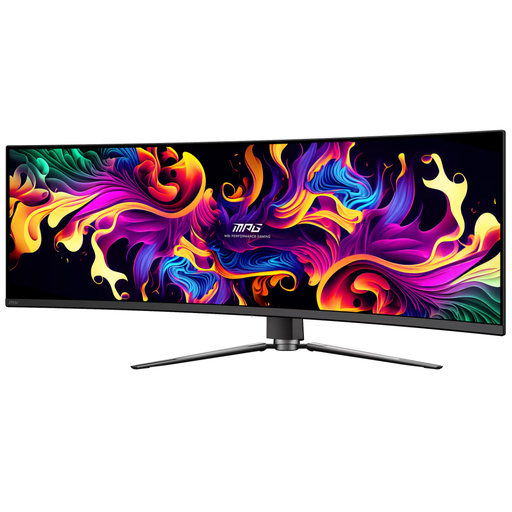
Why This Fits Their Persona: For those who demand the absolute best. This 49-inch superwide screen offers an unprecedented canvas for multitasking, data analysis, or a full peripheral view in racing and flight simulators. The QD-OLED technology delivers unparalleled image quality.
This screen isn't just big. Its QD-OLED panel combines the advantages of OLED (perfect blacks, fast response) with Quantum Dots (vibrant colors), thereby avoiding the image quality trap of slower, washed-out superwides.
The combination of a 49-inch size, 144Hz refresh rate, and QD-OLED panel technology is rare and offers a top-tier experience for both productivity and high-end gaming.
We have compiled a complete, up-to-date list of products that fully meet these strict selection criteria and local regulations.
A curved monitor can be more comfortable for your eyes because the curvature is designed to match the natural curve of the human eye. This can reduce eye strain, as your eyes don't have to refocus as much on the edges of the screen. However, a proper ergonomic setup (correct distance, height, and regular breaks) remains the most important factor in preventing eye discomfort.
The number (R) represents the radius of the circle the screen would form, measured in millimetres. A lower number means a tighter, more pronounced curve.
That depends on the resolution and what you're using the monitor for. For office work and browsing, a modern integrated graphics chip is usually sufficient. However, if you plan to game on an ultrawide monitor with a WQHD (3440x1440) or DQHD (5120x1440) resolution, you will need a powerful, dedicated graphics card. These resolutions contain significantly more pixels than standard Full HD, which demands much more processing power to run games smoothly at a high refresh rate.
