
Vandaag of morgen in huis

Kwaliteit gegarandeerd
Download de app
Categorieën

Choosing a new PC monitor can be overwhelming. The market is flooded with technical jargon like curvature, refresh rates, and panel types. The wrong decision can leave you with a display that causes eye strain or fails to deliver the performance you expected. This is a poor investment, especially if you're working within a set budget.
This guide is designed to help you make an informed decision. We'll focus on the specifications that truly matter for an immersive experience, whether you're a gamer, student, or remote worker. We'll break down what these parameters mean, empowering you to determine your exact needs.
Before we dive into specific models, it's essential to understand the key features of a curved monitor. This will help you properly evaluate a product's specifications.
Based on the criteria above, we have selected curved monitors that offer an excellent balance of price and performance.
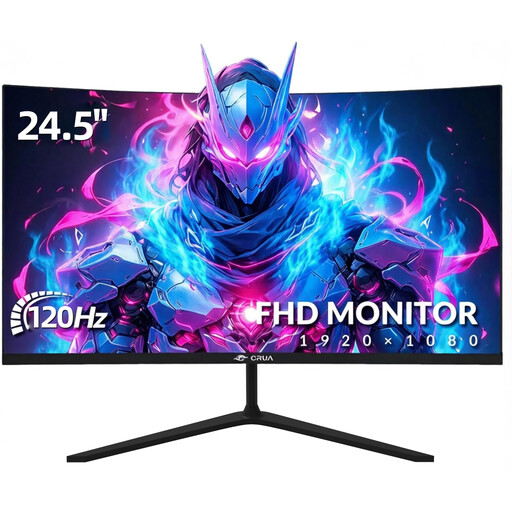
Why this product? This model combines a 120Hz refresh rate with a Full HD resolution on a 24.5-inch screen. The higher refresh rate makes it a compelling option for gamers seeking a fluid gameplay experience without breaking the bank.
Pros
Who is it for? This is a suitable budget-friendly gaming monitor for entry-level PC gamers and console owners (PS5/Xbox Series X) looking to take advantage of 120Hz mode. It's also a versatile choice for remote workers who enjoy gaming after hours.
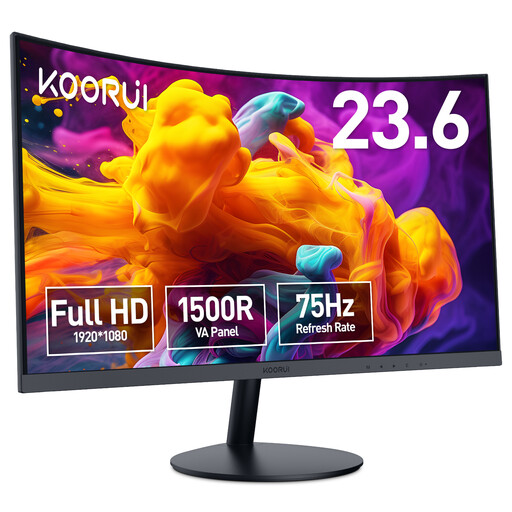
Why this product? The KOORUI 24N5CA focuses on an immersive viewing experience with its deep 1500R curve. This makes the screen ideal for tasks that require concentration, such as writing, programming, or watching movies. The 75Hz refresh rate is a slight step up from the standard 60Hz.
Pros
Who is it for? This monitor is an excellent choice for students and remote workers seeking a monitor for working from home that provides a panoramic feel. The deep curve helps you focus on your work and offers a cinematic experience for entertainment. Note: This model does not support VESA mounting.
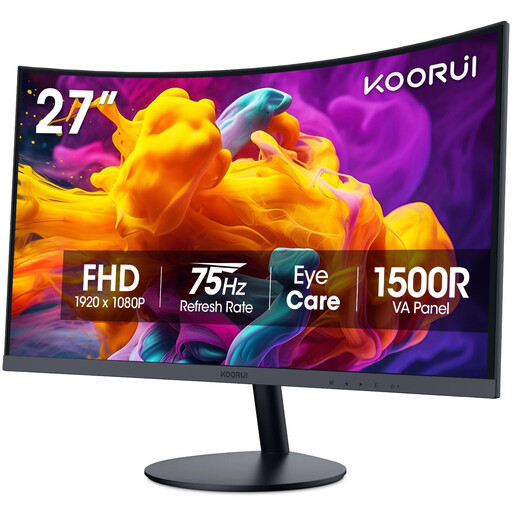
Why this product? For those who need more screen real estate, this 27-inch model offers the same benefits as its smaller sibling: a deep 1500R curve and a high-contrast VA panel. The larger size simplifies multitasking and creates an even more impressive movie and gaming experience.
Pros
Who is it for? This model is ideal for users who multitask heavily for work or study and can appreciate the extra screen real estate of a 27-inch monitor. It's also a great option for those who enjoy watching movies on their PC and want a more cinematic experience. Like the 24-inch model, this monitor does not support VESA mounting.
The models above are a great starting point, but the right choice is a personal one. You might be looking for a different screen size, a higher resolution, or specific gaming features. If these recommendations don't fully meet your needs, you can explore a wider range.
Check out our full selection in the Home Computers category for more options that might be a better fit for your specific situation.
1. Is a curved monitor better for gaming? A curved monitor can enhance immersion during gaming because the image wraps around your field of view. This can be a particular advantage in racing and simulation games. However, it's not a requirement for a great gaming experience; it's largely a matter of personal preference. Factors like refresh rate and response time are often more critical for competitive gamers.
2. Can I use a curved gaming monitor for remote work? Absolutely. Many users find a curved monitor very comfortable for productivity tasks. The curvature can help reduce eye and neck strain because the distance from your eyes to every corner of the screen is more consistent. This can contribute to greater comfort during long work sessions.
3. What is the practical difference between 75Hz and 120Hz? For everyday tasks like browsing and email, the difference between 75Hz and 120Hz is minimal. With fast movements, such as scrolling through a webpage or moving your mouse, 120Hz already feels slightly smoother. The biggest difference is noticeable in games. A 120Hz monitor displays motion significantly more fluidly and sharply than a 75Hz screen, which can give you a competitive edge and enhance the overall experience.