What should you look for when buying?
First, check whether the light reaches your hands and stitches effectively. Then consider colour settings and mounting, and what to check during recording with your camera and microphone.
| What to consider |
What to look for when buying |
Who this matters to |
| Visible stitches without harsh shadows |
Check whether the light can be angled and whether the set includes a diffuser or suitable softbox. Assess how well it covers your work in a test recording. |
When I show stitches with both hands, I want to limit shadows on the work surface; around 36% of consumers prioritise seeing the stitches clearly. |
| True-to-life yarn colour under artificial light |
Compare the colour temperature range for the exact version and assess a test recording with a suitably set, fixed white balance. |
When I show yarn in different shades, I want to be able to judge the colours on screen; around 29% of consumers give true-to-life yarn colour top priority. |
| Positioning and power |
Measure the edge of your desk and the available height. Check whether the tripod, battery and power supply are included with the version you choose. |
With a small desk, I want to position my camera and light without cluttering my workspace; around 21% of consumers prioritise positioning and power. |
| Flicker and noise during recording |
Make a test clip using your intended camera settings, then check both the footage and the audio recorded by the microphone. |
For spoken tutorials, I want to spot any stripes in the footage or distracting lamp noise early; around 14% of consumers give recording without interference top priority. |
Joybuy products
This selection includes a clamp lamp for a permanent workspace and compact Ulanzi lights or bundles for camera setups. For each version, check whether the light can illuminate your entire work surface and which items are included in the set.
 No image available
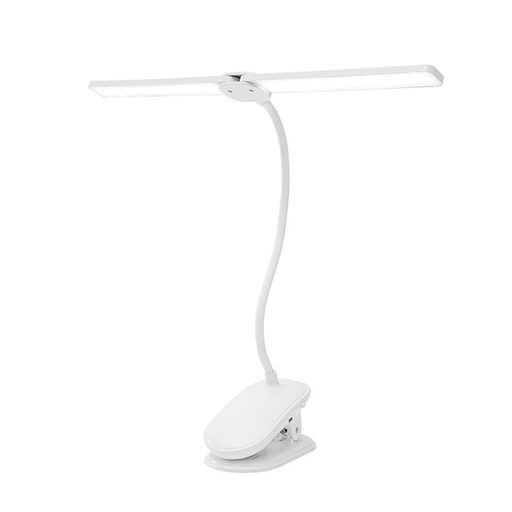
Dimmable LED clamp lamp with two lamp heads
The clamp mount and adjustable lamp heads are designed for a permanent workspace where you want to direct the light onto your crochet.
The product name lists three colour modes, dimming, rechargeable power and 360° rotating heads. The description mentions a flexible neck and a clamp for surfaces up to 5 cm thick.
View at Joybuy
 No image available
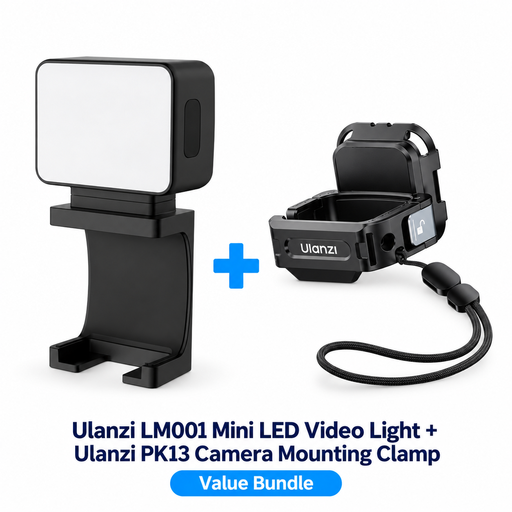
ULANZI LM001 mini light with PK13 camera clamp
This set is designed for a compact camera setup; check whether the small light provides enough illumination for all your crochet.
The product name lists a rechargeable LM001 mini light and PK13 clamp. The description mentions a magnetic mount and a 1/4-inch thread on the clamp.
View at Joybuy
 No image available
DJI Osmo Pocket 3 with Ulanzi VL49 RGB video light
This bundle combines a camera with a compact light for a portable filming setup; it is not a standalone video light.
The product name lists the DJI Osmo Pocket 3 and Ulanzi VL49 RGB video light. The description presents the light as additional illumination.
View at Joybuy
 No image available
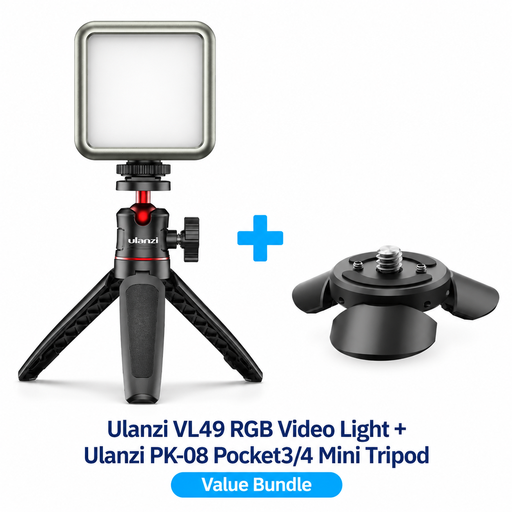
Ulanzi VL49 RGB video light with PK-08 mini tripod kit
The light and mini tripod kit are designed for a compact filming setup; use a test recording to check whether the light reaches all your crochet.
The product name lists a Ulanzi VL49 RGB light and PK-08 mini tripod kit, compatible with DJI Osmo Pocket 3/4.
View at Joybuy
 No image available
ULANZI VL49 RGB video light, 2000 mAh
The compact, dimmable design and built-in battery are useful if you want to move a small light around or use it for close-ups.
The product title lists 2500K–9500K; Ulanzi gives a range of 2500–9000 K for the VL49 RGB. Check which range applies to this version.
View at Joybuy
Frequently asked questions
How can I light my crochet if my hands cast shadows over the stitches?
Angle a softened key light towards your work surface and check on camera whether your hands are covering any stitches. A diffuser or suitable softbox can soften harsh shadows. Move the lamp and make a test recording before adding more lights.
Why does my yarn look different on video from how it looks in real life?
Artificial light and white balance affect how the camera captures colour. Adjust the lamp and white balance to suit your filming conditions, then check a test recording of the yarn you’re using. A CRI specification alone can’t guarantee the final result.
How can I prevent stripes or flicker in my footage?
Start with a test clip under the lighting you plan to use. For a 50 Hz lighting environment, Sony lists shutter speeds of 1/50 or 1/100 second as possible settings to reduce flicker; results also depend on the camera and light source.
Which accessories should I check before buying?
Check whether the exact set includes a tripod, diffuser, suitable softbox, battery and power supply. For consumer purchases in the Netherlands, the seller remains responsible for the statutory guarantee if a product doesn’t meet what you could reasonably expect; any commercial manufacturer’s warranty is separate.
Which Dutch safety and returns rules are relevant?
Check the documentation for the exact light and any adapter: the applicable product rules depend on the product. The NVWA provides information about CE marking rules. ACM ConsuWijzer explains that online purchases come with a cooling-off period of up to 14 days after delivery; exceptions may apply.


