What should you look for when buying?
Start with your preferred image width and lens distance. BenQ Netherlands defines the throw ratio as the distance from the lens to the screen divided by the image width.
| What to consider |
What to look for |
Who should pay particular attention? |
| Image size and detail |
Measure your preferred image width and check the exact model’s throw ratio. Also compare the projector’s native resolution with that of your match source. |
If I want to follow small details from a distant seat, I need to know whether the planned image size will work. Around 36% of consumers prioritise image size and detail. |
| Visibility in bright conditions |
Check where windows and lights are in relation to the screen, and look at the model’s stated brightness. |
If I watch with light falling on the screen, I need to know whether I can darken the room or move the screen. Around 29% of consumers prioritise visibility in bright conditions. |
| Distance and alignment |
Measure from the planned lens position to the screen and check the throw ratio range. See whether you need optical zoom or lens shift. |
If the projector has to stay in a fixed position, I need to know in advance whether it can produce the image size I want. Around 21% of consumers prioritise a suitable setup. |
| Match source and sound |
Check that you can connect your playback device and match source to the projector, and find out how the sound will be played. |
If I want to watch a particular match stream, I need to know in advance whether my device and connection will work. Around 14% of consumers prioritise the playback setup. |
Joybuy products
The Joybuy options shown here are projectors listed with Full HD or 1080p resolution. Before buying, check that the lens distance and connection for your match source will work with your room and playback device.
 No image available
XGIMI Vibe One Full HD with screen and stand
An option if you’re looking for a Full HD projector with a screen and stand included.
Full HD 1080p; Google TV; 250 ISO lumens; built-in battery. The title also mentions JBL audio.
View at Joybuy
 No image available
Ultimea Apollo P40 1080p projector
The stated throw ratio gives you a starting point for comparing the lens distance with your room.
Native 1080p; 700 ANSI lumens; throw ratio 1,4:1; autofocus.
View at Joybuy
 No image available
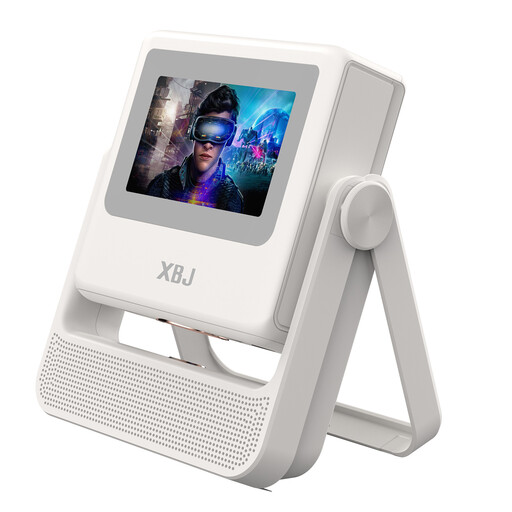
XBJ A5Pro native 1080p projector, white
The stated native 1080p resolution is worth comparing with the resolution of your match source.
900 ANSI lumens; native 1080p; autofocus and automatic keystone correction; Wi-Fi 6 and Android OS.
View at Joybuy
 No image available
HP CC360 FHD smart projector
You can compare the stated throw ratio with the lens-to-screen distance you’ve measured.
1920 × 1080; 220 ANSI lumens; throw ratio 1,2:1; HDMI. The title also mentions Wi-Fi and Bluetooth.
View at Joybuy
 No image available
XGIMI MoGo 4 Full HD projector
A portable option if you want a built-in battery and Google TV. Separately check that your match stream is available on the device you choose.
Full HD 1080p; 450 ISO lumens; built-in battery with a stated run time of 2,5 hours. The title also mentions Harman Kardon audio and an EA SPORTS FC 26 game code.
View at Joybuy
Frequently asked questions
How can you tell whether the projector will produce a large enough image from your planned position?
Measure the distance from the lens to the screen and your preferred image width. Divide the lens distance by the image width, then compare the result with the exact model’s throw ratio; viewing distance is a separate measurement. BenQ Netherlands describes this calculation as a way to check your setup.
Can you watch your cricket match directly on any smart projector?
No, the word ‘smart’ alone doesn’t guarantee that. Check that the app or playback device you use for the match is available and that you can connect it to the projector. BenQ Netherlands lists a Google TV dongle for the TH575i; Epson Netherlands lists HDMI for the EH-TW7000.
Can you return a projector bought online if it doesn’t suit your setup?
According to the Dutch government, when you buy from a business at a distance, you’ll often have a 14-day cooling-off period. Check whether your purchase is covered by this scheme; for example, the rules for distance purchases don’t apply to an online purchase from a private seller.
What are your rights if your projector develops a fault?
For a consumer purchase, you’re entitled to a product that works properly, and the Dutch government says the seller must provide a solution if something goes wrong. There is no fixed statutory two-year guarantee period in the Netherlands. A manufacturer’s guarantee or an extended warranty is in addition to these rights.
Can you show a cricket match in a café or other business premises?
Don’t assume that the rules for home use also apply to showing a match in a business. According to Business.gov.nl, a licence is required to show film or TV footage to employees or customers in a business or organisation. The Videma licence described doesn’t cover channels that require a separate paid subscription; also check the rights and terms for the specific cricket broadcast.


