
Listeners who want to catch every word
Your priority is understanding the cricket commentary while reducing engine noise. So pay attention to how voices sound as well as how the headphones fit.


Start by considering where you’ll get the commentary from: your own device, a suitable live connection or your seat’s entertainment system. Then choose headphones that make speech easy to understand while reducing aircraft noise, try them on for comfort over longer periods and compare the stated battery life with noise cancelling switched on. Bluetooth headphones won’t automatically work with every seatback screen.
Your priority is understanding the cricket commentary while reducing engine noise. So pay attention to how voices sound as well as how the headphones fit.
You may also want to use the plane’s entertainment system. If so, check whether you need a cable or adapter and whether it fits your seat’s socket.
You expect to listen for hours at a time and want to know whether the headphones will stay comfortable, how long the battery lasts with noise cancelling on and how to hear your surroundings when needed.
The Dutch Consumers’ Association includes speech samples in its headphone tests. Compare speech clarity separately from noise cancellation: a quieter background alone doesn’t tell you how natural the commentary sounds.
| What to consider | What should you check? | Who is this important for? |
|---|---|---|
| Understanding speech | Compare speech reproduction and aircraft-noise reduction separately. Also check how to switch on ambient mode. | I don’t want to miss any of the commentary during the flight. We estimate that around 31% of consumers choosing headphones for this listening situation put speech clarity first. |
| Comfort for hours | Try the headphones for longer than a quick demonstration, and wear your glasses too if you use them. Check for pressure from the headband and ear cushions. | If I’m listening for hours, the fit needs to stay comfortable; the space the headphones take up in my bag matters too. We estimate that around 25% of consumers give wearing comfort top priority. |
| Connecting to your audio source | Decide whether you’ll use offline audio, live streaming or seatback entertainment. Check the connection options for each flight, and check the socket or adapter needed for a seatback screen. | I want to be sure the commentary from my chosen source will play through my headphones. We estimate that around 25% of this group put compatibility with their audio source first. |
| Battery life with noise cancelling on | Compare the stated battery life with noise cancelling switched on, and charge your headphones before you leave. Check what still works if the battery runs flat on the exact model you’re considering. | For a long listening session, I want to know more than just the maximum battery life: I want to know which listening mode it applies to. We estimate that around 19% of consumers focus mainly on battery life. |
The stated battery life may differ depending on whether you listen with noise cancelling on or off. So a maximum figure without details of the listening mode doesn’t tell you how long the headphones will last during your flight.
Compare the manufacturer’s figures with noise cancelling switched on, and treat them as a specification rather than guaranteed listening time.
A seatback source, a suitable internet connection and a working headphone socket are separate requirements. KLM recommends wired headphones for its Economy seatback entertainment, or a Bluetooth adapter if you’re using Bluetooth headphones.
Before departure, check which audio sources and Wi-Fi options are available. For a seatback screen, take only a cable or adapter that fits the socket.
A bundle may include accessories that aren’t supplied with a similar version. JBL says that its Tour One M3 Smart Tx bundle includes a Smart Tx audio transmitter; the transmitter itself doesn’t provide a cricket stream or an internet connection.
Check the model number and what’s included. Don’t confuse the version with the transmitter with the Tour One M3 without Smart Tx.
The WH-1000XM6 and WH-CH720N are two separate over-ear models you can compare for noise cancelling, ambient mode and stated playback time.
The Tour One M3 Smart Tx bundle may be worth considering if you want to use a non-Bluetooth audio source with a compatible transmitter.
The MOMENTUM 4 Wireless is an over-ear alternative if you want to consider battery life and adjustable sound.
The Space One Pro is a foldable over-ear alternative if you’re weighing up luggage space and battery life with noise cancelling on.
These Joybuy product picks are suited to noise cancelling during long listening sessions. Check whether your audio source needs a cable or adapter for each model.
 No image available
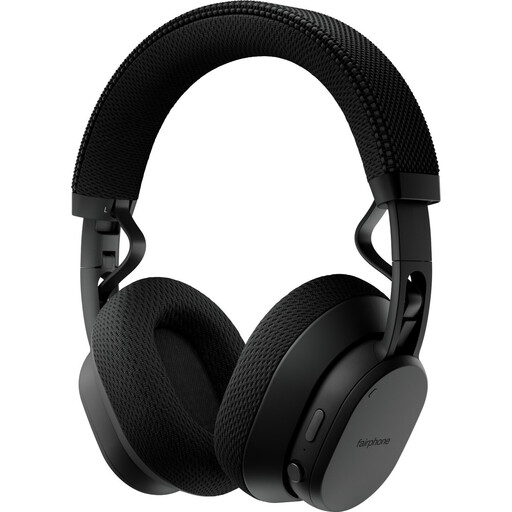
An over-ear option for listening with noise cancelling, with the option to hear ambient sounds.
The product description lists Adaptive Noise Cancellation, Transparency Mode and an included 3.5mm cable for wired use. Sennheiser states up to 60 hours of playback per charge.
 No image available
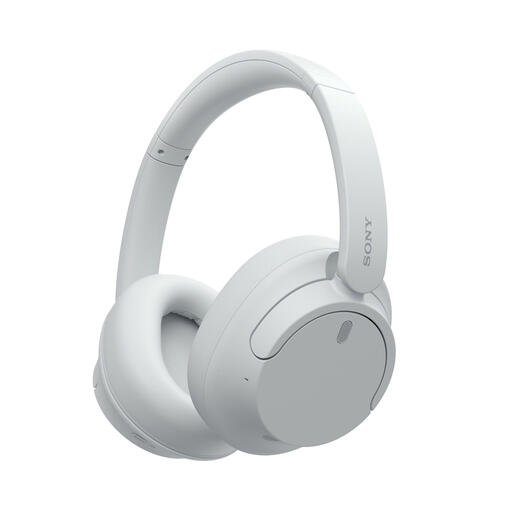
An over-ear option for use with your own Bluetooth audio source and extended listening with noise cancelling.
The product description lists Bluetooth 5.1, a replaceable battery, an ambient sound mode and up to 26 hours of battery life with ANC on.
 No image available
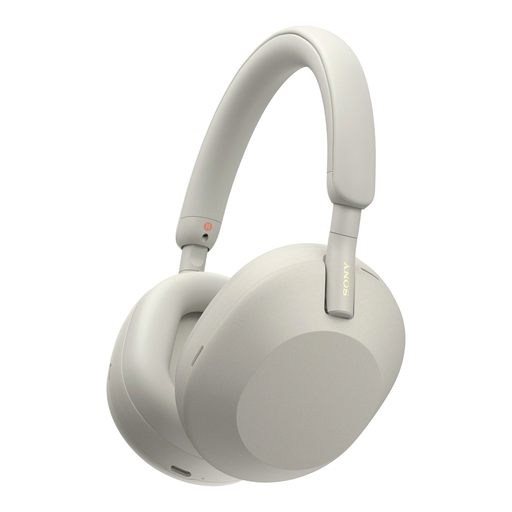
A wireless over-ear option for commentary from your own Bluetooth device.
The product description lists an ambient sound mode and up to 35 hours of playback with noise cancelling on.
 No image available
A wireless option for use with your own audio source; check that the fit is snug when using noise cancelling.
The product description lists noise cancelling, multipoint connection, Speak-To-Chat and up to 30 hours of battery life with noise cancelling on.
 No image available
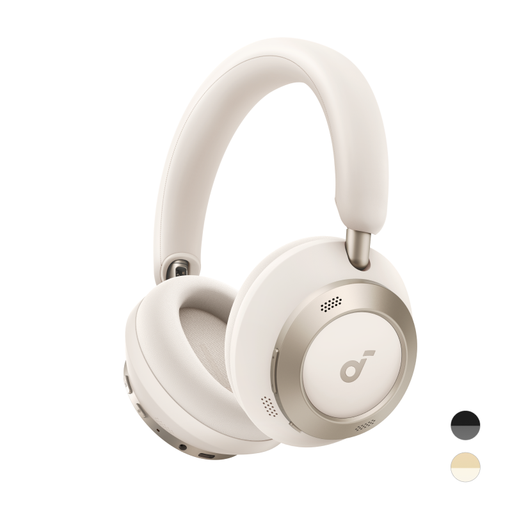
A foldable over-ear option to take on your travels and use with your own Bluetooth audio source.
The product description lists up to 40 hours with ANC on and a foldable design.
No, you’ll also need an audio source that plays the commentary. For live audio on board, check whether your flight offers suitable Wi-Fi and what streaming access is available. KLM describes streaming through a WiFi Pass on flights with Wi-Fi; the free Message Pass on intercontinental flights is for text messages, not for receiving audio files.
Not necessarily. KLM recommends wired headphones for its Economy seatback entertainment, or a Bluetooth adapter if you’re using Bluetooth headphones. Also check the socket on your seat and whether your headphones or transmitter can connect to it.
Try wearing the headphones for a longer period, ideally with your glasses on too if you wear them. A good seal and wearing comfort are separate considerations, so don’t compare models on ANC specifications alone. Follow the instructions for the exact model when cleaning or replacing the ear cushions.
No. According to the Dutch government, there is no fixed statutory warranty period in the Netherlands; you’re entitled to a product that works properly, and the retailer is your point of contact if there’s a problem. Whether repair, replacement or a refund is appropriate depends, among other things, on the problem and the circumstances of use.
Follow the rules and instructions for your flight; the airline may restrict their use. EASA emphasises that passengers must follow the crew’s instructions and advises keeping devices with lithium batteries in your hand luggage where possible.