
Vandaag of morgen in huis

Kwaliteit gegarandeerd

Welkomstaanbiedingen ontgrendelen: GRATIS bezorging | Tot 80% korting | Gratis 30 dagen JoyPlus-proefperiode
Download de app
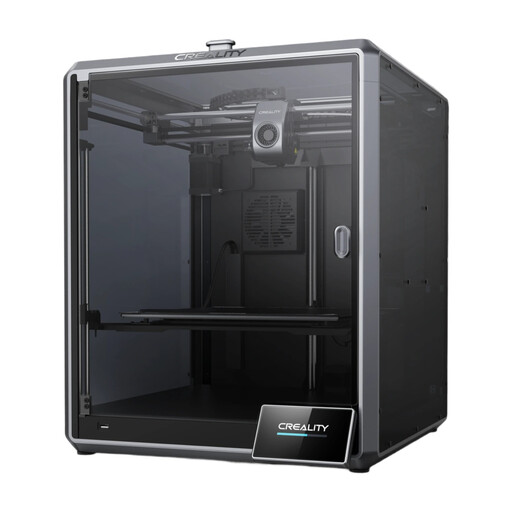
A fast 3D printer with a large build volume sounds appealing, but the maximum advertised speed doesn’t tell the whole story. When choosing the Creality K1 Max 3D printer, you also need to consider stability, material compatibility, automatic levelling and how much space you have at home.
For makers, designers and small businesses in the Netherlands, three potential pitfalls are particularly important:
The product description lists a print speed of up to 600 mm/s and acceleration of 20,000 mm/s² for the Creality K1 Max. This makes the model an interesting option if you want to produce prototypes, enclosures or larger models faster than with a traditional FDM 3D printer.
According to the product description, the machine has a metal cube frame, dual Z-axes and a drive system that synchronises the Y-belts. These design details matter at high movement speeds, as vibrations can appear on the model as ringing or ghosting. Always check the recommended speed for each filament and model type, though: a fast 3D printer won’t automatically deliver the same finish on every print.
The stated build volume is 300 × 300 × 300 mm, or approximately 11.81 × 11.81 × 11.81 inches. This lets you print larger objects in one go or combine several smaller parts.
The K1 Max is described as a 3D printer with a heated print bed and hands-free automatic levelling. According to the product information, a built-in force sensor helps set the nozzle height. This can make preparation easier, but you should still check the first layer when the printer arrives. A poorly cleaned bed, draughts or the wrong filament profile can affect adhesion.
Pay attention to the stated temperatures, too. The product information lists a high-temperature nozzle of up to 300 °C, while the safety information gives a maximum nozzle temperature of 260 °C. So, use the manual and the latest product specifications as your guide, and don’t set the temperature above the lowest official limit.
A direct drive extruder feeds filament directly above the nozzle. This is useful with flexible materials, as it keeps the distance TPU has to travel to a minimum. The product description lists support for flexible filaments such as TPU, as well as materials including PLA, ABS and PETG.
The built-in features are described as a 1 µm LiDAR sensor for checking the first layer and an AI camera for error detection and alerts. According to Creality’s own product information, these features can help you monitor printing. However, treat alerts as a helping hand, not an automatic guarantee of quality. For example, the camera may detect a poorly extruded part, but it won’t prevent every issue caused by moisture, warping or a blocked nozzle.
Why it suits this type of user: For beginners keen to make larger models straight away, the build volume and automatic features bring several setup steps together in one machine.
Automatic levelling and first-layer checks can make getting started easier. You’ll still need to keep the bed clean and check the filament settings.
300 × 300 × 300 mm build volume; automatic bed levelling; metal frame.
Why it suits this type of user: Designers and engineers get features for large models, rapid iterations and monitoring throughout the printing process.
The frame, dual Z-axis and synchronised Y drive are designed to keep movement steadier at higher speeds.
Stated speed of up to 600 mm/s; LiDAR and camera features according to the product description; 300 °C nozzle according to the product title.
Why it suits this type of user: Small businesses and experienced hobbyists working with TPU, PETG or larger production runs can make the most of the direct drive extruder and spacious print bed.
According to the product description, the direct drive system is suitable for flexible filament such as TPU. Keeping filament dry and taking time to calibrate are still essential.
Direct drive extruder; TPU support according to the product description; heated print bed and large build volume.
We’ve put together a complete, up-to-date list of products that meet these strict selection criteria and the applicable European safety regulations.
According to the product description, the direct drive extruder is designed for flexible filaments such as TPU. Make sure you use a suitable TPU profile, feed the filament slowly and store it somewhere dry.
Yes. The product information lists hands-free automatic levelling with a built-in sensor. You should still check the first layer visually, especially after moving the printer or changing the print bed.
The costs include filament, electricity, wear parts and any maintenance. Consumption depends on print duration, bed and nozzle temperatures, and the material used. For a realistic estimate, compare the model’s weight, the price per kilogram of filament and the printer’s estimated energy consumption.
