
Vandaag of morgen in huis

Kwaliteit gegarandeerd

Welkomstaanbiedingen ontgrendelen: GRATIS bezorging | Tot 80% korting | Gratis 30 dagen JoyPlus-proefperiode
Download de app
Is your processor running too hot during gaming sessions, or does your PC sound like a jet engine under heavy load? Then you're likely considering an upgrade to CPU water cooling. A quality AIO cooler (All-in-One) can significantly lower your processor's temperatures, resulting in better performance and a quieter system.
But the market is vast, and the specifications can be overwhelming. That's why we at Joybuy have rounded up the most popular options for you. In this guide, we'll provide practical tips and concrete recommendations to help you make an informed decision that fits your PC build and budget.
Before we dive into the products, here are a few key factors to help you choose the right processor cooler.
The radiator's size is one of the most critical factors for cooling performance. A larger surface area means greater cooling capacity.
PC fans and offer the highest thermal capacity. Always double-check that your PC case has enough clearance for a 360mm radiator, typically at the front or top panel.Not every cooler fits every processor or case. You need to check two things:
AM5 cooler or LGA 1700 cooler.For many PC builders, aesthetics are just as important as performance. RGB cooling is a popular way to personalise your build. Brands like Corsair offer a complete ecosystem with Corsair iCUE, allowing you to synchronise the lighting of your cooler, fans, memory, and other components. If you want a clean, unified aesthetic, it's wise to consider components from the same brand.
Below is a selection of popular water coolers and related products that stand out for their specifications and features.
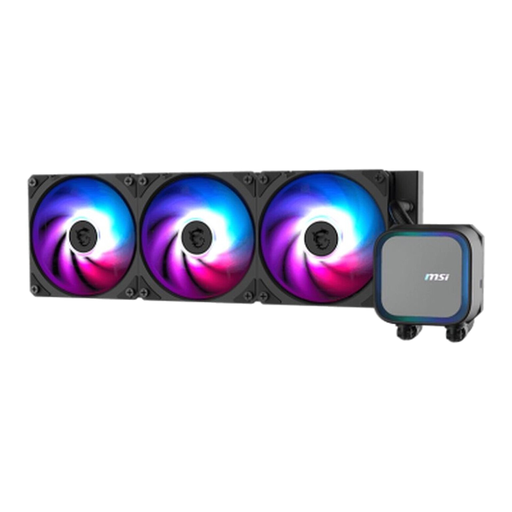
Why it stands out: The MSI MAG Coreliquid A13 360 is engineered for performance. According to MSI, its pump is highly efficient, reaching speeds of up to 3800 RPM for rapid coolant circulation. The combination of a full copper base and a large 360mm radiator makes this cooler ideal for taming high-end processors.
Key Features:
Who is this for? For gamers and content creators who need a powerful 360mm radiator for their high-end build and value a robust design with excellent cooling performance.
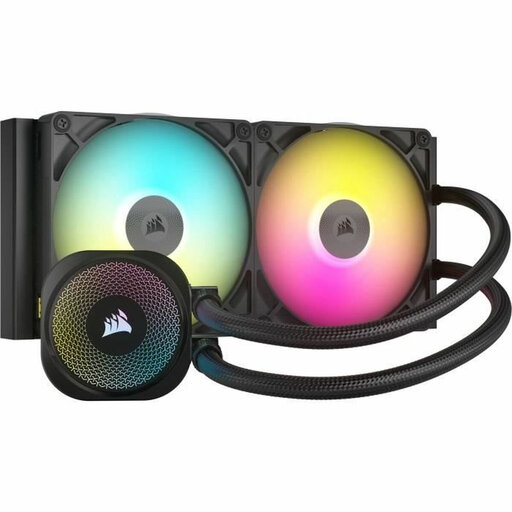
Why it stands out: This cooler is part of the Corsair iCUE LINK ecosystem, which significantly simplifies installation. Instead of dealing with cable clutter, you connect components with a single type of cable. Corsair states that its FlowDrive cooling engine is both powerful and quiet. The cooler also comes with pre-applied XTM70 thermal paste, making setup even easier.
Key Features:
Who is this for? For PC builders who want an exceptionally clean build with minimal cable management and full control over their RGB cooling through a single software suite. The 280mm version is a perfect middle ground for cases where a 360mm model won't fit.
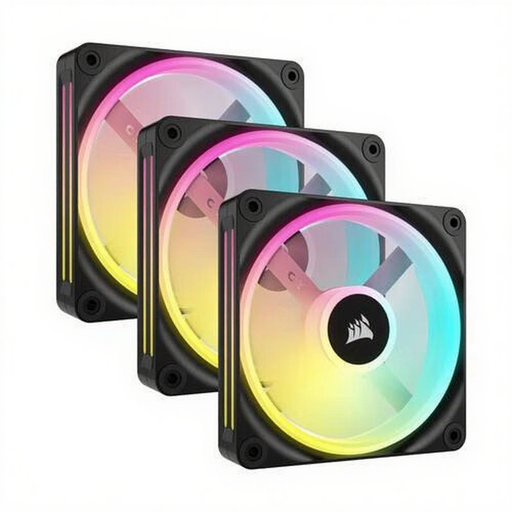
Why it stands out: While this isn't a CPU water cooling solution, quality PC fans are essential for your system's overall airflow. This Corsair QX120 fan kit stands out with its impressive lighting: each fan features 34 individually addressable LEDs. They are also part of the iCUE LINK ecosystem, ensuring seamless integration with other Corsair products.
Key Features:
Who is this for? For users looking to enhance their entire system's airflow and aesthetics. It's an ideal complement to a water-cooled PC or for giving a standard air-cooled build a visual and functional upgrade.
The world of PC cooling is vast and highly personal. Are you looking for a different size, a specific brand, or perhaps a non-RGB model for a minimalist build?
Explore our full collection of Black PC Coolers for more options to suit your needs.
That depends on your goals. An AIO cooler generally offers superior cooling capacity, which is beneficial for overclocking or cooling very powerful processors. They can also be quieter under load. Air coolers, on the other hand, are often simpler, have no liquid to worry about, and are extremely reliable.
An All-in-One (AIO) CPU water cooler is a closed-loop system. This means you don't need to refill or replace the liquid yourself. The only maintenance required is periodically cleaning the radiator and fans to remove dust buildup, just as you would with an air cooler.
You should always check your PC case's specifications. Manufacturers clearly state which radiator sizes (e.g., 240mm, 280mm, 360mm) are supported and in which locations (front, top, rear). When in doubt, measure the available space yourself.
