
Vandaag of morgen in huis

Kwaliteit gegarandeerd

Welkomstaanbiedingen ontgrendelen: GRATIS bezorging | Tot 80% korting | Gratis 30 dagen JoyPlus-proefperiode
Download de app
An overheating processor is a PC user's worst enemy. It leads to lower performance, unexpected crashes, and can even damage your hardware in the long run. CPU water cooling, especially an All-in-One (AIO) cooler, is a popular solution. But the market is flooded with marketing claims and technical specifications that confuse more than they clarify. As a result, many people make costly mistakes.
As a Joybuy Product Recommendation Officer, I see where things go wrong every day. We cut through the noise for you and focus on what really matters. These are the three most common pitfalls when choosing a CPU water cooler and how to avoid them.
RGB cooling, but the pump and fans are low-quality. The result is a PC that looks great but performs poorly thermally.You don't need to be an engineer to choose the right processor cooler. Pay attention to these three crucial specifications to avoid a bad purchase.
The 'socket' is the mount on your motherboard that holds the processor. A cooler must have a mounting bracket that fits it perfectly. The most common sockets today are LGA 1700 (and its successor LGA 1851) for Intel and AM5 for AMD.
AM5 cooler or LGA 1700 cooler) is listed. A cooler without the right bracket is useless.The radiator is the component that dissipates heat from the liquid. Its size is indicated in millimetres and largely determines the cooling capacity.
Midi Tower cases.Important: Measure the space in your PC case before buying a cooler. Check your case's specifications to see what radiator size (top, front, or side) is supported. Nothing is more frustrating than a radiator that is just a few millimetres too big.
The performance of an AIO cooler depends on the synergy between the pump and the fans.
Corsair iCUE, MSI Mystic Light) that allows you to control fan speeds and RGB cooling. This gives you control over the balance between performance and noise level.We have selected a number of products that suit different user profiles, based on objective specifications.
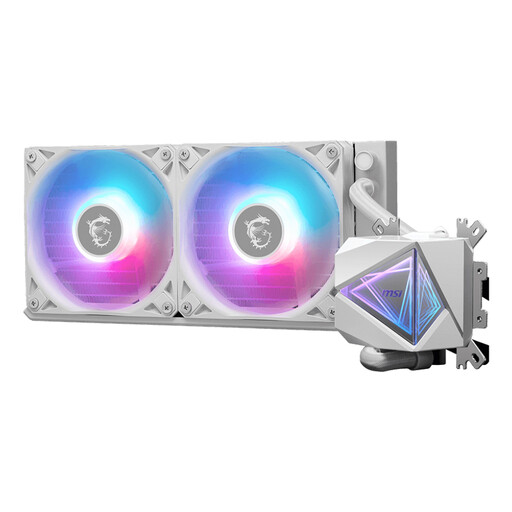
Why This Fits Their Persona: Ideal for those installing water cooling for the first time or seeking a reliable, no-nonsense solution. The focus is on simple installation and solid performance for gaming and daily use.
Addresses the compatibility trap with clear support for LGA 1700 and AM5. Its 240mm size fits most standard cases, minimising the risk of fitment issues.
Good cooling performance with a maximum airflow of 70.7 cfm and relatively quiet operation (20 dB according to MSI). Simple installation without complex software.
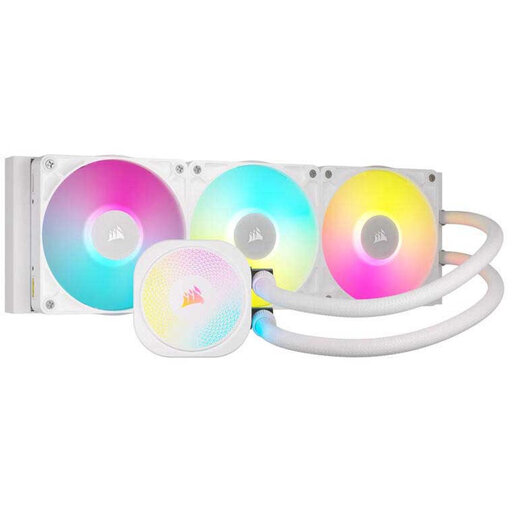
Why This Fits Their Persona: For the user who sees their PC as a visual showpiece. This 360mm water cooler combines powerful performance with the extensive customisation options of the Corsair iCUE ecosystem.
Avoids the 'RGB over performance' pitfall. According to Corsair, the combination of RX fans and a powerful pump delivers excellent cooling, so you don't have to choose between aesthetics and functionality.
Seamless integration with other iCUE components for synchronised lighting. The Zero RPM mode ensures silence under low loads.
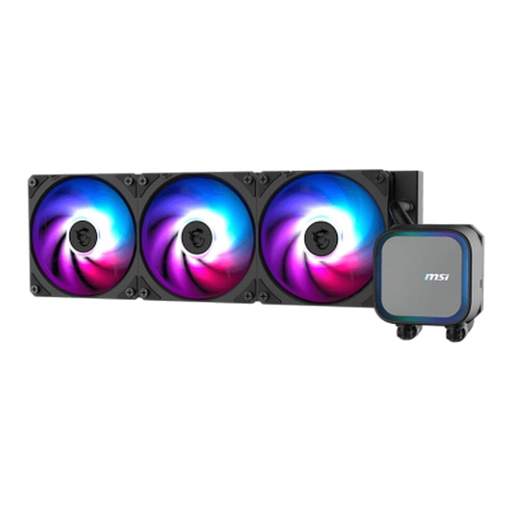
Why This Fits Their Persona: Designed for users who want to get the most out of their high-end processor. This 360mm AIO cooler is focused on pure cooling power, ideal for overclocking and prolonged, heavy gaming sessions.
Counters the 'silent' myth by focusing on performance. According to MSI, the high-speed pump (up to 3800 RPM) ensures maximum heat dissipation, which is essential under heavy load, even if it's not the quietest option at full power.
Superior cooling capacity thanks to the large 360mm radiator and a powerful pump. The full copper base ensures efficient heat transfer from the CPU.
We have compiled a complete, up-to-date list of products that fully meet these strict selection criteria.
An All-in-One liquid cooler is a closed-loop system, which means you don't need to refill the liquid. The lifespan is primarily determined by the pump. Most pumps have a life expectancy of 50,000 to 70,000 hours, which translates to about 5 to 7 years of normal use. Always check the warranty period offered by the manufacturer; this is often a good indicator of the expected lifespan.
For beginners, the idea of liquid in a PC can be intimidating, but an AIO is designed for ease of use. The installation is comparable to that of a large air cooler. The main steps are mounting the bracket on the motherboard, attaching the pump block to the CPU, and screwing the radiator and fans into your case. The biggest challenge is ensuring the radiator fits in your PC case, so always check this beforehand.
This depends on your processor and your usage.
