
Vandaag of morgen in huis

Kwaliteit gegarandeerd

Welkomstaanbiedingen ontgrendelen: GRATIS bezorging | Tot 80% korting | Gratis 30 dagen JoyPlus-proefperiode
Download de app
A powerful processor demands a capable cooler. Increasingly, the choice falls on an All-in-One (AIO) CPU liquid cooler. They look sleek, promise low temperatures, and provide the finishing touch to your PC build. But the market is flooded with options, and not every AIO cooler is worth its price. Many models rely on flashy marketing that distracts from crucial shortcomings. Before you invest, it's essential to know what to look for to avoid a bad purchase.
Behind the attractive packaging and impressive spec sheets, the same problems often lurk. These are the most common pitfalls:
To sidestep these pitfalls, it's best to focus on a few objective specifications. These determine the performance, compatibility, and ease of use of your processor cooler.
The size of the radiator directly determines its cooling capacity. A larger surface area can dissipate more heat, allowing the fans to run slower (and thus quieter).
An AIO cooler is an investment that can outlast several CPU upgrades. Therefore, don't just check for support for your current socket, such as an AM5 cooler for the latest AMD processors or an LGA 1700 cooler for recent Intel chips. Also, see if the manufacturer offers or promises support for future sockets (like LGA 1851). Good brands often provide separately available mounting kits for new platforms.
PWM (Pulse Width Modulation) is a crucial feature for both the pump and the fans. It allows your motherboard to precisely control their speed based on the CPU temperature. This ensures quiet operation when the computer is not under heavy load and maximum cooling when it's needed. Coolers without PWM support often run at a fixed, high speed, which produces unnecessary noise.
Based on these objective criteria, we have selected a few models that suit different user profiles.
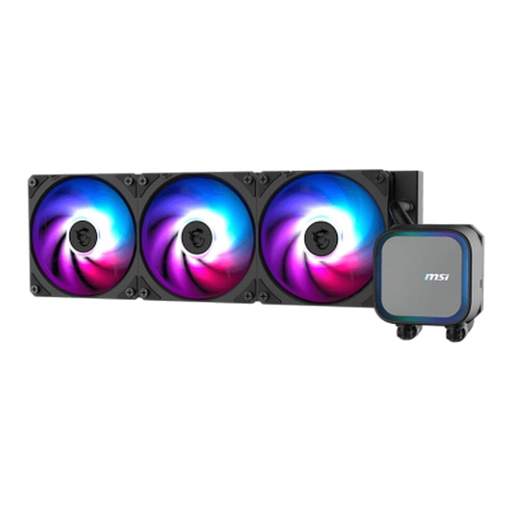
Why This Fits Their Persona: This user wants to shave off every degree Celsius for maximum overclocking potential. The focus is purely on performance, with aesthetics taking a backseat. A 360mm AIO is the logical choice here.
This model bypasses the underperformance pitfall by focusing on the core essentials: a powerful pump and a full copper base. According to MSI, the pump reaches speeds of up to 3800 RPM, highlighting its focus on heat dissipation.
The combination of a 360mm radiator, a high-speed pump, and a full copper contact plate is geared for maximum heat transfer, essential for cooling high-end CPUs under heavy load.
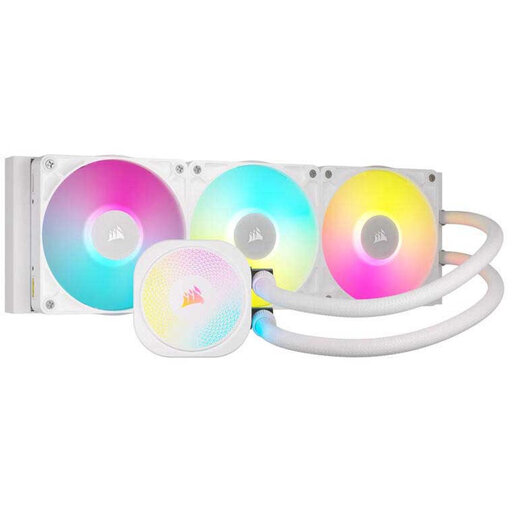
Why This Fits Their Persona: For this builder, a PC is a showpiece. A clean, white build with synchronised RGB lighting is the goal. The Corsair water cooler with its iCUE LINK system is designed for a clean look with minimal cable management.
This model tackles the RGB and installation pitfalls. Corsair's iCUE LINK system uses a single cable type to daisy-chain components, drastically reducing cable clutter. The iCUE software is mature and offers extensive control.
The iCUE LINK ecosystem simplifies installation and ensures seamless synchronisation of lighting and fan speeds. Its white finish and dynamic RGB lighting make it a visual centrepiece.
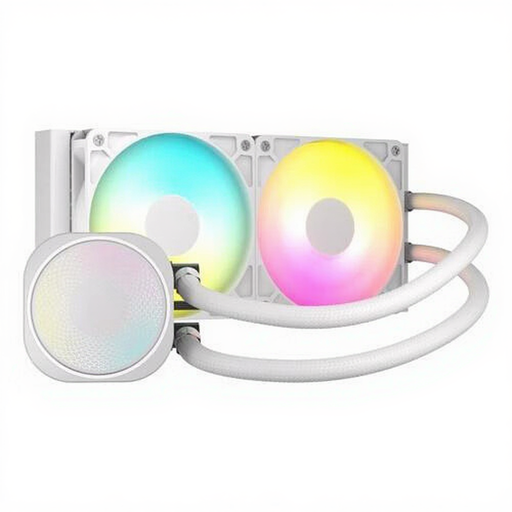
Why This Fits Their Persona: This user is building in a more compact mid-tower or mATX case where a 360mm radiator won't fit. Still, they desire better cooling than an air cooler can provide, along with a clean aesthetic. A 240mm AIO is the ideal middle ground here.
This model avoids the 'universal fit' myth by using a standard 240mm size that fits a wide range of cases. It offers clear, measurable performance (high static pressure of 4.91 mmH2O) for its size.
Offers an excellent balance between a compact form factor and powerful cooling performance. The high static pressure of the fans is specifically designed to push air efficiently through the radiator fins.
We have compiled a complete, up-to-date list of products that fully meet these strict selection criteria.
A modern AIO cooler has an average lifespan of 5 to 7 years. The two limiting factors are the pump, which can wear out over time, and permeation, the slow process where a minimal amount of coolant evaporates through the tubing. Most users will upgrade their PC before the cooler reaches the end of its service life.
It depends on the situation. For light tasks, a high-quality air cooler can be quieter because only the fans are running. Under heavy load, an AIO, particularly a 360mm AIO, can dissipate heat more efficiently at lower fan speeds, resulting in less noise than an air cooler that has to run at maximum speed. The quality and noise of the pump also play a significant role here.
The risk of leakage with a modern, self-contained AIO cooler from a reputable brand like Corsair water cooling or MSI water cooling is very low. These systems are factory-sealed and thoroughly tested. While the risk is never zero, many manufacturers offer a warranty that, in some cases, also covers damage to other components. Always check the manufacturer's specific warranty terms.
