Start by taking stock of the course files and checking which connections and file formats the archive computers use. A portable SSD can serve as a working or transfer copy, but the Dutch Digital Heritage Network advises against keeping a collection on just one portable drive: make a separate copy as well.
Who is this guide for?
Volunteer archiving a course
You want to catalogue, find and preserve course materials without relying on a single portable drive. The Dutch Digital Heritage Network and the National Archives highlight the importance of organising files and keeping them accessible.
Administrator of shared computers
You move course files between devices and want to check that the connections, cables and file formats will work with them. Samsung and Crucial outline the connection requirements and usage conditions for their own SSD models.
Administrator of sensitive course files
You need to decide which access and security measures are appropriate if recordings or documents contain personal data. The Dutch Data Protection Authority stresses that security measures should be appropriate to the risks involved in processing the data.
What should you look for?
First, take stock of the files and the computers in use. This will help you assess the capacity and connection you need before paying extra for features that aren’t essential for archive use.
| What to consider |
What should you check? |
Who is this important for? |
| Preserving the collection |
Catalogue the files and formats, and decide where a separate copy will be stored and who will manage it. |
If I want volunteers to be able to find the course later, I don’t want to rely on a single drive. Around 36% of consumers prioritise preserving the collection. |
| Sharing files between computers |
For each computer, note the USB connection and operating system; check the cables and the chosen file format. |
When I move files between shared computers, I want the connection and format I choose to work with those devices. Around 29% of consumers prioritise sharing files between computers. |
| Access to sensitive files |
Decide whether the course contains personal data, who needs access, and how encryption and recovery will be managed. |
If the drive contains personal data, I want to arrange access permissions and key management in advance. Around 21% of consumers prioritise manageable access. |
| Choosing the right capacity |
Measure the current collection, allow for planned additions, then compare it with the capacity of the model. |
When I want to add course materials, I want to choose capacity based on the actual collection and expected growth. Around 14% of consumers prioritise having enough room to grow. |
Common pitfalls
-
Thinking one external SSD is a complete archive
A portable drive can wear out or go missing. What’s more, storing files isn’t the same as keeping them organised and accessible. The Dutch Digital Heritage Network advises against keeping a collection on just one external drive.
Make a separate copy and record which files and formats you’re preserving.
-
Focusing only on the highest quoted speed
An SSD’s performance also depends on the computer and connection you use. So a high maximum speed alone won’t tell you what to expect from the archive computers.
First check the computers’ connections and consider whether you’ll often work directly from the drive.
-
Passing on a drive containing personal data without managing access
If an organisation processes personal data, the Dutch Data Protection Authority says its security measures must be appropriate to the risks involved in that processing.
Agree who will have access and how passwords, keys and separate copies will be managed.
-
Assessing a WD My Passport SSD without identifying the specific model
In 2023, SanDisk reported a firmware issue affecting certain WD My Passport SSD products that could cause unexpected disconnections. This report doesn’t automatically apply to every model.
Check the exact model and the manufacturer’s information on whether any affected serial numbers can be identified.
Brands to consider
Samsung
The Portable SSD T7 could suit transferring files between computers, provided its connections and supplied cables work with the devices you use.
- Samsung specifies read speeds of up to 1.050 MB/s and write speeds of up to 1.000 MB/s for the T7 1 TB. It also lists optional AES 256-bit password protection.
- This manufacturer information doesn’t tell you how long the drive will last as an archive storage device. Check that the security feature fits your organisation’s access and key management processes.
Crucial
The X9 Pro may be worth considering if you want to check support for encryption through the operating system.
- Crucial lists support for BitLocker To Go and FileVault. The brand quotes speeds of up to 1.050 MB/s for the X9 Pro.
- According to Crucial, performance is affected by the computer, cable and formatting. Check the equipment you use before relying on the quoted speed.
Kingston
The XS1000 range is worth looking at if you need USB Type-A and Type-C connection options.
- Kingston specifies 1 TB and 2 TB variants and lists a five-year limited warranty.
- Warranty terms may depend on the SSD’s remaining lifespan. Also check that the connection works with the archive computer.
WD
The My Passport SSD is an alternative for which it’s important to identify the exact model.
- For a 1 TB model, the manufacturer quotes read speeds of up to 1.050 MB/s and write speeds of up to 1.000 MB/s.
- SanDisk/WD reported a firmware issue affecting certain My Passport SSD products that could cause unexpected disconnections. The report doesn’t show that every model is affected.
Joybuy products
These products are portable SSDs for storing and transferring course files; don’t use an SSD as your only archive copy.
 Image unavailable
SanDisk Portable SSD 1 TB
A portable working or transfer copy for course files; the Joybuy product name lists 1 TB.
Keep a separate copy of the collection as well.
View at Joybuy
 Image unavailable
SanDisk Extreme Pro Portable SSD 1 TB, 2.000 MB/s
A portable SSD for taking course files with you; the product name lists 1 TB and 2.000 MB/s.
According to the product information, the quoted read speed requires a compatible USB 3.2 Gen 2x2 host; the write speed is lower. Keep a separate archive copy too.
View at Joybuy
 Image unavailable
Samsung Portable SSD T7 2 TB, blue
A portable working or transfer copy; the Joybuy product name lists 2 TB.
Check that the capacity you choose suits the catalogued collection, and keep a separate copy as well.
View at Joybuy
 Image unavailable
Samsung MU-PE1T0R 1 TB, blue
A portable SSD for course files; the product name lists 1 TB.
Check the connection with the archive computers and keep a separate copy too.
View at Joybuy
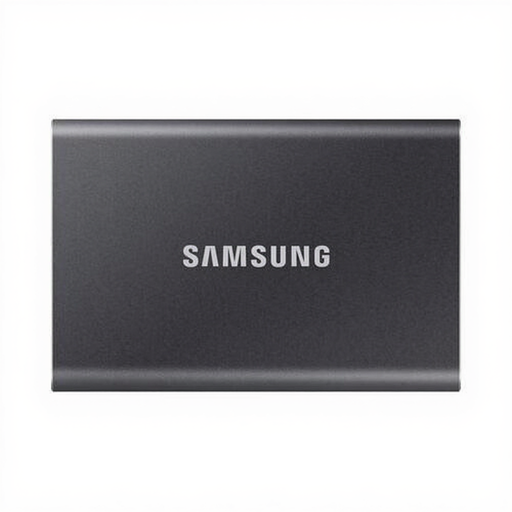 Image unavailable
Samsung Portable SSD T7 1 TB, grey
A portable working or transfer copy; the Joybuy product name lists 1 TB.
Check the connection and file format on the computers you use. Don’t store the collection solely on this SSD.
View at Joybuy
Frequently asked questions
Can the course be stored on just one external SSD?
Don’t use a single external SSD as the collection’s only copy. The Dutch Digital Heritage Network recommends keeping a separate copy. Also catalogue and organise the files so they can be found later.
Should you format the SSD before colleagues use it?
Not automatically: first check which computers need to read the drive. Crucial lists exFAT as the supplied format for the X9 Pro and warns that formatting deletes data on the drive. If necessary, make a checked copy first.
How much storage space does the archive need?
Work out the capacity you need by cataloguing the existing files and expected additions. Kingston notes that an SSD’s full nominal capacity isn’t available for your own files.
What if the course materials contain personal data?
If the organisation processes personal data, the Dutch Data Protection Authority says its security measures must be appropriate to the risks. Decide who needs access and how the measures, keys and retention period for this processing will be managed.
Can a community archive share the course publicly?
First check the rights to any texts, music, photos and other content. The Dutch Government makes clear that making a private copy for personal use doesn’t give you a general right to distribute or make protected material available to the public.


