
Listener with a regular seat
Wants to listen to vocals and instruments from the sofa, and may have room to position two speakers separately.


Choose two speakers that can be positioned separately if you mainly listen from one fixed spot and have room for a stereo pair. A single compact speaker is easier to position and move around. If you want to hear music in more places, compare compatible multi-room options without automatically turning up the volume. Also check your music source, available space and which cables or adapters you need. None of the models mentioned has been independently tested for country music in this specific room.
Wants to listen to vocals and instruments from the sofa, and may have room to position two speakers separately.
Wants to hear music in an open-plan living space without turning the volume up unnecessarily. Speaker placement and agreements about noise also matter.
Listens in different places at home and wants to weigh up whether one portable speaker or compatible speakers in several locations would work better.
First decide whether you mainly listen from one fixed spot or in several places in the open-plan space. Then check that your source and network will work with the speaker setup you want.
| What to consider | What to look for when buying | Who should consider this? |
|---|---|---|
| Placement and stereo image | Measure the available spaces and check how the two speakers connect to each other, and whether stereo pairing is supported for the exact model. | If I listen from one regular seat, I want to be able to place two speakers on the left and right and assess how the setup works in my room. For around 33% of consumers, placement and stereo image come first. |
| Listening with neighbours nearby | Consider where the speakers can be positioned and bear in mind any agreements with neighbours and building rules. | In a flat, I want to hear music without turning it up unnecessarily, so placement and where I usually listen both matter. Around 27% of consumers are most concerned about potentially disturbing their neighbours. |
| Music source and controls | Check the streaming method you need, Wi-Fi setup, Bluetooth and whether you need an adapter for a wired source. | If I want to play music from my own service or device, the connection needs to work with my source. For around 20% of consumers, source compatibility is the most important consideration. |
| Complete setup | Check whether the speaker is sold individually or as a pair, and which cables or adapters you need for your setup. | If I want a pair or a setup with multiple speakers, I want to know in advance which components I’ll need. Around 20% of consumers prioritise having a complete setup. |
The Denon Home 150 is sold individually, while the KEF LSX II LT is described as a pair. The setup you want will determine how many speakers you need.
Before buying, check whether the version includes one speaker or a complete pair.
For a wired audio source connected to the Sonos Era 100, Sonos says you need a separate Line-In Adapter. Some turntables also need a preamp.
Check your source’s output and all the connections and cables you need before choosing.
A wired setup may require an adapter, an audio cable and, sometimes, a preamp.
Size alone won’t tell you whether a speaker will work well where you listen or be practical to position. Neighbours nearby and the layout of the room also matter.
First consider where you listen, where you can position the speaker and any agreements about music volume.
The LSX II LT is an active stereo system for anyone looking for two separate speakers and a range of connection options.
The S1000W is an active bookshelf speaker setup with Wi-Fi, Bluetooth and physical inputs.
The Era 100 is a good fit if you want to start with one compact Wi-Fi speaker and may add a second compatible speaker later.
The Home 150 is a compact Wi-Fi and Bluetooth speaker within Denon’s HEOS system.
JBL says its Authentics range includes Wi-Fi and Bluetooth speakers for the home; the Authentics 300 is also portable.
This selection includes ULTIMEA soundbar systems and a Bluetooth set of two separate units. Check that the connections, any wired speakers and the placement suit your open-plan flat. These products are not all the same type of setup as a Wi-Fi stereo pair.
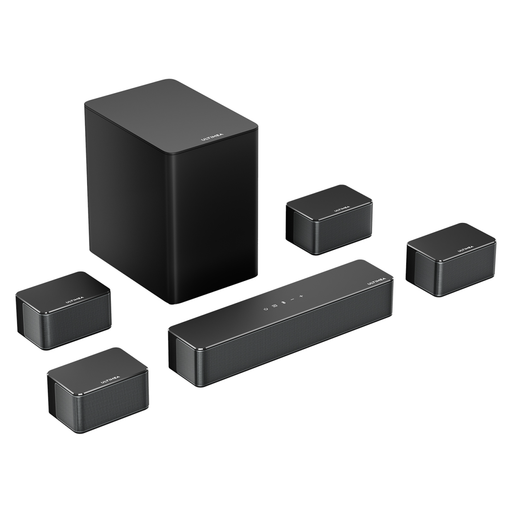 No image available
The product information lists music as a use. Consider this system only if a soundbar setup with wired surround speakers suits your room.
The title lists a wireless subwoofer, four wired surround speakers and 410W peak power. Bear the speaker cables in mind when positioning the system.
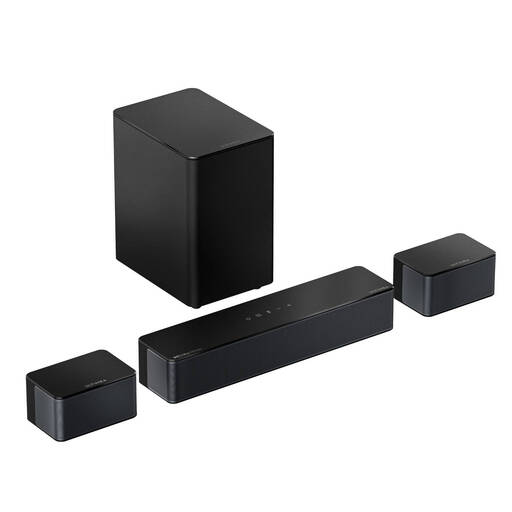 No image available
The product information describes a music mode. Check whether the wired surround speakers and the cables you need are practical for the places where you listen.
The title lists a 5.25-inch wireless subwoofer, 450W, HDMI eARC, Bluetooth 5.4 and app control. The description mentions 20 foot extension cables for the wired surround speakers.
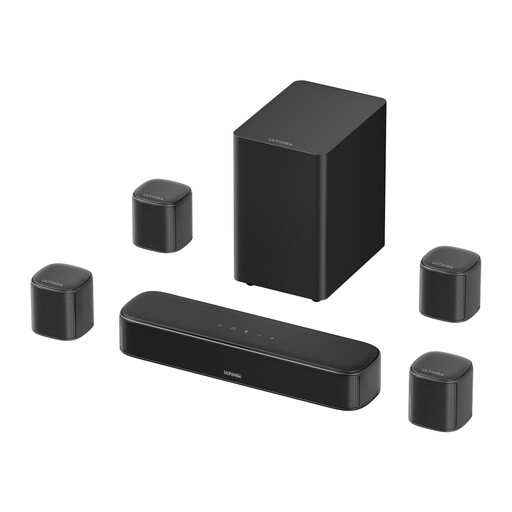 No image available
The product information mentions music playback and an adjustable equaliser. Before choosing a soundbar, compare its connections with your music source.
The title lists four surround speakers, a 5.25-inch subwoofer, 350W and HDMI, optical and AUX connections.
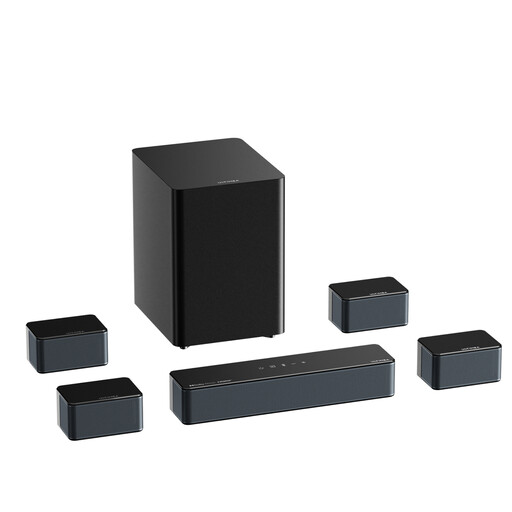 No image available
The product information lists music as one of its uses. Check which inputs and components of your intended setup will suit your space.
The product name lists 500W and Bluetooth 5.3.
 No image available
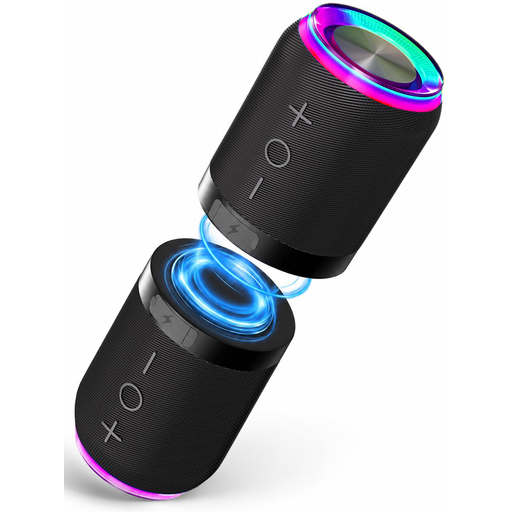
The product description lists two separate units that can be positioned for left-right playback. This may suit you if you want to place two speakers separately; check that they’ll work in your room.
The title lists Bluetooth, a magnetic attachment and IPX6. The product description also mentions AUX and TF card playback.
No. With the Wi-Fi playback method described by the Dutch Consumers’ Association, you use an app to tell the speaker what to play, then it streams the music itself over Wi-Fi. You will need a stable home network, and should also check that your music service works with the model you choose.
No. Sonos says you must first set up the Era 100 on a Wi-Fi network before you can use it as a Bluetooth speaker.
First check the turntable’s output. Sonos says you need a Line-In Adapter and a suitable audio cable to use the Era 100’s line input. A turntable without a built-in preamp may also need an external one.
The rules or agreements that apply depend on the property and circumstances, so don’t assume there is one set volume limit for every flat. The Dutch Government advises people dealing with noise from neighbours to agree arrangements first, such as what time music will be played. Depending on your living situation, your landlord or residents’ association may also be involved.
For online purchases from a business, the Dutch Government says you will often have a 14-day cooling-off period, although there are exceptions. Separately, you have the right to a product that is fit for purpose; if there is a fault, contact the seller. The Dutch Government says there is no fixed statutory warranty period in the Netherlands that applies to all products.