
Vandaag of morgen in huis

Kwaliteit gegarandeerd

Welkomstaanbiedingen ontgrendelen: GRATIS bezorging | Tot 80% korting | Gratis 30 dagen JoyPlus-proefperiode
Download de app
A Corsair RGB PC case fan can help your desktop match your build's aesthetic and exhaust hot air. However, not every colourful fan is suitable for every case. The wrong size, a missing controller, or an incompatible connector can lead to extra costs and a tricky installation.
This guide helps gamers, PC builders, and hardware enthusiasts compare marketing claims with verifiable product specifications.
A PC fan with RGB lighting is immediately eye-catching, but the lighting says little about its cooling performance. Also, check the maximum airflow, RPM range, and static pressure. For example, a fan for a radiator has different requirements than a model that simply moves air through a spacious case.
Also, note the difference between ARGB and Corsair iCUE LINK. A standard 5V ARGB connector on your motherboard won't automatically work in the same way as an iCUE LINK system with a separate hub.
A 120 mm RGB case fan fits in many PC cases, but not every mounting point supports this size. Some cases are designed for 140 mm models. A 140 mm RGB case fan can offer greater airflow at a lower RPM, but it must physically fit.
Before you buy, check:
A quiet PC fan won't stay equally quiet under all conditions. The stated noise level is usually linked to a specific RPM. At higher RPMs, the noise level generally increases too. That's why PWM control is important: the 4-pin connector allows the speed to be automatically adjusted based on temperature or system load.
A fan curve in your BIOS/UEFI or Corsair iCUE can help you use low speeds for light office work and activate higher airflow during gaming or rendering.
A 120 mm fan is a practical choice for compact cases, radiators with 120 mm mounts, and systems that require multiple fans. Models like the Corsair iCUE LINK RX120 RGB list a range of 400 to 2100 RPM, PWM support, and a maximum airflow of approximately 73.5 CFM in their product specifications.
A 140 mm model has a larger frame and can therefore move a lot of air at lower RPMs. The RX140 RGB is listed with a range of 300 to 1700 RPM and a maximum airflow of approximately 94.7 CFM. This is an attractive option for a case with enough space, but always check the mounting holes.
A PWM case fan typically uses a 4-pin fan connector. This allows the motherboard or a compatible controller to regulate the speed more precisely than with a simple fixed-voltage connection. Don't just check if PWM is mentioned; also make sure your motherboard has enough fan headers.
For iCUE LINK models, you also need to check if an iCUE LINK System Hub is required. Some individual fans are sold without a hub. A starter pack can therefore be more practical if you want to install multiple fans at once.
For radiator fans, static pressure is especially relevant. For an open front panel, maximum airflow might be more important. So, the choice depends on where it will be placed in your PC, not just on the RGB effect.

Why it fits this profile: A single 120 mm fan is a straightforward choice if you want to replace one existing fan or upgrade your PC step by step.
The product specification lists a 4-pin PWM connector and a range of 480 to 2400 RPM. This means the speed is adjustable rather than fixed.
120 mm, white version, 34 individually addressable LEDs, and a stated maximum airflow of 63.1 CFM.
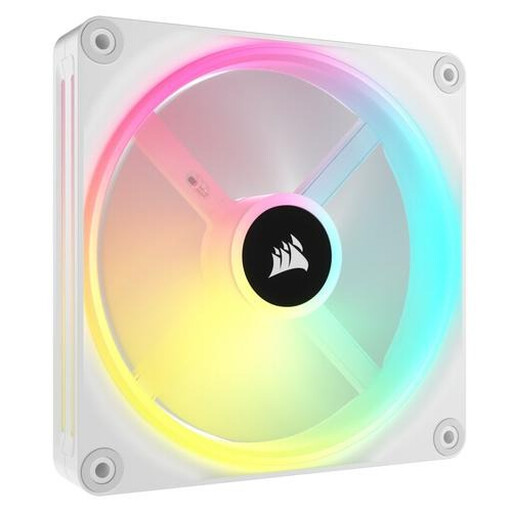
Why it fits this profile: Suitable for a spacious build where 140 mm mounting and synchronisation via an iCUE LINK system are important.
The product information mentions PWM control and 140 mm dimensions. However, you should check separately whether a compatible iCUE LINK hub is available.
34 individually addressable LEDs, a stated range of 480 to 2000 RPM, and support for both case and radiator cooling.
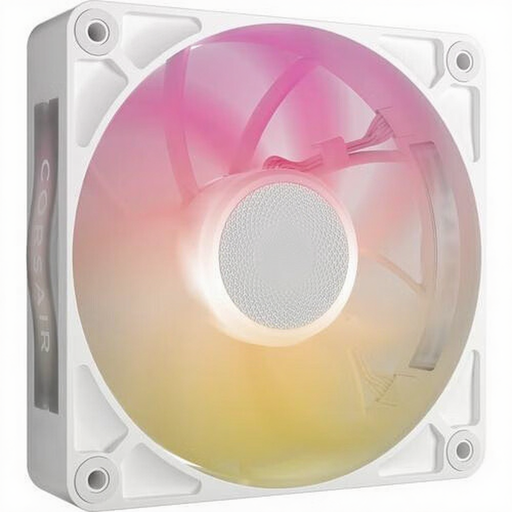
Why it fits this profile: An option for users combining a 120 mm radiator or a restrictive airflow path with a thicker fan.
The stated thickness is 30 mm. This makes checking dimensions beforehand essential and prevents the fan from hitting a radiator, memory module, or side panel.
120 mm, PWM support, approximately 71.3 CFM maximum airflow, and a stated maximum static pressure of 4.16 mmH2O.

Why it fits this profile: A set of three 120 mm fans is ideal for a new build with multiple intake and exhaust positions.
According to the product information, the package contains three fans and an iCUE LINK System Hub. You should still check for compatibility with your power supply and case.
Three RX120 RGB fans, PWM control, a stated range of 400 to 2100 RPM, and connection via a single iCUE LINK system.
We have compiled a complete, up-to-date list of products that fully meet these strict selection criteria and comply with current European safety regulations.
Switch off your PC, unplug it from the wall socket, and wait for all the fan blades to come to a complete stop. During installation, pay attention to the arrows on the frame: they indicate the direction of the airflow. Typically, front and bottom fans act as intakes for cool air, while rear and top fans exhaust hot air.
Connect a standard PWM case fan to a suitable 4-pin fan header. For a Corsair iCUE LINK fan, use the corresponding connectors and, depending on the package, a compatible hub. Route the cables away from the blades and tighten the screws without overtightening or forcing the frame.
Not every model works completely independently. Check the product packaging for an included iCUE LINK System Hub. For individual models, a separate, compatible controller may be required for power, speed control, and RGB synchronisation.
The extra power draw depends on the number of LEDs, the brightness level, and the fans being used. In practice, it's wise to consider the total power consumption of the fans, controller, and other components when choosing your power supply. If you want to use less lighting, you can simply lower the brightness.
The lifespan depends on usage, dust, temperature, and the bearing type. Clean the fan regularly with a soft brush or compressed air, without using water. If you suddenly hear rattling or notice strong vibrations, switch off your PC and check the mounting and cabling. For all products, bear in mind the legal guarantee of at least two years in accordance with the stated EU consumer regulations.
