
Vandaag of morgen in huis

Kwaliteit gegarandeerd

Welkomstaanbiedingen ontgrendelen: GRATIS bezorging | Tot 80% korting | Gratis 30 dagen JoyPlus-proefperiode
Download de app
A Corsair RGB PC fan can help keep your computer cool while giving it a cohesive look. But it’s not a good idea to focus only on the number of LEDs or the maximum speed. A fan that doesn’t fit your case, work with your controller or can get too noisy at high speeds can quickly turn into a poor purchase.
This buying guide helps gamers, PC builders and workstation users choose the right Corsair case fan, RGB case or radiator fan.
Not every RGB case fan uses the same connection. A standard RGB or ARGB fan may need to connect to your motherboard, while an iCUE LINK fan works with a compatible hub in the Corsair system. Before buying, check:
Using the wrong connection can stop the lighting from working. Don’t connect a 5V ARGB product to a 12V RGB header.
A high airflow rating doesn’t tell you everything about a fan’s suitability. Air movement is important in an open mesh case. For a radiator or a restrictive dust filter, static pressure matters too. A PC radiator fan needs to push air through the fins.
Also check the units used. Product details may list airflow in CFM or m³/h. Where possible, compare models within the same product range, and check the noise level and speed too.
A 120mm PC fan isn’t automatically interchangeable with a 140mm PC fan. Check the mounting points on your case, radiator and any CPU cooler. Remember to check the thickness too: a 30 mm model may take up more space than a standard 25 mm fan.
120 mm is a common size that fits many cases, radiators and rear fan positions. 140 mm models can move plenty of air at lower speeds, but will only fit if your case has the right mounting points.
For example, the Corsair 5000T series has space for 120mm and 140mm fans at the front and top. Always check the exact positions available in your case.
A PWM fan typically uses a 4-pin connection, allowing you to control its speed through your motherboard or a controller. This means the fan can run more quietly under light loads and speed up as temperatures rise.
Check the full speed range. According to the product details, the Corsair CO-9051005-WW runs from 480 to 2400 rpm, while some 140mm models have a lower maximum speed. A higher maximum doesn’t automatically mean a quieter or more suitable system.
Look at these three figures:
A model with strong static pressure is more suited to radiator use, while a model with a high airflow rating may be a good choice for open intake and exhaust positions.

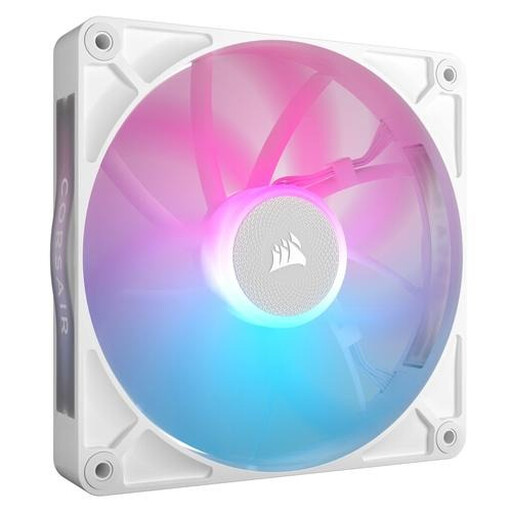
Why it suits this profile: This white 120mm fan has straightforward specifications and is suitable for use in a case or on a radiator. The PWM connection lets you adjust its speed without needing to invest in a more advanced fan system.
The product details list its size, speed, airflow, static pressure and noise range. That means you don’t have to judge it on its RGB lighting alone.
120 mm, 480–2400 rpm, up to 63,1 CFM, 3,8 mmH₂O, PWM and 34 individually addressable LEDs.
Why it suits this profile: For a larger build with suitable 140mm mounting positions, this iCUE LINK model combines PWM control and RGB lighting with a larger fan diameter.
The size and iCUE LINK compatibility are clearly stated on the product page. Just check that your case has 140mm mounts and that you have a compatible Corsair system.
140 mm, PWM, 300–1700 rpm, up to 94,7 CFM, and suitable for case and radiator use according to the product description.
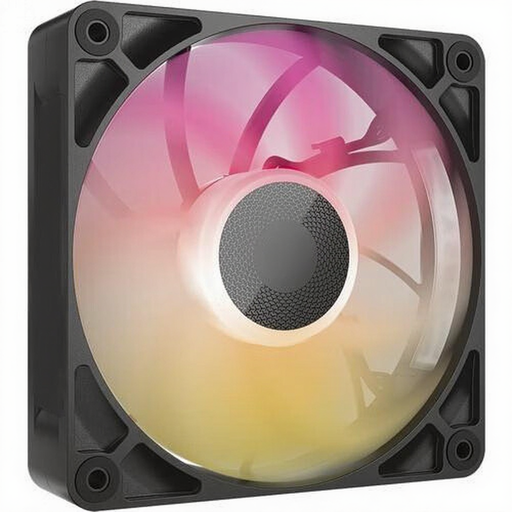
Why it suits this profile: This model is designed for users who pay particular attention to static pressure and have a demanding cooling setup. Its thickness means you’ll need to check the available clearance.
The product details explicitly state that it is 30 mm thick. This makes it clear from the outset that the fan won’t fit every compact case or radiator position.
120 mm, up to 71,3 CFM, 4,16 mmH₂O, PWM and a speed range of 400–2000 rpm.
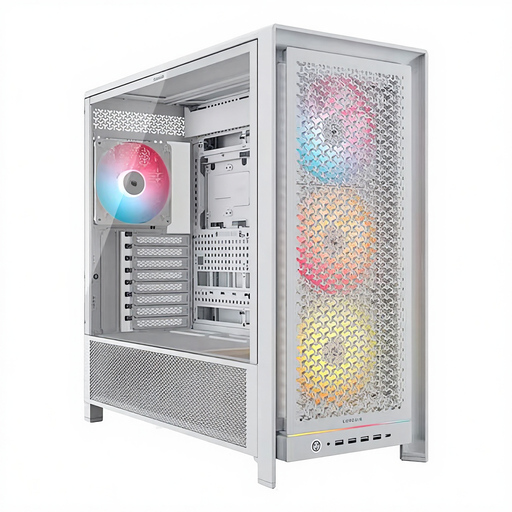
Why it suits this profile: This white case is designed for an extensive build with multiple fan positions, large components and water cooling.
The case comes with four 140mm ARGB fans and lists the maximum component dimensions. This means you may need fewer separate upgrades, although you should still check that your overall configuration will fit.
Supports ATX, EATX, micro-ATX and Mini-ITX, with space for a graphics card up to 450 mm and radiators up to 420 mm according to the product specifications.
We’ve put together a complete, up-to-date list of products that meet these strict selection criteria and the applicable European safety regulations.
Shut down your computer completely and unplug it before installing a fan. Check the arrows on the frame to see which way the air will flow. A common setup is:
For quiet PC cooling, set a custom PWM curve in the BIOS, your motherboard software or Corsair iCUE. Bear in mind that quoted dB figures are measured in a laboratory; case panels, dust, resonance and your chosen speed all affect how loud the fan sounds in practice.
It depends on the speed and how it’s installed. Several models in this range list around 10 dB at low speed, but at maximum speed the level can rise to approximately 29,5–37 dB. A PWM curve helps you avoid unnecessarily high speeds.
Not always. Check the type of fan connector and RGB connection. A PWM connection controls fan speed, while RGB and iCUE LINK connections differ in how they handle lighting and system communication. Refer to your motherboard and controller manuals.
Its lifespan depends on the bearing type, hours of use, dust and installation. Clean dust filters regularly, keep cables away from the blades and check that the fan isn’t making unusual vibrations or noises. According to the product information, the Corsair products mentioned come with a minimum two-year statutory warranty in the EU.
