
Vandaag of morgen in huis

Kwaliteit gegarandeerd

Welkomstaanbiedingen ontgrendelen: GRATIS bezorging | Tot 80% korting | Gratis 30 dagen JoyPlus-proefperiode
Download de app
A Corsair RGB PC case fan can cool your desktop while giving it a distinctive look. However, choosing a model based only on the number of RGB LEDs is a common mistake. A fan might look great when lit, but not fit your case, make too much noise or fail to work properly without the right controller.
So pay particular attention to these three potential pitfalls:
An RGB case fan 120 mm is a popular choice for rear, top and radiator positions. As well as checking the diameter, check the thickness. Many standard fans are around 25 mm thick, while some MAX models measure 30 mm. That extra space can cause clearance issues with radiator brackets, memory modules or cables.
An RGB case fan 140 mm can move more air at a lower speed when there’s a suitable mounting position. That advantage only applies if your PC case actually supports this size. Check your case manual before ordering.
Airflow is usually listed in CFM or m³/h. When comparing fans, use the same unit wherever possible. Static pressure is measured in mmH2O and is particularly relevant for a PC fan for a radiator, CPU cooler or restrictive front filter.
PWM control via a 4-pin connection lets you adjust the speed automatically or manually. This means a PWM case fan doesn’t have to run at full speed all the time. Be sure to check the full specification: a noise level quoted at low speed won’t tell you how loud the fan gets at full speed.
Corsair iCUE LINK models are designed to connect and manage fans as part of a single system. Check whether a hub is included or needs to be bought separately. Some packs include multiple fans or a controller, while others contain a single expansion fan.
RGB technology also varies between models. The number of LEDs gives you an idea of the lighting effects available, but doesn’t directly indicate cooling performance. For a quiet workspace, the minimum and maximum noise levels are also more important than the presence of lighting alone.

Why it suits this user: A set of three 120mm fans is a practical choice for a new gaming PC with several mounting positions. The black finish suits a wide range of cases, and PWM control helps adjust fan speed to match the workload.
You won’t need to buy several fans separately, and it’s clear from the outset that this pack contains three 120mm fans. The product specification lists PWM, a maximum speed of 2400 rpm and a quoted noise level of up to 35,1 dB.
Three fans, RGB lighting, PWM support, airflow of up to 70 CFM, and suitable for a case or radiator according to the product description.
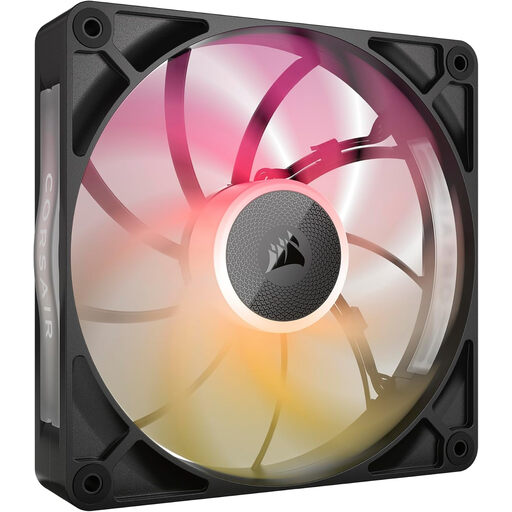
Why it suits this user: This 140mm fan is designed for a spacious case or radiator setup where its 30 mm thickness won’t be an issue. It’s a good fit for users who want to combine a lower minimum speed and high airflow with iCUE LINK.
Check the size, thickness and connection method before buying. If you have enough room, you can avoid choosing a standard 25mm fan when you need extra static pressure or capacity.
According to the product specification: 140 mm, 300–1600 rpm, up to 102,9 CFM, PWM, and a quoted noise range of 10 to 31 dB.
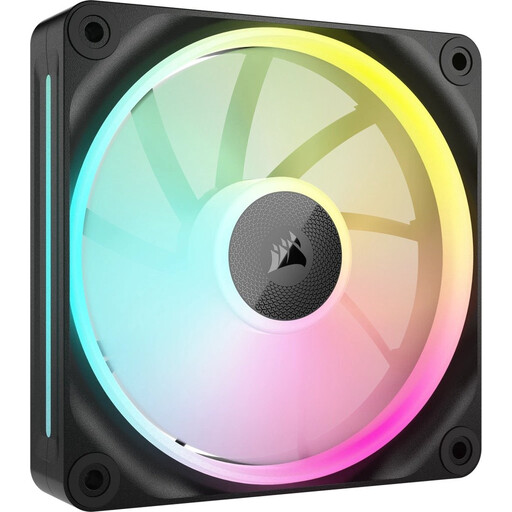
Why it suits this user: A handy option for adding to an existing iCUE LINK chain or filling a single radiator position. Its 120mm size is widely compatible, while the quoted static pressure makes it suitable for use behind a radiator or filter.
The product specification explicitly lists PWM and a speed range of 400–2400 rpm. Be sure to check whether you already have a compatible iCUE LINK hub; you may need to buy one separately for a single expansion fan.
120 mm, up to 69,9 CFM, 5,22 mmH2O static pressure, RGB lighting, and suitable for case and radiator cooling according to the product information.
We’ve put together a full, up-to-date list of products that meet these strict selection criteria and the applicable European safety regulations.
Switch off your PC and unplug it from the mains before installing a fan. Check the arrows on the frame to see the direction of rotation and airflow. A common setup is to draw air in at the front and exhaust it at the rear or top, but the right configuration depends on your case and radiator.
Keep cables clear of the blades and secure the fan firmly to reduce vibration. Clean dust filters and fan blades regularly. A higher speed can increase airflow, but will usually increase noise and power consumption too. Use a suitable PWM curve in your BIOS or compatible software.
A compatible hub is usually needed for iCUE LINK features such as centralised RGB and speed control. Check whether one is included with each pack. If you’re buying a single expansion fan, you may need to purchase the hub separately.
Not necessarily. Noise levels depend on the motor, speed, bearing, case and fan curve. A 140mm model may move enough air at a lower speed when there’s a suitable mounting position, but always compare the quoted dB values under the same conditions.
Lifespan depends on dust, moisture, hours of use, installation and bearing design. Look out for increasing resonance, rattling noises or irregular rotation. Switch off your PC before cleaning or replacing a fan. Corsair products are covered by the statutory minimum two-year guarantee in the European Union; additional rights may apply under the relevant national legislation.
