
Vandaag of morgen in huis

Kwaliteit gegarandeerd

Welkomstaanbiedingen ontgrendelen: GRATIS bezorging | Tot 80% korting | Gratis 30 dagen JoyPlus-proefperiode
Download de app
A Corsair RGB PC case fan can improve airflow in your desktop PC and give your build a personal touch. However, choosing one involves more than simply looking at the number of RGB LEDs or the maximum speed. The wrong size, a missing controller or an unsuitable connection can mean that your new Corsair computer case fan does not fit or does not work fully.
Joybuy Product Recommendation Officer therefore filters the most important product specifications and common pitfalls. This helps you compare a Corsair RGB fan based on practical considerations rather than marketing terms.
A 120mm RGB case fan and a 140mm RGB case fan are not interchangeable. Check the mounting positions in your computer case. Some cases support both sizes at the front, but only 120 mm at the rear or top.
Also pay attention to the thickness. The Corsair iCUE LINK RX120 MAX RGB, for example, is 30 mm thick, whereas many standard fans are around 25 mm thick. In a compact case, this can affect the space around a radiator, graphics card or memory modules.
The terms RGB, ARGB and iCUE LINK do not refer to one universal connection.
A fan may therefore support PWM but, without a suitable RGB controller, may not offer all lighting effects. According to the product information for various iCUE LINK models, a compatible hub or controller is required. Before buying, check whether you already have one in your PC and whether it is included.
A high maximum speed, such as 2,400 RPM, can be useful under heavy loads, but it also means that the noise level may be higher at full speed. If you want a quiet PC fan, look at:
The stated values are product specifications provided by the manufacturer. Your actual experience will also depend on the fan curve, case layout, dust levels and the load on your computer.
A PWM PC fan uses a 4-pin connection to regulate the speed more precisely. Using the BIOS/UEFI settings or suitable software, you can set a low speed during light office work and increase the airflow while gaming, for example.
A stated range such as 400 to 2,000 RPM tells you that the fan can operate within that range. It does not guarantee that your system will remain quiet in every situation. A well-configured fan curve prevents unnecessarily high speeds.
Airflow is often shown in CFM. A higher value can help move warm air away more quickly, but only compare models when the units of measurement and test conditions are comparable. Air volume is important for a front intake. If you are placing the fan on a radiator or behind a restrictive filter, pay extra attention to static pressure.
A PC fan for a radiator generally benefits from higher static pressure because air has to be pushed through a dense fin stack. The product information for some models lists both maximum airflow and maximum static pressure.
The frame usually has arrows showing the direction of rotation and airflow. A typical layout is:
Switch off the computer, unplug it from the mains and keep cables away from the rotating blades. Use the correct screws and tighten them without forcing the case.
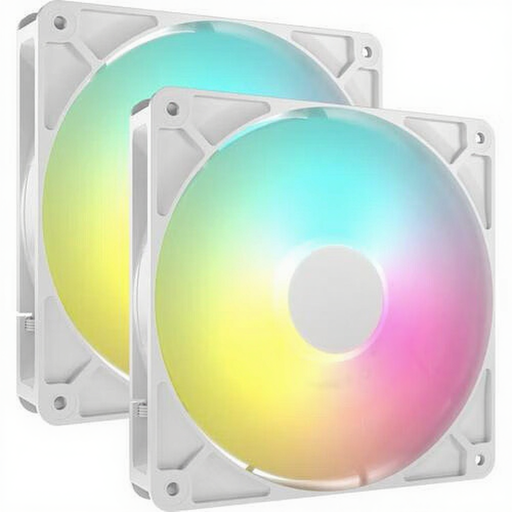
Why it suits this profile: A set of two 140mm fans is practical for a case with several 140mm mounting positions and means you do not have to combine separate fans straight away.
The product information lists 2 fans, PWM control and a 4-pin connection. However, check that your motherboard has a suitable 5V ARGB connection.
140 mm, up to 95,5 CFM according to the product listing, 330–1.700 RPM and 8 individually addressable LEDs per fan.
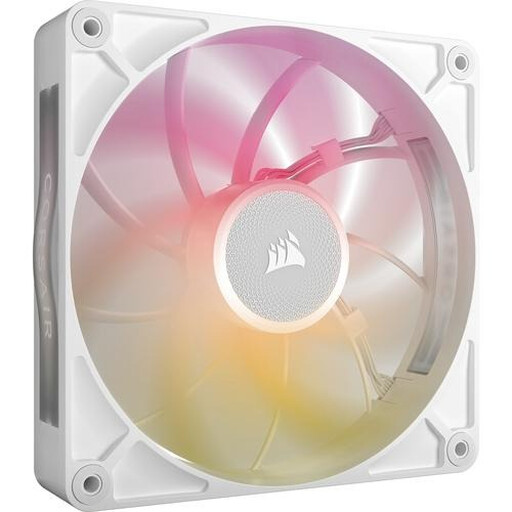
Why it suits this profile: Suitable for a spacious build where the 140mm size and an iCUE LINK ecosystem are already part of the plan.
The specifications list PWM and a range of 300–1.600 RPM. Allow for the extra thickness and use only a compatible iCUE LINK controller.
140 mm, up to 102,9 CFM, 2,38 mmH₂O static pressure and 8 RGB LEDs according to the product description.
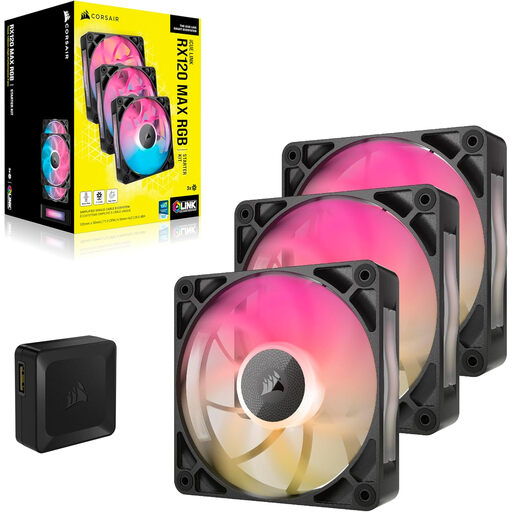
Why it suits this profile: A 3-pack is ideal for gamers and PC builders who want to fill several positions at once while keeping the cabling neat and tidy.
According to the product details, the set contains 3 fans and an RGB controller. Check that the 30mm thickness and iCUE LINK compatibility suit your case before buying.
120 mm, PWM, 8 RGB LEDs per fan, up to 71,3 CFM and a stated noise level of up to 29,5 dB.
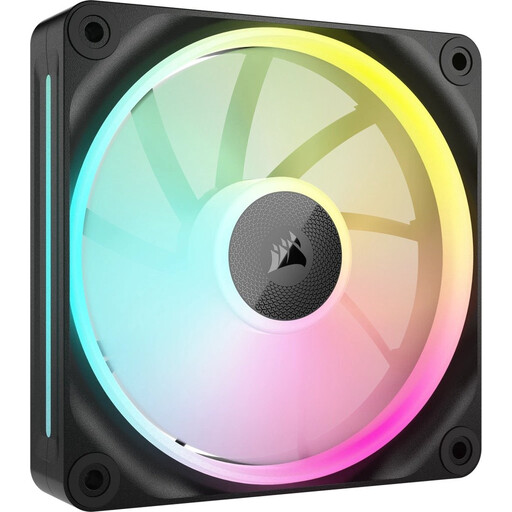
Why it suits this profile: A single 120mm fan is useful when expanding by one position or replacing an existing fan.
The fan supports PWM and, according to the product description, is suitable for case and radiator installation. Check the required iCUE LINK connection before installation.
120 mm, magnetic bearing according to the product information, up to 69,9 CFM and static pressure of up to 5,22 mmH₂O.
We have put together a complete, up-to-date list of products that fully meet these strict selection criteria and the applicable European safety regulations.
Check the following before ordering:
Switch off the PC completely and unplug it from the mains. Connect PWM to a suitable fan header or controller. For ARGB, use a compatible 5V header. Connect iCUE LINK models to a compatible hub and the corresponding system. You can then use the BIOS/UEFI or Corsair iCUE to configure the speed and lighting.
The lifespan depends on usage, dust, temperature and mechanical strain. Clean the fan regularly with a soft brush or compressed air, and prevent cables from touching the blades. Replace the fan if you hear persistent rattling, notice play or experience strong vibrations.
A single fan generally uses little power, but several fans with lighting and a controller will consume more overall. Actual consumption depends on the speed, LED brightness and number of connected fans. For intensive use, check the stated current draw and the controller’s capacity.
