
Vandaag of morgen in huis

Kwaliteit gegarandeerd

Welkomstaanbiedingen ontgrendelen: GRATIS bezorging | Tot 80% korting | Gratis 30 dagen JoyPlus-proefperiode
Download de app
A new Corsair RGB fan can significantly improve your PC's cooling and aesthetics. But the market is saturated with technical specs and marketing promises. Many PC builders fall into the same traps: they fixate on a single number or choose a fan that's ill-suited for their purpose. The result? A system that's louder or hotter than it needs to be.
As a Joybuy Product Recommendation Officer, I'm here to help you cut through the noise. We'll discuss the most common pitfalls and the specs that truly matter, so you can make an informed decision.
Before you make a purchase, it's crucial to avoid these common missteps. They can mean the difference between a quiet, cool system and a disappointing upgrade.
To choose the right case fan, focus on the specifications that match your system and goals.
Size: 120mm Fan vs. 140mm Fan
Airflow (CFM) vs. Static Pressure (mmH2O)
Connection and Ecosystem: The Rise of Corsair iCUE LINK
Below are a few Corsair RGB fans, matched with specific user profiles. These aren't "winners," but practical choices based on their specs and how they address the pitfalls we've mentioned.
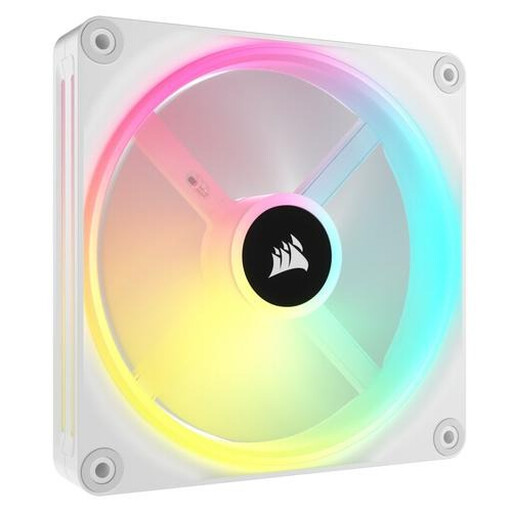
Why This Fits Their Persona: For the builder who wants a pristine, minimalist look, this white PC fan is ideal. The iCUE LINK system is its main selling point: it reduces cable management to a minimum, which is essential for a clean showcase PC. The 34 addressable LEDs per fan provide vibrant and smooth lighting effects.
Directly tackles the "RGB cable clutter" pitfall. Thanks to Corsair iCUE LINK, you can connect multiple fans with a single cable, which vastly simplifies installation.
Superior cable management and vibrant lighting with 34 LEDs per fan. The 140mm fan ensures good airflow at a relatively low RPM.

Why This Fits Their Persona: This gamer has a powerful CPU or GPU that requires effective cooling, often via an AIO liquid cooler. The LX series is designed for high static pressure, making it an excellent radiator fan. The 120mm fan size ensures broad compatibility with most radiators.
Avoids the pitfall of confusing airflow with static pressure. This fan focuses on high static pressure (3.8 mmH2O), the correct spec for radiators and dense filters.
Optimised for static pressure, ensuring efficient cooling on radiators. The 3-pack with an iCUE LINK hub is a complete starter kit.
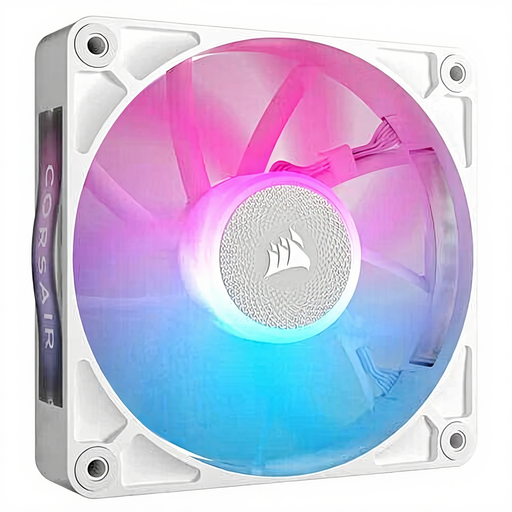
Why This Fits Their Persona: For those who want a powerful PC that's whisper-quiet during light use, the RX series is a strong contender. According to Corsair, this fan features a magnetic levitation bearing, which minimises friction and noise. Its wide speed range (400-2100 RPM) and a noise level starting from 10 dB make this an excellent quiet case fan.
Counters the "higher RPM is better" myth. The focus is on efficiency and low noise levels thanks to its bearing design, rather than purely on maximum speed.
The magnetic levitation bearing provides quieter operation and a longer lifespan. The fan offers a good balance between airflow and static pressure.
The right fan depends on your unique system and goals. If the options above aren't exactly what you're looking for, check out our full range.
This is a common question. In short, according to Corsair's specifications:
Yes, to use the Corsair iCUE LINK ecosystem, you need an iCUE LINK System Hub. Starter kits (usually 2- or 3-packs) often come with a hub. Individual fans are typically expansions and require you to already have a hub or purchase one separately.
No, the mounting holes for a 140mm fan and a 120mm fan are at different distances. You can only mount a fan in a spot specifically designed for that size. Always check your PC case's specifications before making a purchase.
