
Vandaag of morgen in huis

Kwaliteit gegarandeerd

Welkomstaanbiedingen ontgrendelen: GRATIS bezorging | Tot 80% korting | Gratis 30 dagen JoyPlus-proefperiode
Download de app
A new set of Corsair RGB fans can transform your PC from a simple box into a visual centerpiece, all while keeping your components cool. But the sheer number of options is overwhelming, and the specifications can be confusing. This leads many PC builders to make costly mistakes, resulting in disappointment: a mess of cables, noisy fans, or poor cooling performance.
Before you make a purchase, it's wise to be aware of a few common pitfalls:
This guide will help you avoid these pitfalls and choose the right Corsair RGB fan for your system.
To avoid a bad purchase, it's helpful to understand a few key specifications. These aren't marketing buzzwords, but objective criteria that determine performance.
Most PC cases support 120mm fan or 140mm PC fan sizes. The choice between them has a direct impact on performance and noise.
Always check which sizes your PC case and radiators support before making a decision.
This is perhaps the most crucial, yet often misunderstood, aspect of a case fan.
A fan with high airflow but low static pressure will struggle with a radiator, leading to disappointing cooling performance.
Installing RGB fans has traditionally been a time-consuming task. Corsair has addressed this process with the Corsair iCUE LINK ecosystem.
Based on these specifications, we've highlighted a few popular choices that suit different user profiles.
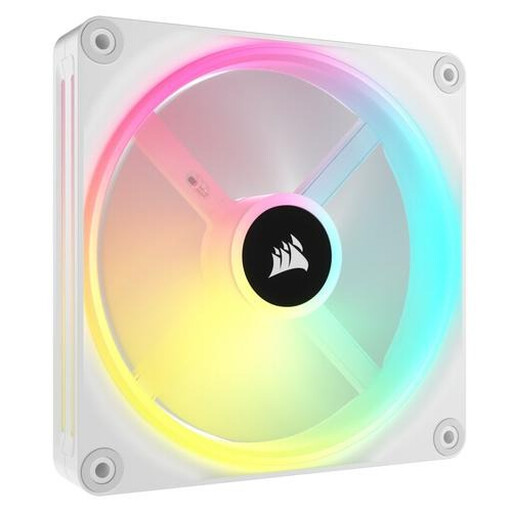
Why This Fits Their Persona: Ideal for those building a minimalist, all-white PC. Aesthetics and clean cable management are the top priorities here. The 34 addressable LEDs per fan offer extensive visual customisation.
The Corsair iCUE LINK system tackles the 'cable spaghetti' effect by connecting multiple fans with a single cable, resulting in an exceptionally clean build.
Simple installation and superior aesthetics thanks to the single-cable ecosystem. The white case fan design fits perfectly into modern, light-themed systems.
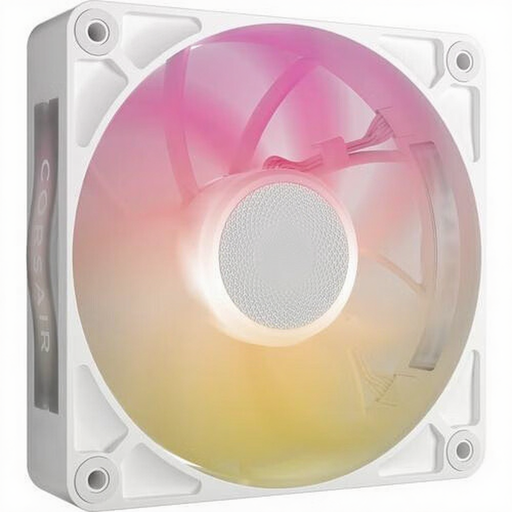
Why This Fits Their Persona: For gamers and overclockers who demand maximum PC cooling. This fan is engineered to push air through the most restrictive radiators and dust filters.
Avoids the 'wrong fan for the job' pitfall. Its high static pressure (4.16 mmH2O) ensures efficient cooling where a standard high-airflow fan would fail.
Performance-focused with a thicker 30mm frame and a design optimised for static pressure. It combines this with the benefits of the iCUE LINK system.
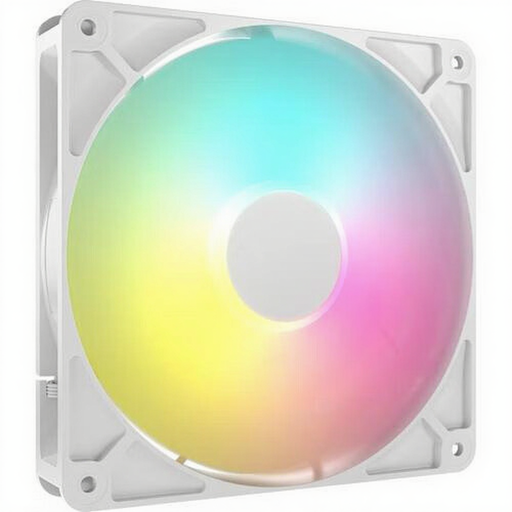
Why This Fits Their Persona: For those who want the Corsair RGB look and solid performance without the premium price of the latest ecosystem. A solid choice for a first upgrade.
Offers a great balance between performance and price. Its high airflow (95.5 CFM) makes it an effective all-rounder for case cooling, without paying for features you might not need.
Affordable price point with strong performance for general case cooling. It uses a standard ARGB fan connection for broad compatibility.
We have compiled a complete, up-to-date list of products that meet these strict selection criteria and local regulations.
The main difference is the cabling. A standard ARGB fan requires separate cables for power and lighting. Corsair iCUE LINK combines these into a single cable, allowing you to daisy-chain multiple fans. This leads to a much cleaner and simpler installation.
No, that is not physically possible. The mounting holes and frame of a 140mm PC fan are larger than those of a 120mm fan. Always check your PC case's specifications to see which sizes are supported. Some cases have mounting points for both sizes.
Very important, especially if your PC sits on your desk. A fan constantly running at 35 dB or more can be distracting. Pay attention to the minimum and maximum noise levels. A quiet PC fan has a low minimum dB level (around 10 dB) and an acceptable maximum. Thanks to PWM support, most modern fans only run at full speed when absolutely necessary.
