
Vandaag of morgen in huis

Kwaliteit gegarandeerd

Welkomstaanbiedingen ontgrendelen: GRATIS bezorging | Tot 80% korting | Gratis 30 dagen JoyPlus-proefperiode
Download de app
An RGB case fan can make your PC look neat and help remove warm air. However, choosing the right one is less straightforward than a product photo with colourful lighting might suggest. The size, connection and airflow determine whether a Corsair PC fan is genuinely suitable for your case and how you use it.
Pay particular attention to three common pitfalls:
A 120 mm case fan is a common size for front, rear and top mounting in many mid-tower cases. This size generally offers plenty of choice when it comes to models and accessories.
A 140 mm case fan has a larger rotor surface. As a result, it can move a substantial amount of air at a lower speed, depending on the design. Always check your PC case manual before buying. Also look at the available space around the motherboard, memory and radiator.
The product information sometimes lists incorrect units, such as 120 cm instead of 120 mm. Therefore, use the product name, stated diameter and mounting points of your case as your guide. If in doubt, it is sensible to check the official case specifications.
Airflow, often shown in CFM or m³/u, indicates how much air a fan can move. For open areas in the case, this is a useful indication.
For a radiator fan or dense dust filter, static pressure is also important. This value indicates how effectively the fan can push air through resistance. A model with higher static pressure is therefore not automatically better for every application, but it may be the more logical choice for a radiator or restricted airflow channel.
Speed is shown in RPM. A wide range, such as 400 to 2400 RPM, allows you to run the fan quietly under light loads and increase its speed while gaming or rendering. According to the LX120 RGB product information, the maximum airflow is 69,9 CFM and the range is 400–2400 RPM.
A PWM case fan usually uses a 4-pin connection. This allows the motherboard or fan controller to adjust the speed automatically using a set fan curve. It is more practical than a fan that runs at just one fixed speed.
RGB connections vary between systems:
Switch off the computer and unplug it from the mains before connecting an iCUE LINK cable, PWM connector or RGB connection. This helps reduce the risk of damage caused by an incorrect connection or voltage spike.
The choices below are based on verifiable product data, such as size, number of fans, speed, airflow, PWM support and included components. Claims about quiet operation or performance come from the brand’s or seller’s product information and should not be regarded as a guarantee for every PC configuration.
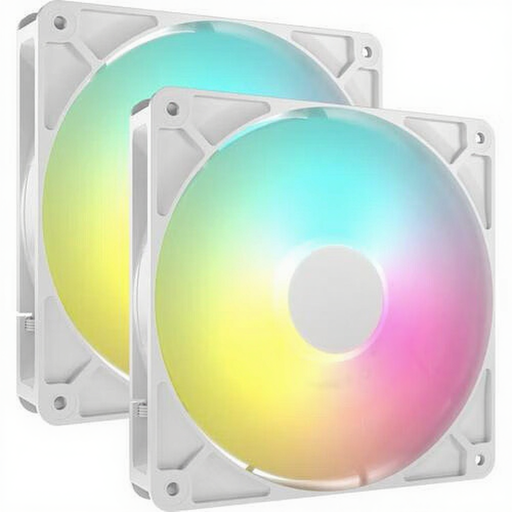
Why this suits the profile: A 2-pack of 140 mm fans is practical when you want to fill two mounting points at the same time. According to the product information, this model supports PWM and has a speed range of between 330 and 1700 RPM.
The number of fans and the size are clearly stated. However, check that your case supports 140 mm fans and that a suitable 5V ARGB header is available.
Two 140 mm fans, PWM control, up to 95,5 CFM according to the product information and eight individually addressable LEDs per fan.
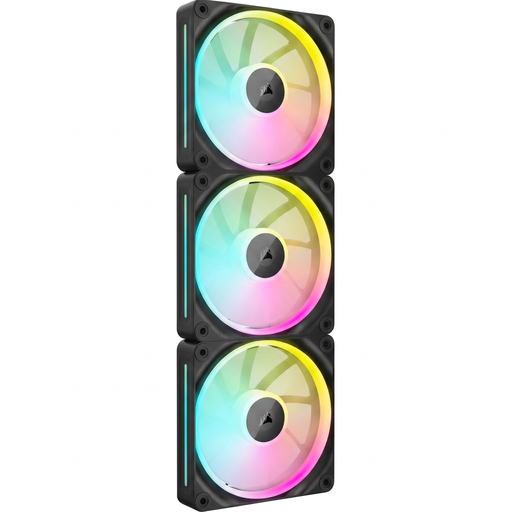
Why this suits the profile: This set is aimed at PC builders who want to fill several 120 mm positions using one ecosystem. The product information mentions a magnetic levitation bearing, 400–2400 RPM and airflow of up to 69,9 CFM.
PWM control allows you to adjust the speed quickly. Check beforehand whether you have an iCUE LINK System Hub or need to purchase one separately.
3 120 mm fans, RGB lighting, PWM support and suitability for both case and radiator cooling according to the listing.

Why this suits the profile: For a new build, a starter pack is appealing if you need several fans, a hub and tidy cable management. The listing includes an iCUE LINK System Hub, PWM and a Zero RPM mode.
The required hub is listed in the product description. Even so, check the maximum device capacity per port and the available space in your case.
3 white 120 mm fans, up to 2100 RPM, PWM control and a single cable layout via iCUE LINK according to the product data.
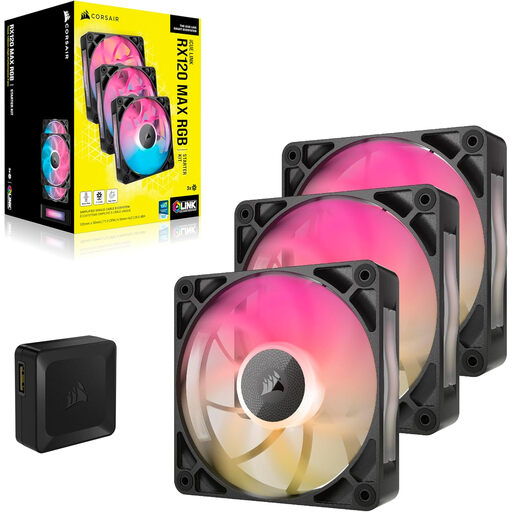
Why this suits the profile: This 3-pack is designed for users who want to equip several 120 mm positions or a radiator with PWM-controlled cooling. According to the product information, the fan is 30 mm thick.
The extra thickness may take up more space on a radiator than a standard fan. Measure the distance to the RAM, heatsinks and side panel before ordering.
3 fans, PWM support, up to 71,3 CFM and a stated noise level of up to 29,5 dB according to the product information.
We have put together a complete, up-to-date list of products that fully meet these strict selection criteria and the applicable European safety regulations.
Position the fans so that they create a clear airflow through the case. Front and bottom fans often draw in cool air, while rear and top fans expel warm air. The arrows on the frame show the direction of airflow.
A quiet PC fan does not run at maximum speed all the time. Set a fan curve in the BIOS or in Corsair iCUE. When considering noise claims, pay attention to the difference between the minimum and maximum levels. For example, a stated value of 10 dB applies at low speed and not automatically under heavy load.
Remove dust from the fan blades regularly using compressed air or a soft brush. Keep cables away from the blades and check that the screws are tight. Most products offered are covered by a statutory warranty of at least two years under the EU consumer rules mentioned; additional rights may arise from national legislation.
No. Check the PWM connection and RGB connection separately. A 4-pin PWM header controls the fan speed, while ARGB or iCUE LINK may handle the lighting and system communication. Consult your motherboard and controller manuals.
That depends on the model, the selected speed, the case and the resistance of filters or the radiator. A 140 mm fan can move a lot of air at a lower speed, but a 120 mm model may be a better fit for a compact case. Therefore, compare the stated noise level at a similar speed.
The fan motor and lighting use power together, but the exact consumption varies by model and lighting setting. For a reliable comparison, check the stated current and the number of connected fans. With iCUE LINK systems, you should also take the System Hub’s capacity and the power supply into account.
