
Vandaag of morgen in huis

Kwaliteit gegarandeerd

Welkomstaanbiedingen ontgrendelen: GRATIS bezorging | Tot 80% korting | Gratis 30 dagen JoyPlus-proefperiode
Download de app
A Corsair RGB case fan can improve your PC cooling while giving your build a personal touch. However, a fan with lots of LEDs is not automatically suitable for your computer case. The size, connection and control method all determine whether your purchase is practical.
For Dutch gamers and PC builders, there are three common pitfalls:
A 120mm case fan is a common size and fits many front, top, rear and bottom positions. However, always check your PC case’s manual or product specifications.
According to the stated specifications, a 140mm case fan can move a lot of air at a lower maximum speed. For example, the RX140 RGB series has a range of 300 to 1700 RPM and a stated maximum airflow of 94.7 CFM. The larger size does require more space, however. Pay particular attention to the distance from RAM modules, heatsinks and the radiator.
Airflow, usually given in CFM or m³/h, indicates how much air the fan can move under the stated conditions. This is relevant for fans mounted at the front or top of the case.
For a radiator fan or dense dust filter, static pressure is also important. According to the product information, a Corsair LX120 RGB has a maximum static pressure of 5.22 mmH₂O and airflow of 69.9 CFM. The LX120-R RGB has a maximum of 3.8 mmH₂O and 70 CFM according to its product specifications. So, do not compare only the CFM figure if you plan to use the fan on a liquid-cooling radiator.
Please note: stated maximum values do not guarantee the same performance in your case. Filters, radiator fins, cables and your chosen fan curve all affect the actual result.
A PWM case fan generally uses a 4-pin connection for more precise speed control. This allows the motherboard or controller to run the fan more slowly under light loads and faster when additional cooling is needed.
The product information for the selected Corsair models lists noise levels of, for example, 10 dB at low speed and 29.5 to 37 dB at high speed. According to Corsair’s own product specifications, these are measurements taken under specific conditions. In a real PC, resonance, dust and the way the fan is mounted can affect the audible noise.
With a Corsair iCUE LINK case fan, you should also check whether a suitable iCUE LINK System Hub or other required controller is included. Daisy-chaining can reduce the number of cables, but the connectors and power connection must be compatible with the system. Do not simply connect an iCUE LINK component to an arbitrary 5V ARGB header.
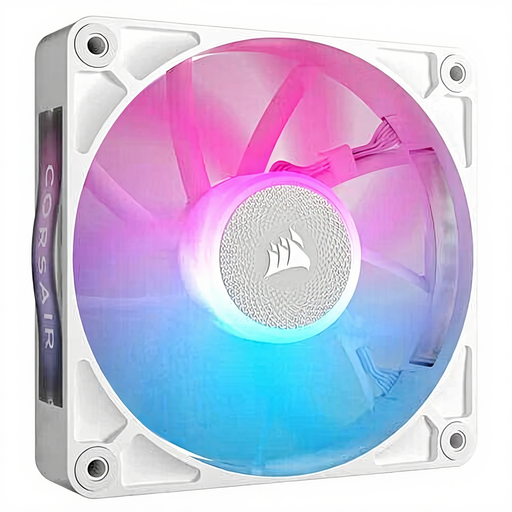
Why it suits this profile: A single fan is practical if you want to replace one position or expand your setup gradually. The 120mm size fits many standard cases.
You do not need to buy an unnecessary pack if you only have one fan position. Check beforehand that you have a suitable controller or connection.
120mm size, PWM support, 400–2100 RPM and maximum airflow of 73.5 CFM according to the product information.
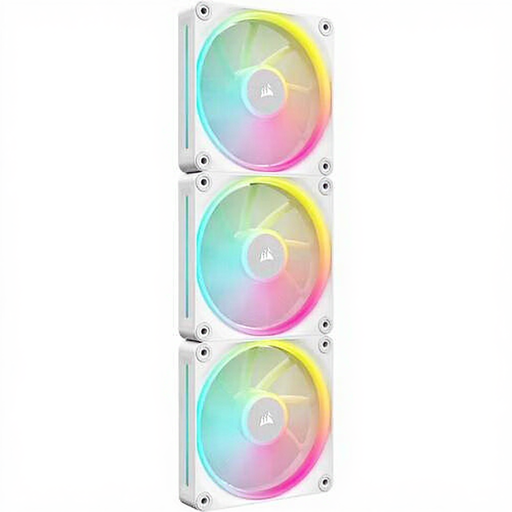
Why it suits this profile: This 3-pack of case fans is designed for a complete 120mm setup with a consistent visual style and customisable lighting.
The product specifications list PWM, magnetic bearing technology and a stated static pressure of 5.22 mmH₂O. Before buying, check which hub and cables are included.
Three fans, 400–2400 RPM, maximum airflow of 69.9 CFM per fan and 12 individually addressable RGB LEDs according to the product information.
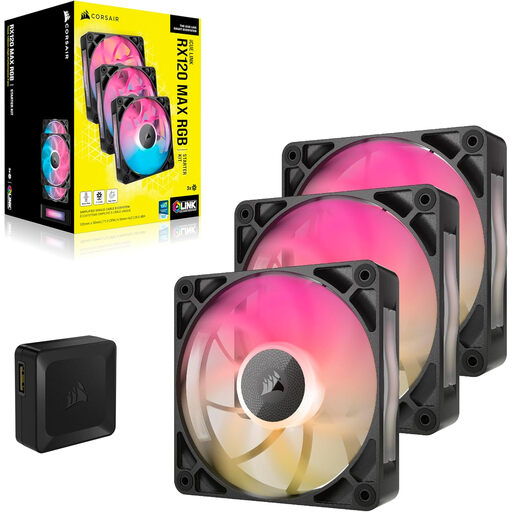
Why it suits this profile: The 30mm-thick housing is aimed at users who have room for a thicker fan and place additional emphasis on radiator or case cooling.
The extra thickness is clearly stated, so you can check beforehand that the radiator, case and components have enough room.
Three 120mm fans, PWM control, a stated noise level of up to 29.5 dB and maximum airflow of 71.3 CFM according to the product data.
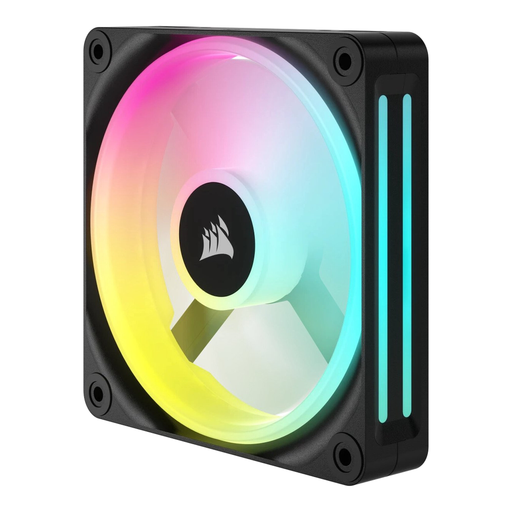
Why it suits this profile: A standalone 120mm RGB fan is suitable for a simple upgrade without immediately filling several positions.
You can supplement the existing airflow in a targeted way. Check the available header and airflow direction before installation.
120mm size, LED lighting and a stated range of 480–2400 RPM with maximum airflow of 63.1 CFM according to the product information.
We have put together a complete, up-to-date list of products that fully meet these strict selection criteria and the applicable European safety regulations.
Switch the computer off completely, turn off the power supply and unplug it from the mains before installing a fan. Then check:
Clean the blades with compressed air or a soft brush. Do not use water. A fan that is stuck or vibrating may indicate an installation problem or wear.
It can be, depending on the model and the combination of airflow and static pressure. The LX, RX and QX models mentioned are described in the product information as suitable for case and radiator cooling. Also check the radiator size, fan thickness and connection.
Follow the manual for the specific model. iCUE LINK fans are generally connected using compatible LINK cables and a System Hub. A model with PWM supports speed control, but RGB control may require a separate compatible controller. Switch off the PC before connecting internal cables.
Power consumption depends on the model, speed, controller and lighting brightness. Higher speeds and active RGB LEDs generally require more power than a low fan curve with the lighting switched off. Check the manufacturer’s power ratings and do not exceed the limits of a header or controller.
