
Vandaag of morgen in huis

Kwaliteit gegarandeerd

Welkomstaanbiedingen ontgrendelen: GRATIS bezorging | Tot 80% korting | Gratis 30 dagen JoyPlus-proefperiode
Download de app
A Corsair RGB case fan can improve both your PC’s cooling and its appearance. However, a fan is not automatically suitable for every case, radiator or controller. Gamers and PC builders in particular often encounter three common pitfalls:
By carrying out the right checks beforehand, you can avoid spending money on a quiet PC fan that does not fit, connect properly or provide enough pressure for your radiator.
The most common sizes are 120mm case fans and 140mm case fans. Check your case manual for:
A 120mm fan is generally easier to install in compact and mid-sized cases. A 140mm model can move more air at a lower rotational speed when used with a suitable mounting point, but its actual performance depends on the case design and the selected fan curve.
Airflow is often expressed in CFM or m³/h. This indicates how much air the fan can move according to the product specifications. Airflow is important for an open case grille. For a dust filter, closed front panel or radiator, static pressure, expressed in mmH₂O, is also important.
Pay attention to the speed range as well. A model with a low minimum speed can run more quietly under light loads. A high maximum speed can be useful for gaming or demanding calculations, but it will generally also produce more noise. For example, the specifications for the models below list ranges from 300 to 2,400 RPM and maximum noise levels of approximately 29.5 to 37 dB.
A PWM fan generally uses a 4-pin connection to regulate its speed accurately via the motherboard or a fan controller. Check the RGB connection too:
With a Corsair iCUE LINK system, multiple fans can be connected in a chain. This can reduce cable clutter, but it makes compatibility with the hub particularly important.
The selection below is based on verifiable product information such as size, speed, PWM support, airflow, included components and RGB functionality. Noise figures are taken from the relevant product specifications; actual performance depends on the fan curve, installation and other PC components.
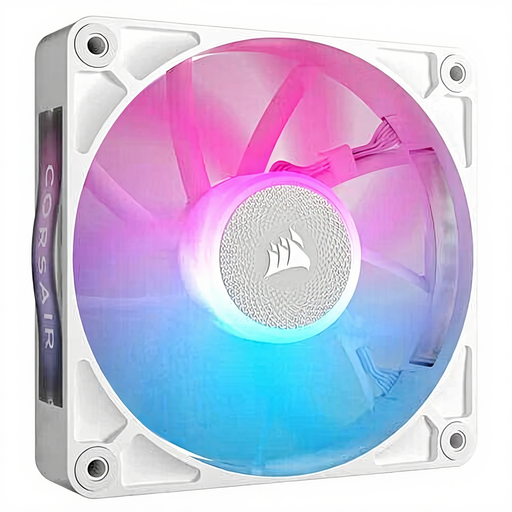
Why it suits this profile: A single 120mm fan is a practical choice when you want to replace one existing fan or upgrade your PC gradually. The white finish works well with lighter-coloured builds.
The 120mm format reduces the risk of choosing the wrong mounting size. However, check that your system has a suitable iCUE or RGB connection.
PWM support, 400–2,100 RPM, RGB lighting and, according to the product specifications, maximum airflow of 73.5 CFM.

Why it suits this profile: This set is suitable for a larger case with two 140mm mounting points, and for users who want to combine a consistent black look with iCUE LINK.
The set contains two fans, so you do not accidentally mix different sizes or colours. Check the available LINK hardware beforehand.
140mm format, PWM control, 300–1,700 RPM and, according to the product information, maximum airflow of 94.7 CFM per fan.
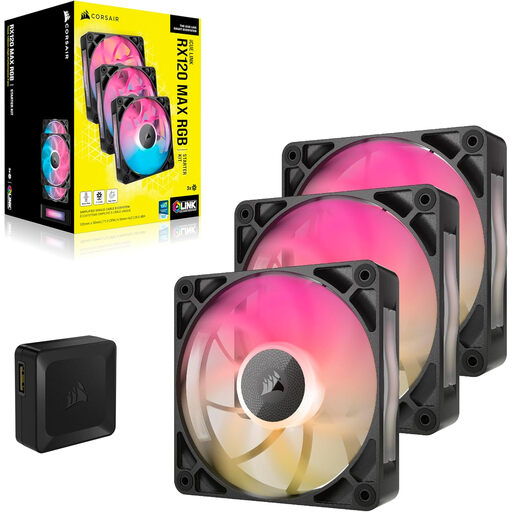
Why it suits this profile: A set of three is ideal for a heavily used gaming PC or workstation with several intake and exhaust positions. The extra thickness does require sufficient clearance.
The 30mm-thick design is aimed at delivering airflow and static pressure, but it does not eliminate installation issues: measure the available clearance before ordering.
Three 120mm fans, PWM, RGB, 400–2,000 RPM, maximum airflow of 71.3 CFM and, according to the product information, maximum noise of 29.5 dB.
We have put together a complete, up-to-date list of products that fully meet these strict selection criteria and the applicable European safety regulations.
A computer case fan only works effectively when air flows logically through the case. A commonly used layout is:
Remove dust from the fan blades regularly using compressed air or a soft brush. Hold the blades still while cleaning and do not use water. Switch the PC off completely and unplug the power cable before installation or maintenance. According to the product information, the products mentioned are covered by a statutory EU warranty of at least two years; additional rights may apply under Dutch law.
It can be, provided the model is designed for this purpose and the size matches the radiator. In addition to airflow, check the static pressure. A fan designed solely for an open case grille is not automatically suitable for dense fins or a dust filter.
Switch off the PC, connect the fan to a compatible iCUE LINK cable or System Hub and connect the power supply according to the manual. A separate expansion fan may require different accessories from a starter pack. Always check the package contents and your hub’s compatibility.
A case fan generally uses very little power. Consumption increases when the fan runs faster and RGB lighting is active. With PWM control, you can reduce the speed when the PC is under a light load. As a result, noise and power consumption may be lower during everyday use than when the fan runs continuously at maximum speed.
